

Rotating Dishwasher Status Indicator - 3 states
$4.99
Sale price
$4.99
Regular price
Skip to product information



Rotating Dishwasher Status Indicator - 3 states
$4.99
Sale price
$4.99
Regular price
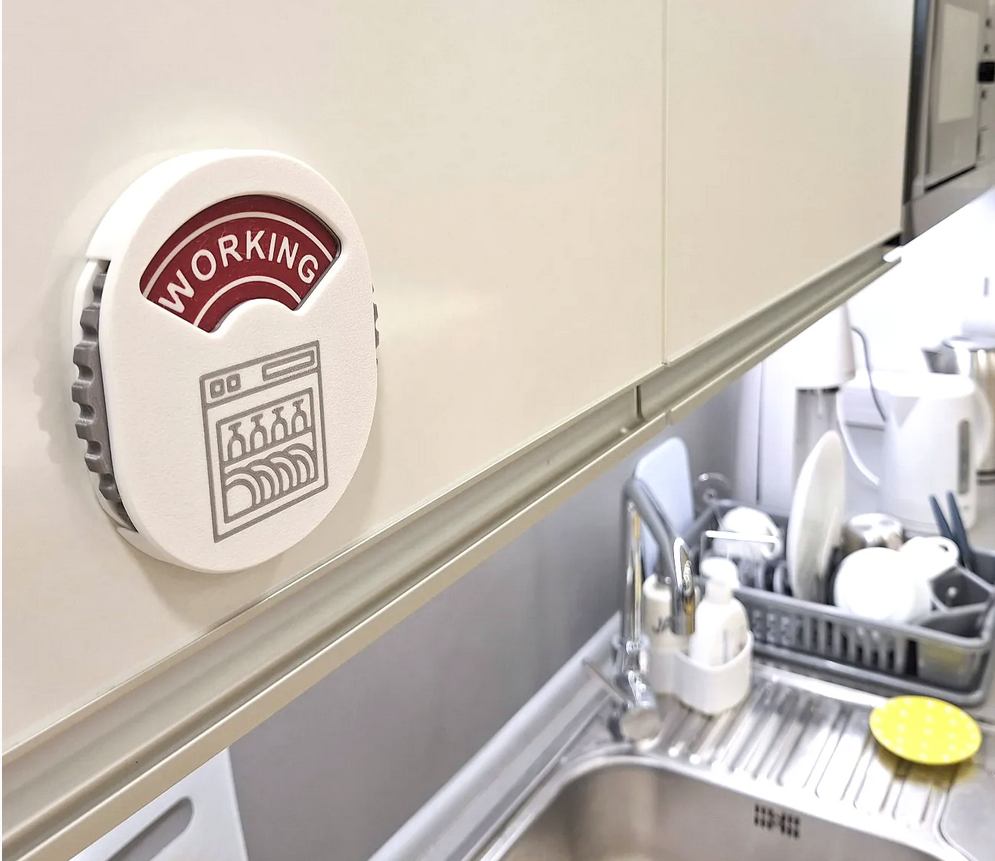
I was looking for dishwasher indicator for our office.
There are a lot of employees in the office and ine the dishwasher has started mixing clean plates and dirty plates.
People didn't know when the dishwasher was in operation and when they could put in plates.
I found that the indicator with Clean / Dirty positions will not be enough.

Therefore, I created an indicator with three positions - Clean / Dirty / Working
Construction has self-locking pins to gentle hold the wheel in correct position.
Connect the individual parts using M4x8 screw.
Printed from PLA :-)
Happy printing
Update 3.1.2025
- Added WheelNoText.step file. You can open it in your CAD and add your text co create your custom text on the wheel.
- In Fusion 360 it is very simple. How to add text you can find bellow:
Update 5.11.2024
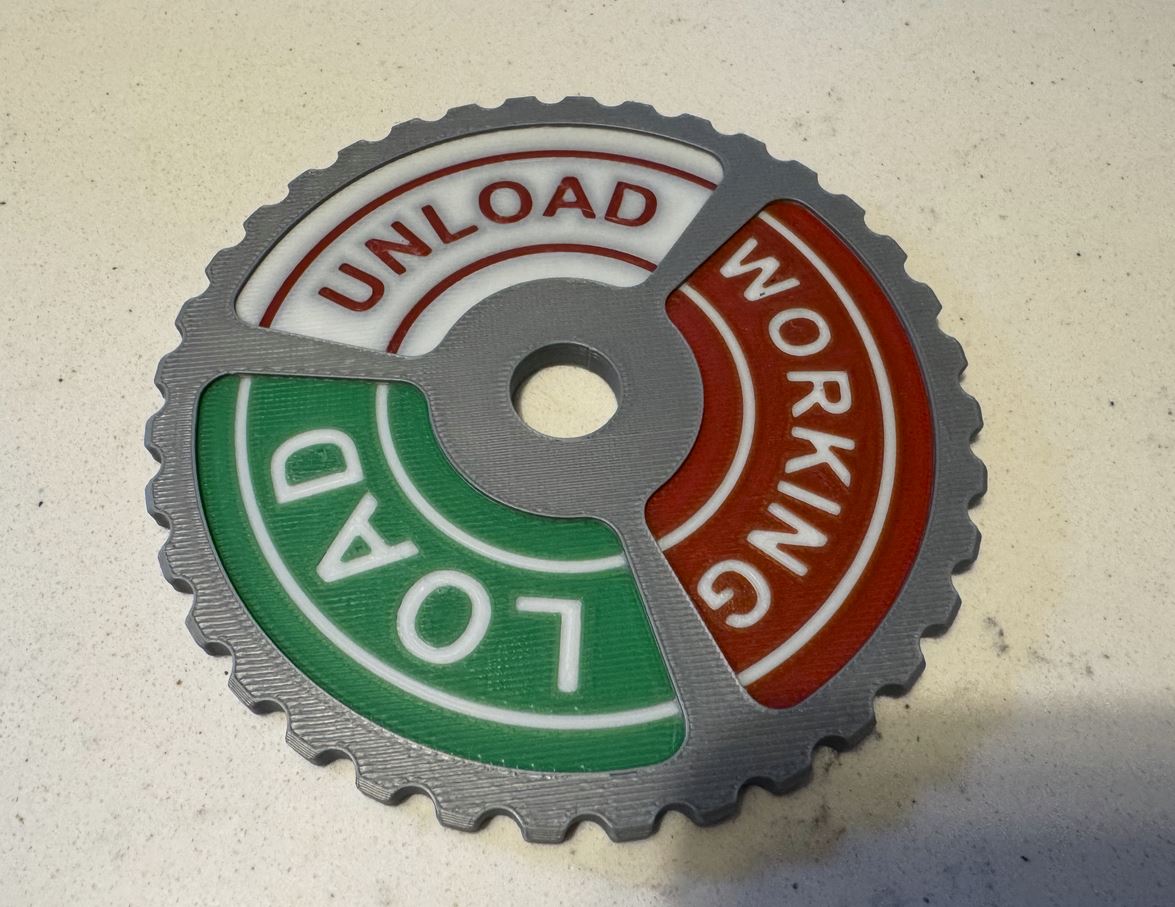
- Added 2 new Wheels to the print profile (Load / Unload /Working - Thanks FlyinGoat for the photography.)
How to create Custom text on the wheel:
- in Fusion 360 it is very simple. How to add text you can find bellow:
- Open WheelNoText.step in Fusion 360
- Create new Sketch on the wheel where text will be
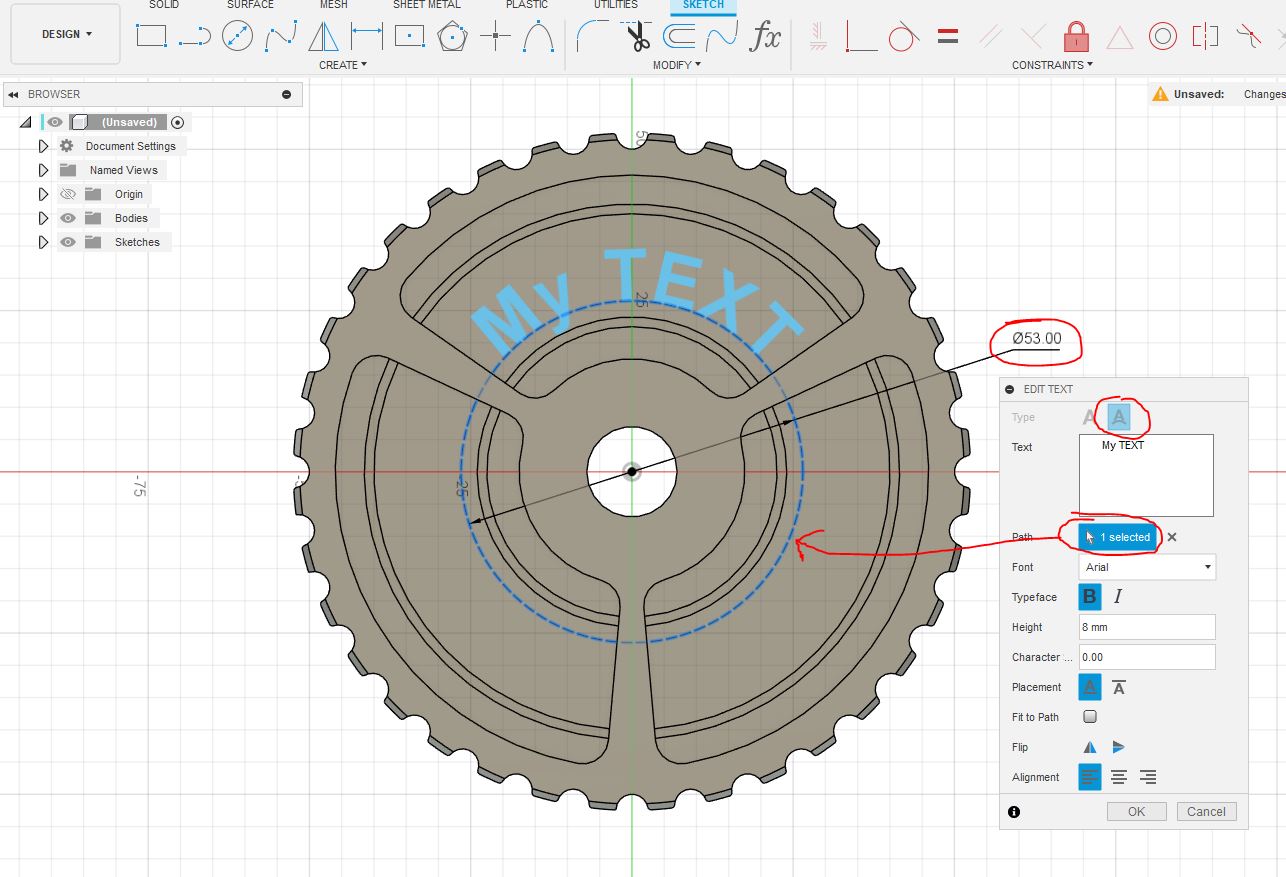
- Create center diameter Circle (Linetype: Construction)
- Use Text tool in scetch menu.
- Set type: text on path
- Set path: Select Circle from previous step
- Type text you want
- Use space for better alignment or other text function
- Repeat the step 4 for all texts
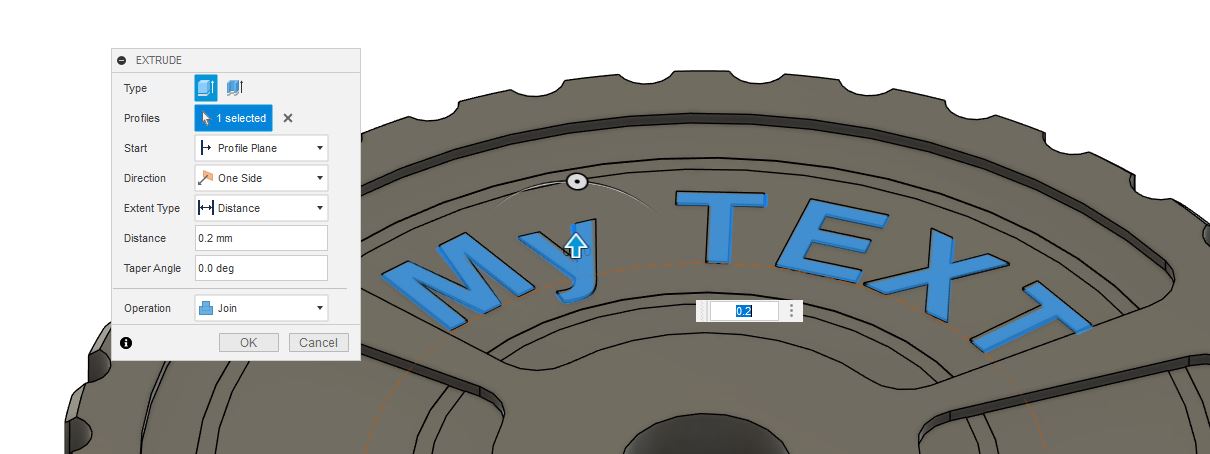
- Finish Sketch
- Use Extrude function to Extrude text (Cut or Join). 0.2mm is OK
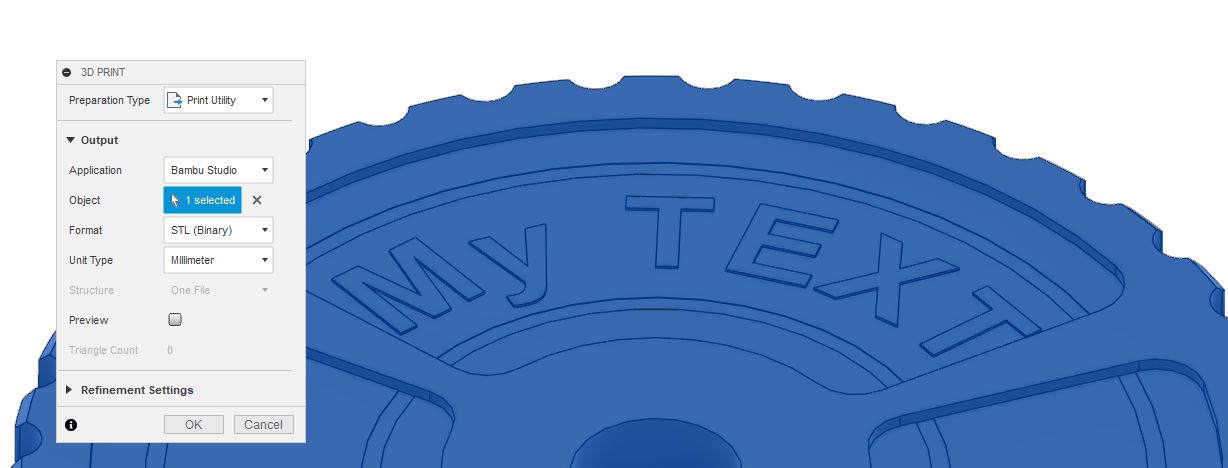
- In Utilities menu click on Make and open in print utility BambuStudio
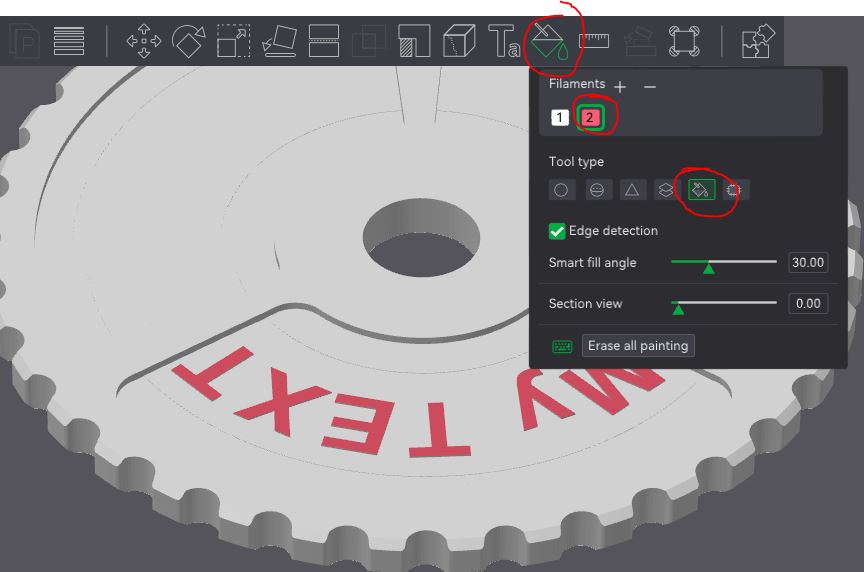
- In Prepare view, Select weel object and use Color painting function
- Add second filament
- Select Tool type: Fill
- Now you can click on your text characters to fill it
Design by Frantisek23 on MakerWorld (license: BY-SA).