
92MM Fan Mount (Noctua A9 & other 92mm Fans)


92MM Fan Mount (Noctua A9 & other 92mm Fans)
NOCTUA A9 FAN MOUNT
This is a mount for a 92mm PWM fan, like the Noctua A9, designed to fit any surface with a 100mm hole. I originally made it for a 3U server, but you can use it anywhere you need better airflow.
The design consists of two parts:
- Backplate – Holds the fan and mounts inside the case.
- Front Cover – Sits on the outside, giving it a clean look and protecting the fan.
What You’ll Need:
-
92mm Fan (e.g., Noctua A9 or similar)
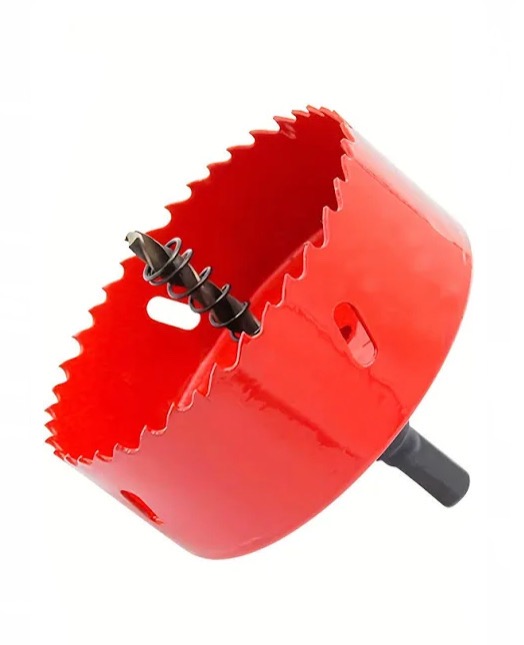
- 100mm Hole Saw (Recommended, but a 90mm hole is the minimum)
- 4x M3 Heat Inserts
- 4x M3 x 10mm Screws (To secure the front cover to the backplate)
- 4x M3 x 20mm Screws & Bolts (To mount the fan to the backplate)
Installation Instructions:
1. Cut the Hole
Start by drilling a 100mm hole in your 3U server (or whatever you're mounting it to). A 90mm hole can work, but 100mm gives you some wiggle room for adjustments. I used a hole saw from Amazon for about 10 bucks, and it did the job just fine. Once the hole is cut, clean up any rough edges.
2. Prepare the Backplate
Take the backplate and press 4 M3 heat inserts into the mounting holes in the center. These will let you screw in the front cover later.
3. Attach the Fan
Line up your 92mm fan with the backplate and secure it using 4 M3 x 20mm screws and bolts. Make sure the fan is facing the right direction for airflow—either pulling air in or pushing it out, depending on your setup.
4. Mount Everything
Now, put the backplate inside the server, lining it up with the hole. Then, place the front cover outside the server, aligning it with the backplate. Use 4 M3 x 10mm screws to fasten the front cover to the backplate. Tighten them evenly so it holds firmly in place, essentially sandwiching everything together.
Design by talcoth on MakerWorld (license: BY).