
曲水街建筑书立/模型(Qushui Street Bookstand/Model)


曲水街建筑书立/模型(Qushui Street Bookstand/Model)
Thank you all for your support. We hope you can help us with the coupon support
感谢大家的支持,希望多多助力券支持
Model lighting design
模型灯光设计
本模型可以选择 不使用灯光 与 使用灯光组件 两种的选择。
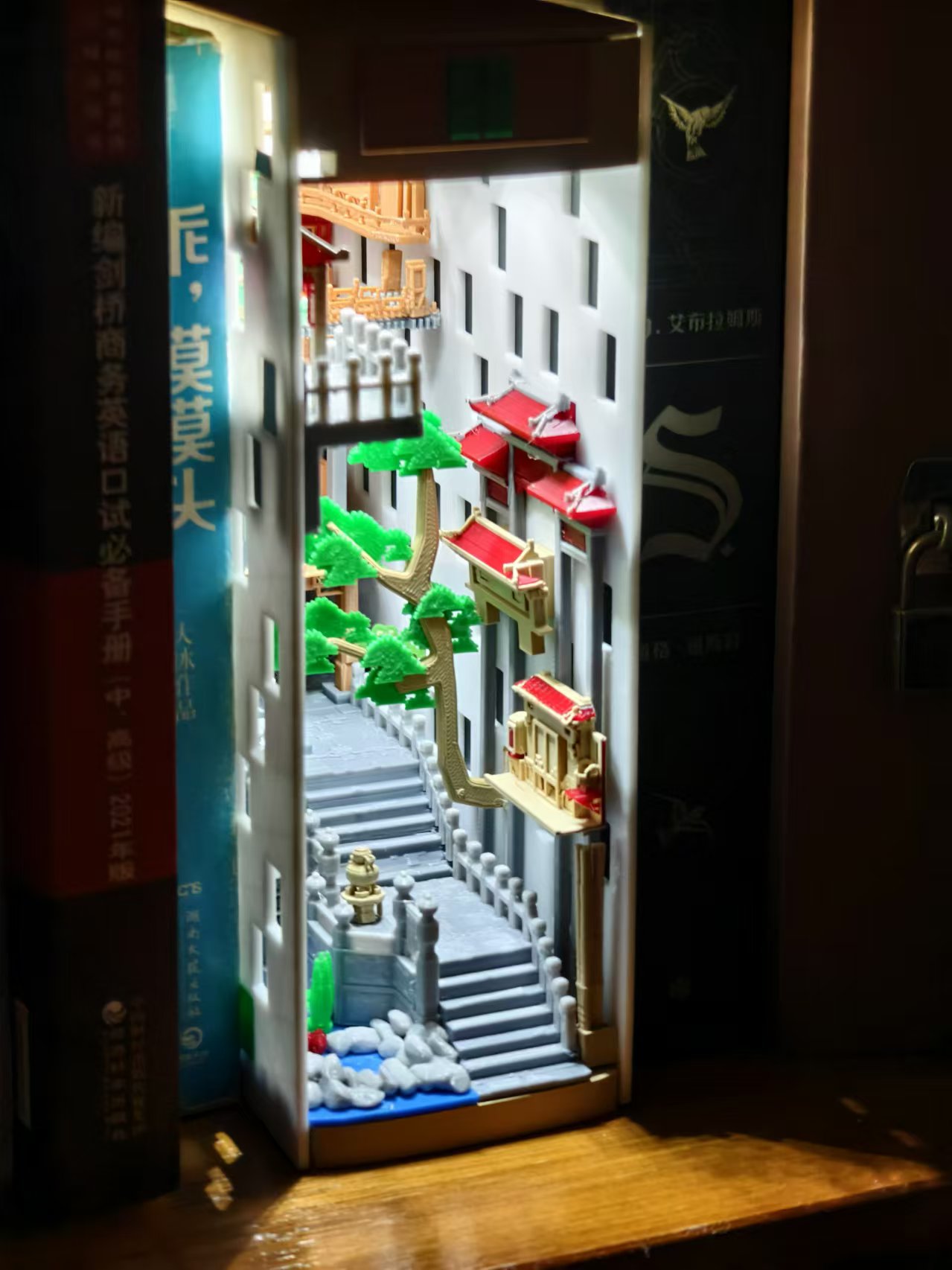
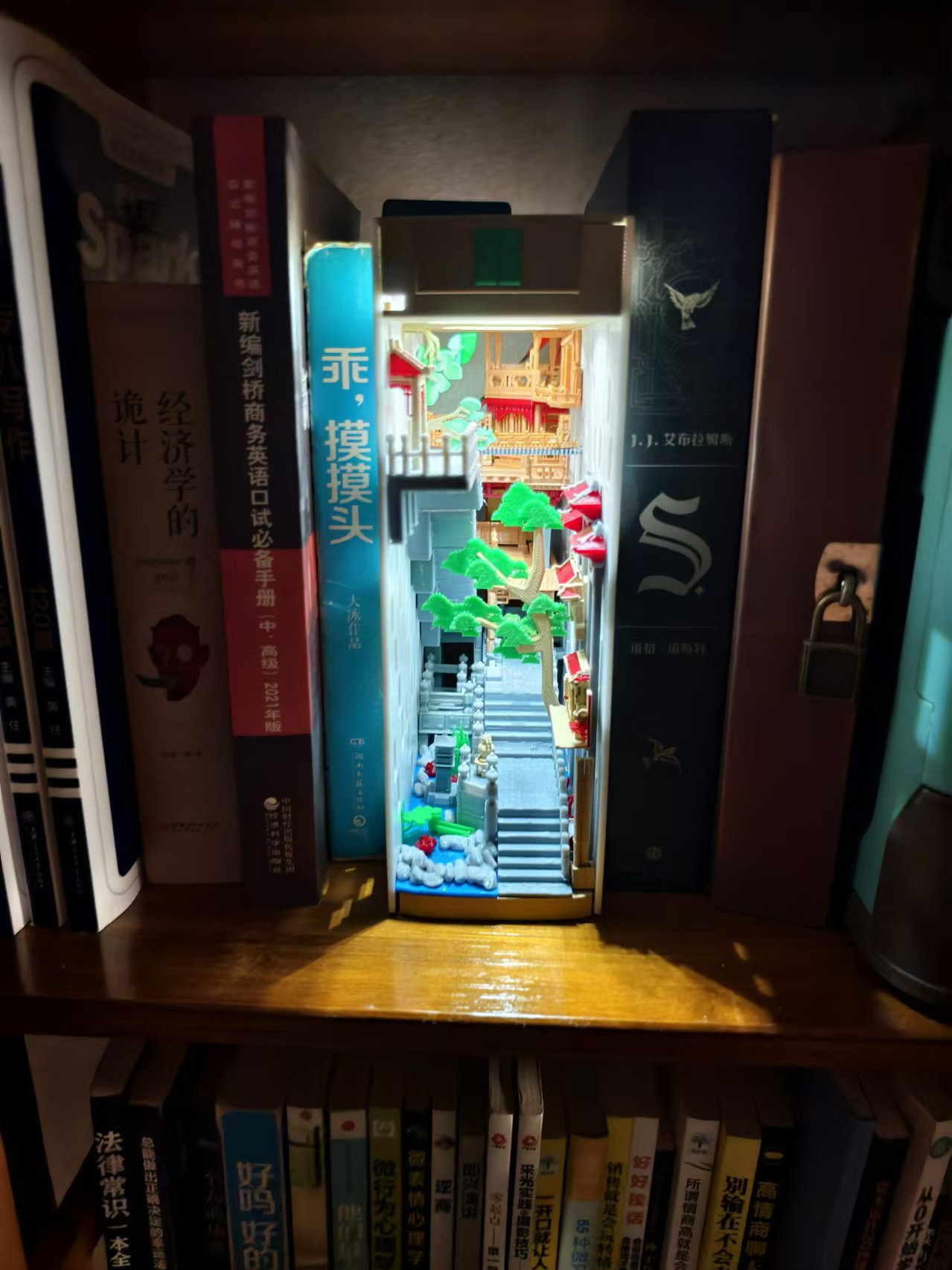
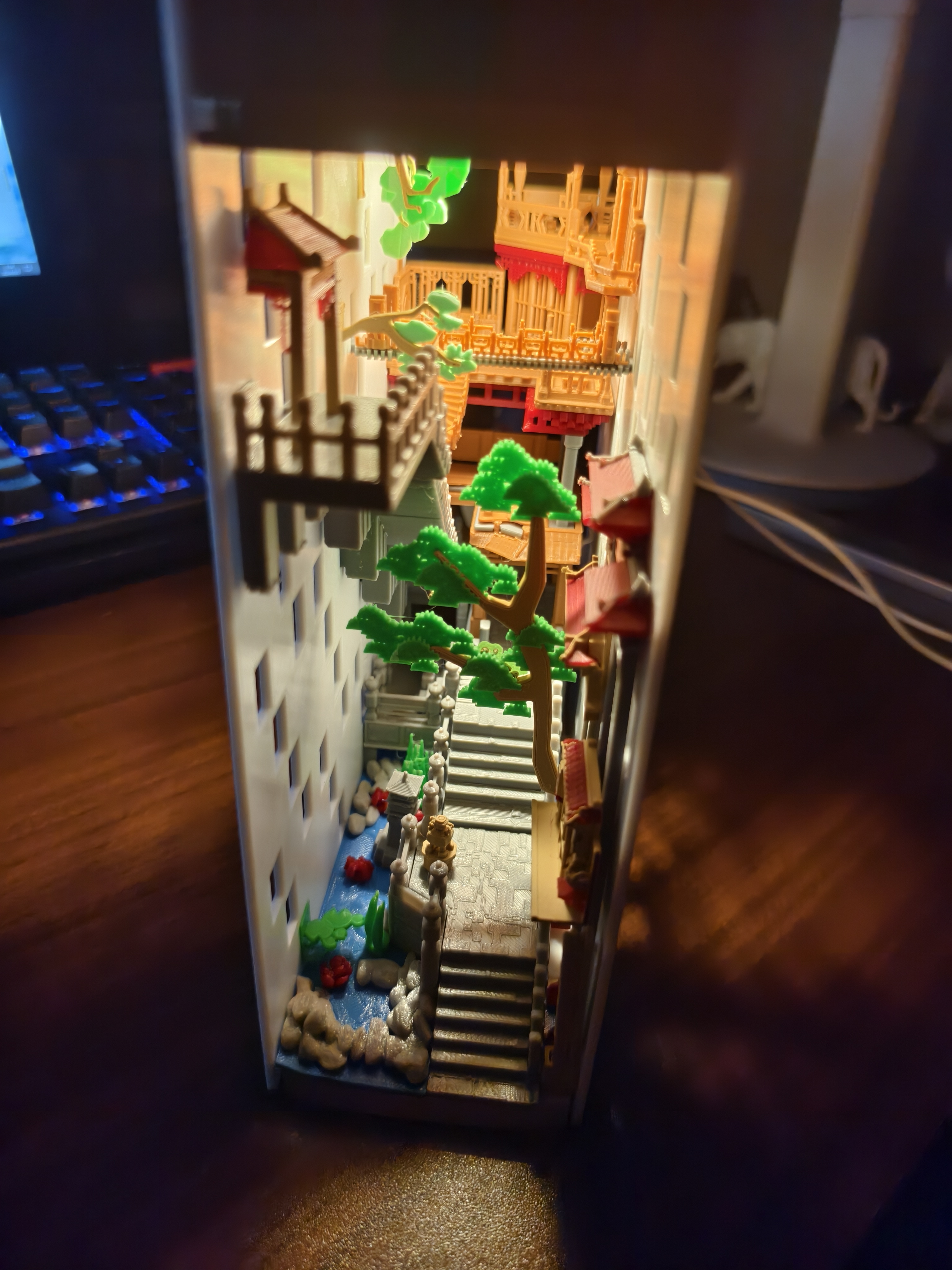
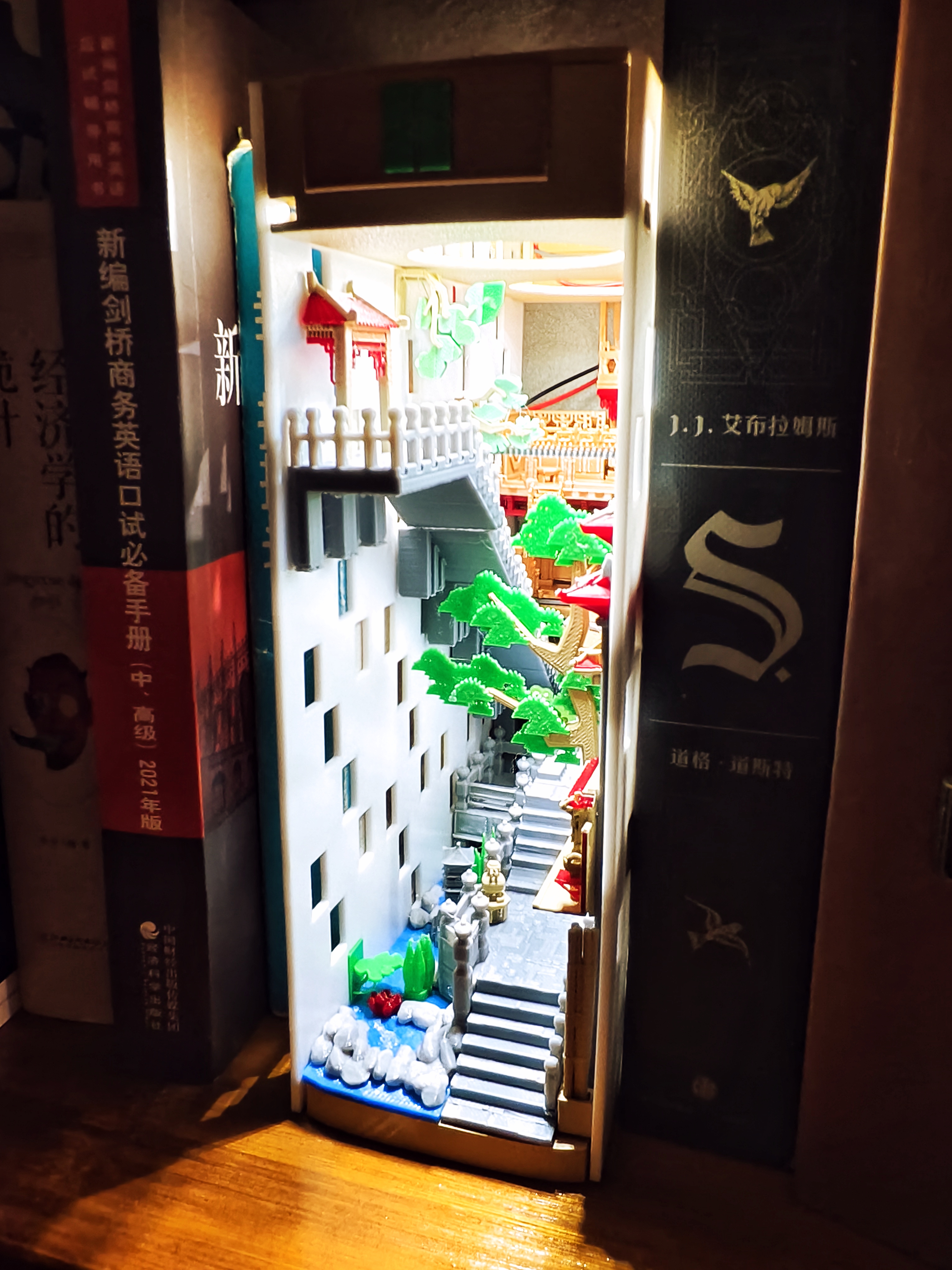
灯光:1拓竹的创意组件,可以选择一个或者两个,也可以选择前方布置线或者后方布置线。后面会有两个灯光控制的效果图片
2,其他的灯光,这样你就不需要布置线路。模型上方空间预留充足,可以满足你可以把整个线路布置进去(除非你的电池盒很大)。
图片中的白光就是自己布置的电路
图片中的黄光是使用拓竹的创意组件
This model can choose between not using lighting or using lighting components.
Lighting: 1. Creative component of Tuozhu, which can choose one or two, as well as front or rear layout lines. There will be two pictures of lighting control effects later
2. Other lighting, so you don't need to arrange the wiring. There is sufficient space reserved above the model to accommodate the entire circuit layout (unless your battery compartment is large).
The white light in the picture is the self arranged circuit
The yellow light in the picture is a creative component using Tuozhu、
diy lighting自己布置的灯光
拓竹灯光bambu lighting
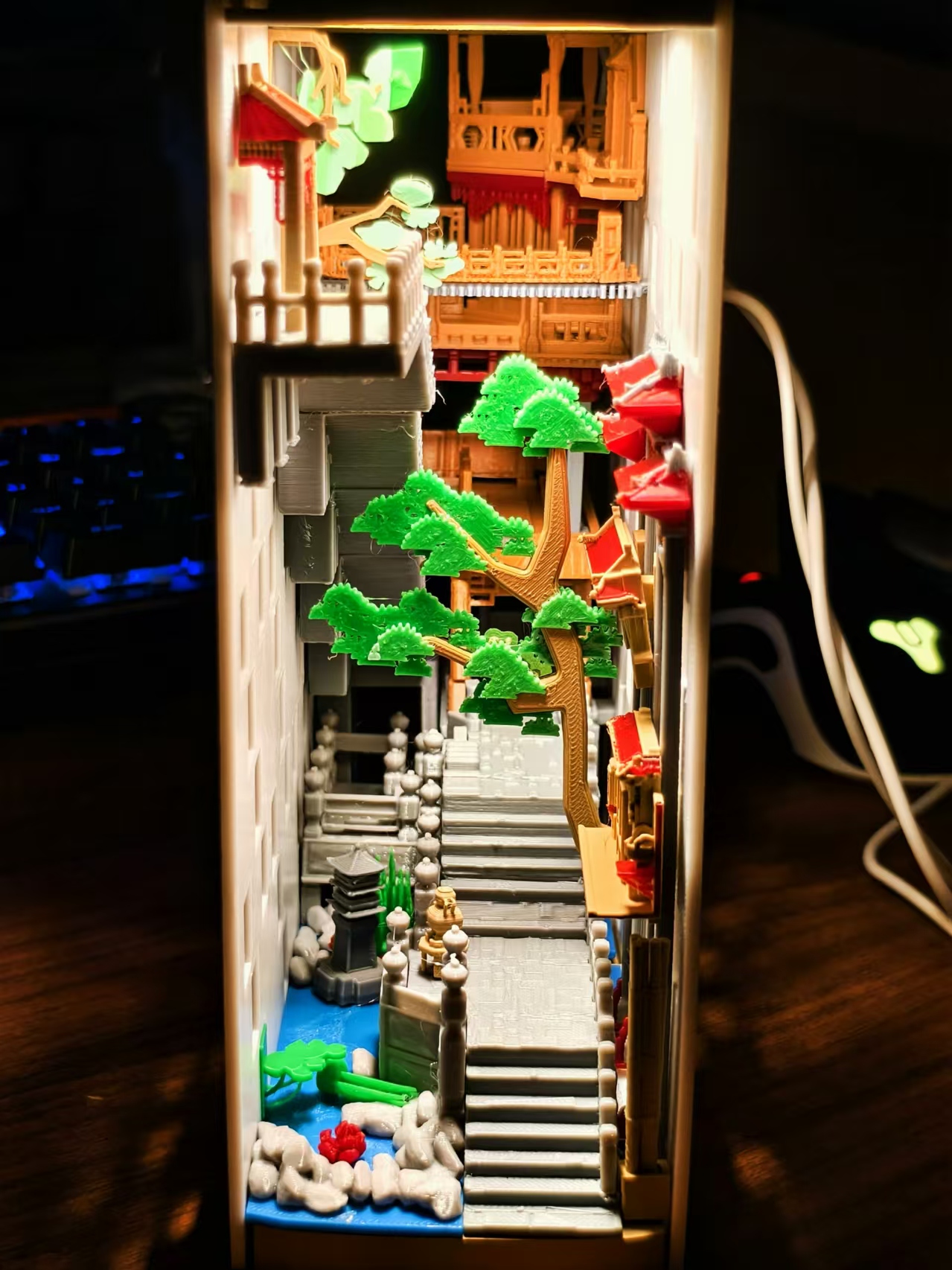
只开前方灯光
Only turn on the front lights
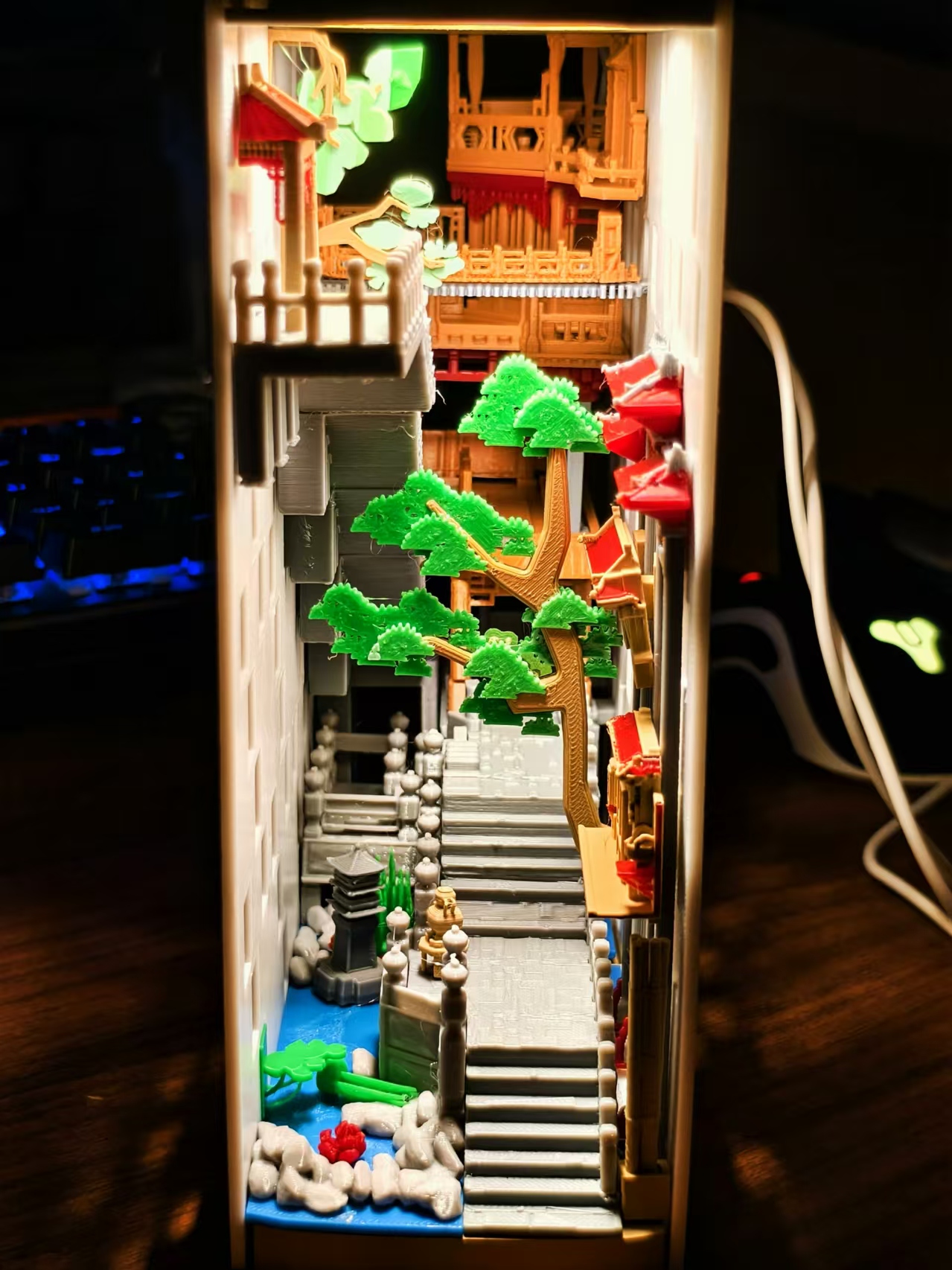
只开后方灯管光
Only turn on the rear light tube
模型拼装+diy设计
Model assembly+DIY design
1如果想要图片里面的效果,请查看上传的pdf文件,
2当然你也可以自己设计自己的布置。
制作方法,模型的两端设置了无数的空洞,同时在文件里有对应的卡卡扣,你可以将自己喜欢的模型在软件里面用卡扣进行布尔运算,这样你可以把自己喜欢的模型布置在整个框架里面甚至两端,同时你可以制作自己喜欢的书页放在两端,这样它会看起来更像一本书模型用途
If you want the effect in the picture, please check the uploaded PDF file,
Of course, you can also design your own layout.
The production method involves setting countless holes at both ends of the model, and corresponding card buckles in the file. You can use these buckles to perform Boolean operations on your favorite model in the software, so that you can arrange your favorite model throughout the framework or even at both ends. At the same time, you can create your favorite pages and place them at both ends, making it look more like a book
Model Usage
1,书立,原本的设计的就是书立,但是感觉单独设置一个书立太过于单调,所以再此基础上丰富了内容。在之后的图片里面会有书立的图片。
2,摆件,不使用书立的底座,使用正常的底座可以较少模型的占地面积。
1. Book stand, originally designed as a book stand, but felt that setting up a separate book stand was too monotonous, so the content was enriched on this basis. There will be a picture of the book standing in the following pictures.
2. Ornaments, do not use a book stand base, using a normal base can reduce the footprint of the model.
打印分盘设置
Print partition settings
11,水
9.4.8.11,外壳
7,建议多色打印的墙体建筑
2,木质建筑结构
6,石头配件
10,悬空桥
14,建筑屋檐
13,后方石台
9,栅栏,石头栅栏,!注意分颜色
5,一些杂物(树木,水草,拓竹标记等)
6,石质平台
11. Water
9.4.8.11, Shell
7. It is recommended to use multi-color printing for wall construction
2. Wooden building structure
6. Stone accessories
10. Suspended Bridge
14. Building eaves
13. Rear stone platform
9. Fence, stone fence,! Pay attention to color classification
5. Some miscellaneous items (trees, aquatic plants, bamboo markers, etc.)
6. Stone platform
Design by wannawow摆烂猫 on MakerWorld (license: CC0).