
A1 (Mini) Pen Plotter Mod - No extra parts
$4.99
Sale price
$4.99
Regular price
Skip to product information

Boost Me Boost me maybe?


A1 (Mini) Pen Plotter Mod - No extra parts
$4.99
Sale price
$4.99
Regular price
Don't be deterred by the long printing time of the drawing profile, it should take less that 15 minutes to actually complete!
This faceplate attachment allows for use of many sizes and styles of pen. Different pens can be used by adjusting the z hop after retract and speed settings. Leave a comment if you have any questions or concerns! I am not responsible for any damage done to brinters or markers, though frankly it should be quite safe if done correctly
Steps:
- Print the holder
- Remove the face plate of the toolhead and extruder indicator
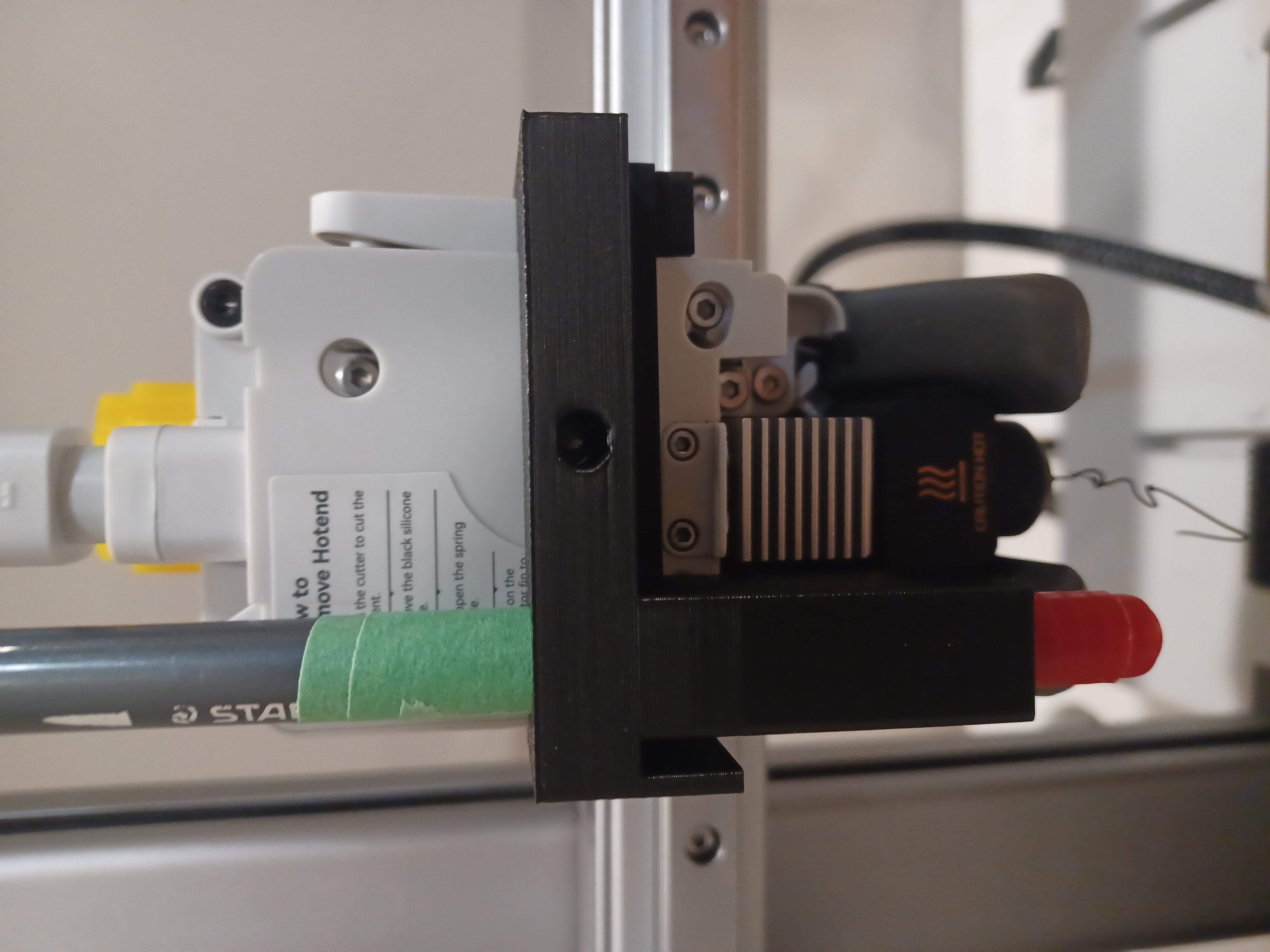
- Slip the holder around the toolhead and onto the pin (See Photo). The pen holding shaft should be just above the cooling fan.
- Place pen into the shaft. It should just rest on to of the fan. Use tape to increase the pen's diameter if you find issues
-
After making sure it fits, attach paper to the print bed with tape (Make sure it is totally flat)
When in doubt, use more tape!
Profile/Printing:
- Copy the second print profile (Acorn)
- Adjust the z-hop after retract in the filament parameters by measuring how far the pen extends below the fan, the adding some tolerance to that.
- For faster printing/ prep, do not use an AMS lite or bed leveling, as it is not necessary
- Remove the pen from the holder
- Start the print
- After the initial “Purge lines” are ran through by the printer, place the pen into the holder, then you should be good to go!
- Printer will loop over the image, end the print when you are happy with it.
- if the lines aren't good enough, consider putting slight pressure on the top of the pen very lightly, that shpuld fix it.
Custom images:
- Find a simple drawing online (Black or white probably)
- Use an online converter to change it to an SVG
- Import that into Bambu studio and adjust it to the paper, then add it to an assembly with another generic object.
- Lift it above the build so that its floating above
Tips:
- Turn the extrusion multiplier all the way down and trick the slicer by making the filament diameter higher in the filament settings. These will both make leff plastic come out, though none should with the default profile.
Have fun with this, and consider liking my project!
Design by Infilament on MakerWorld (license: BY).