

Carcassonne modular Travel/Play/Store box


Carcassonne modular Travel/Play/Store box
- Made to order — 3D printed after you buy
- Free shipping on orders over $25
- Quality checked before it ships
- Questions? Contact us · Returns
Multifunctional Carcassonne box
After I bought the Carcassonne BigBox with the expansions, I thought about how I would transport the game. And so I came up with this box. The box has multiple functions and it's up to you how you use it. I tried to use every space to fit as many game cards and accessories as possible into the box.
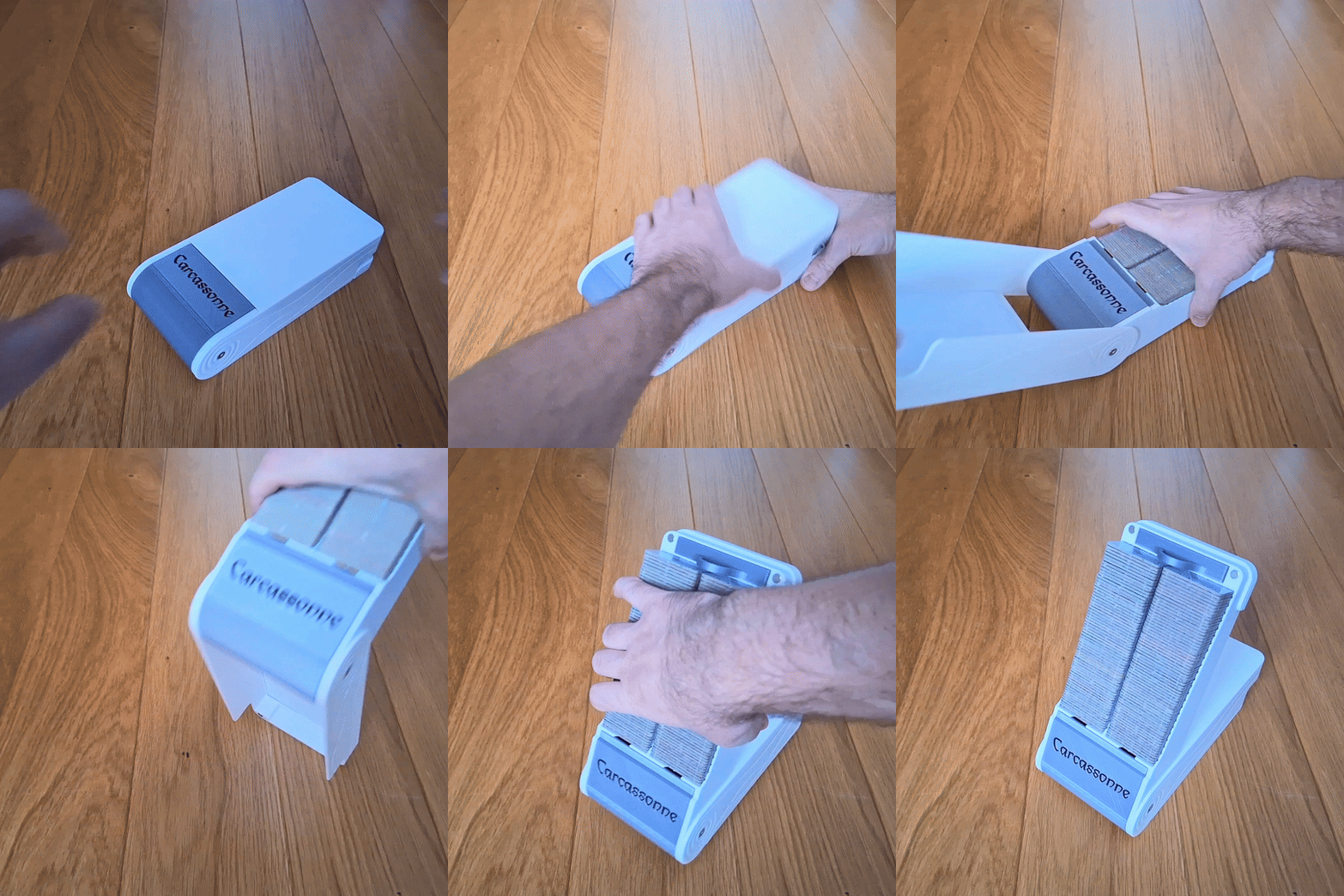
The bottom part of the model contains slots where you can insert shelves, drawers, dispenser holders. It is up to you which configuration you decide on and where you place these parts.
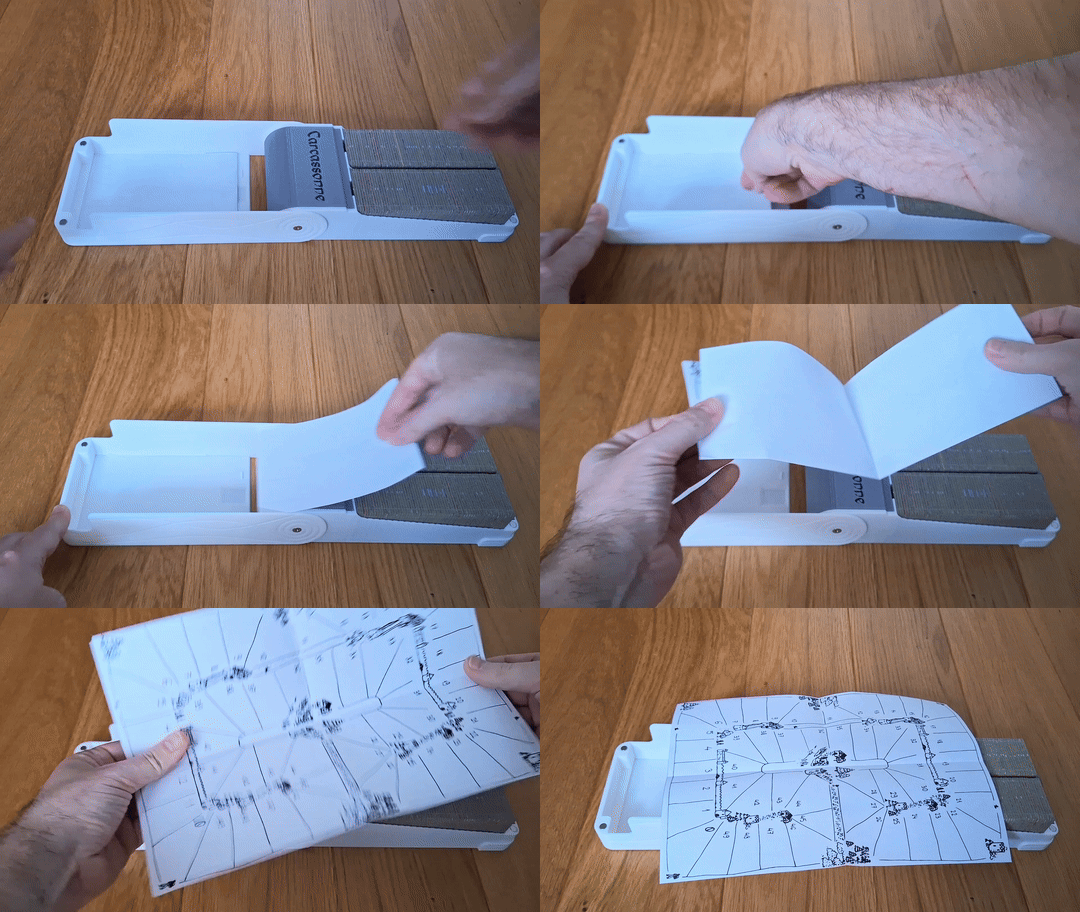
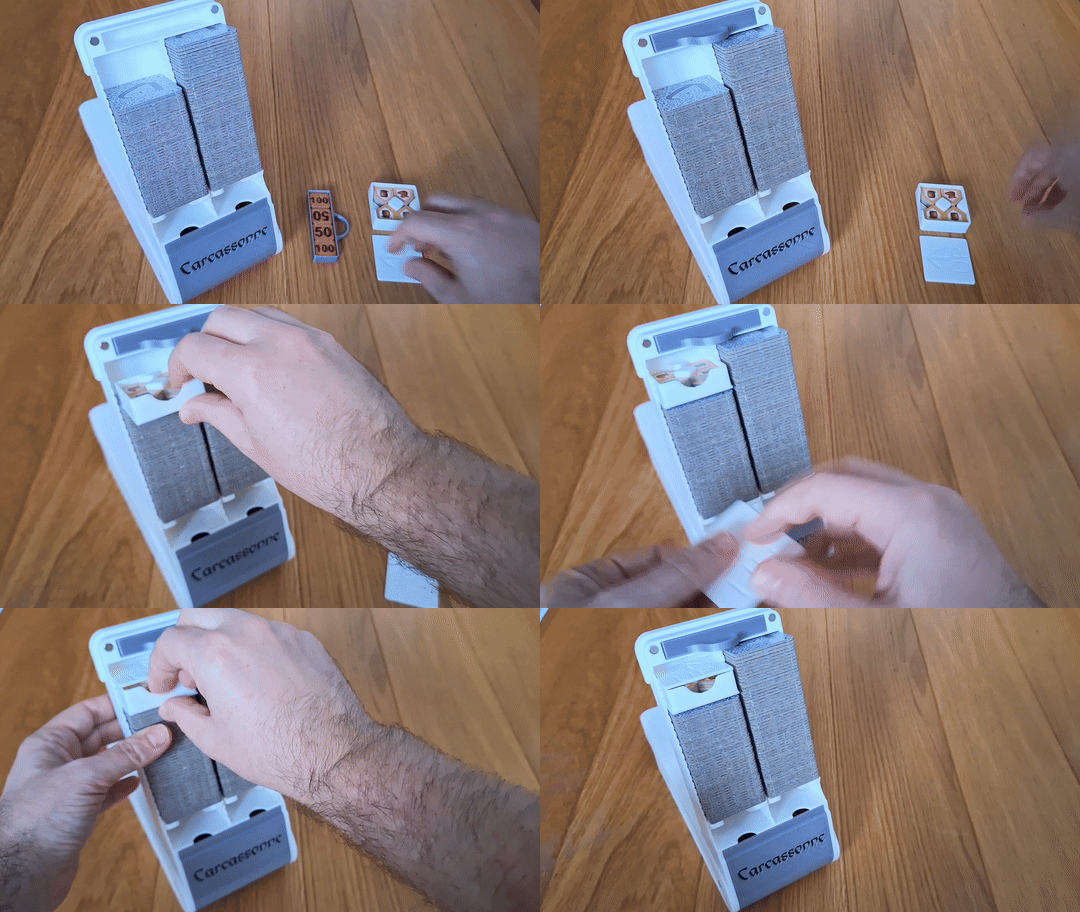
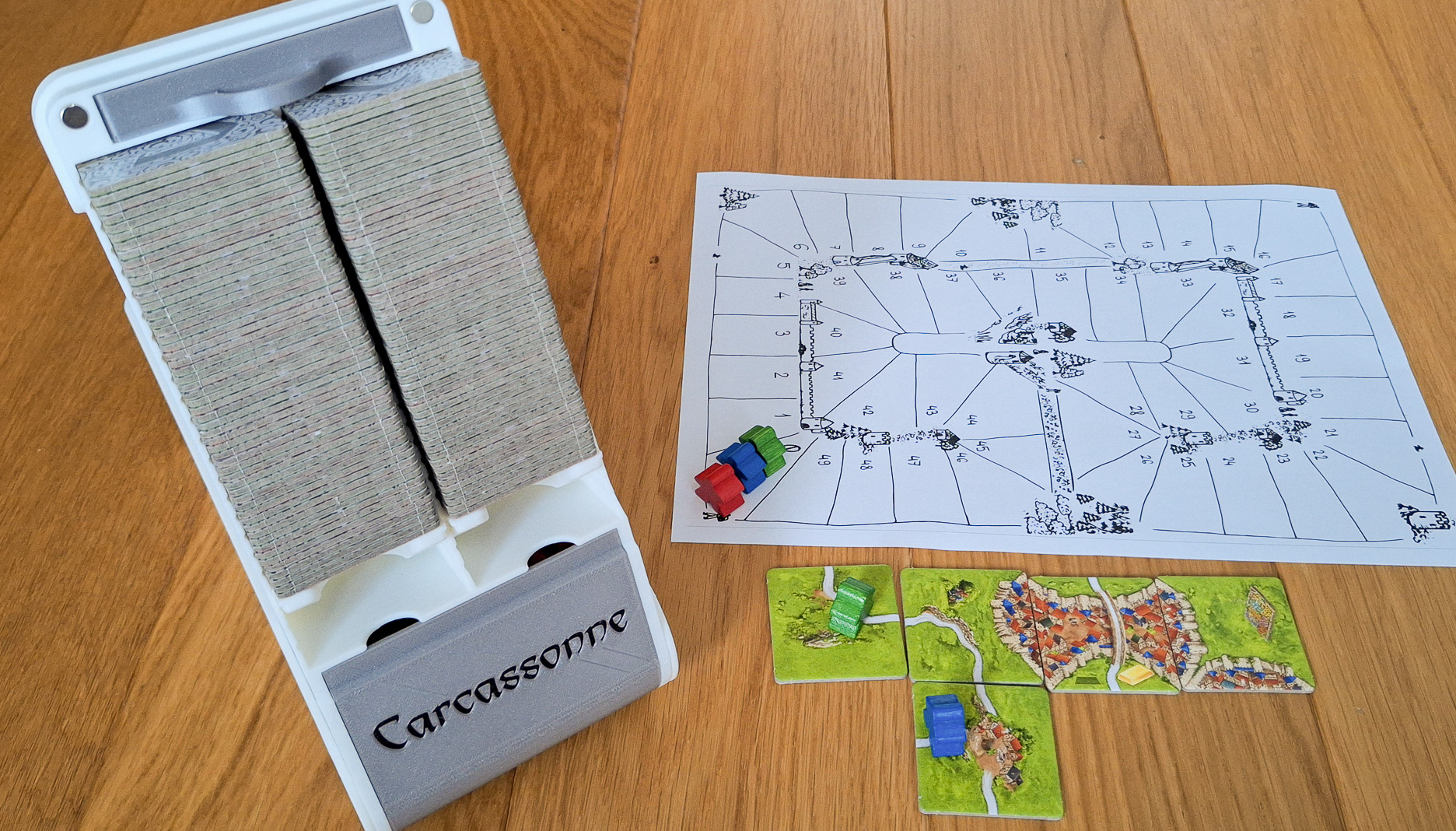
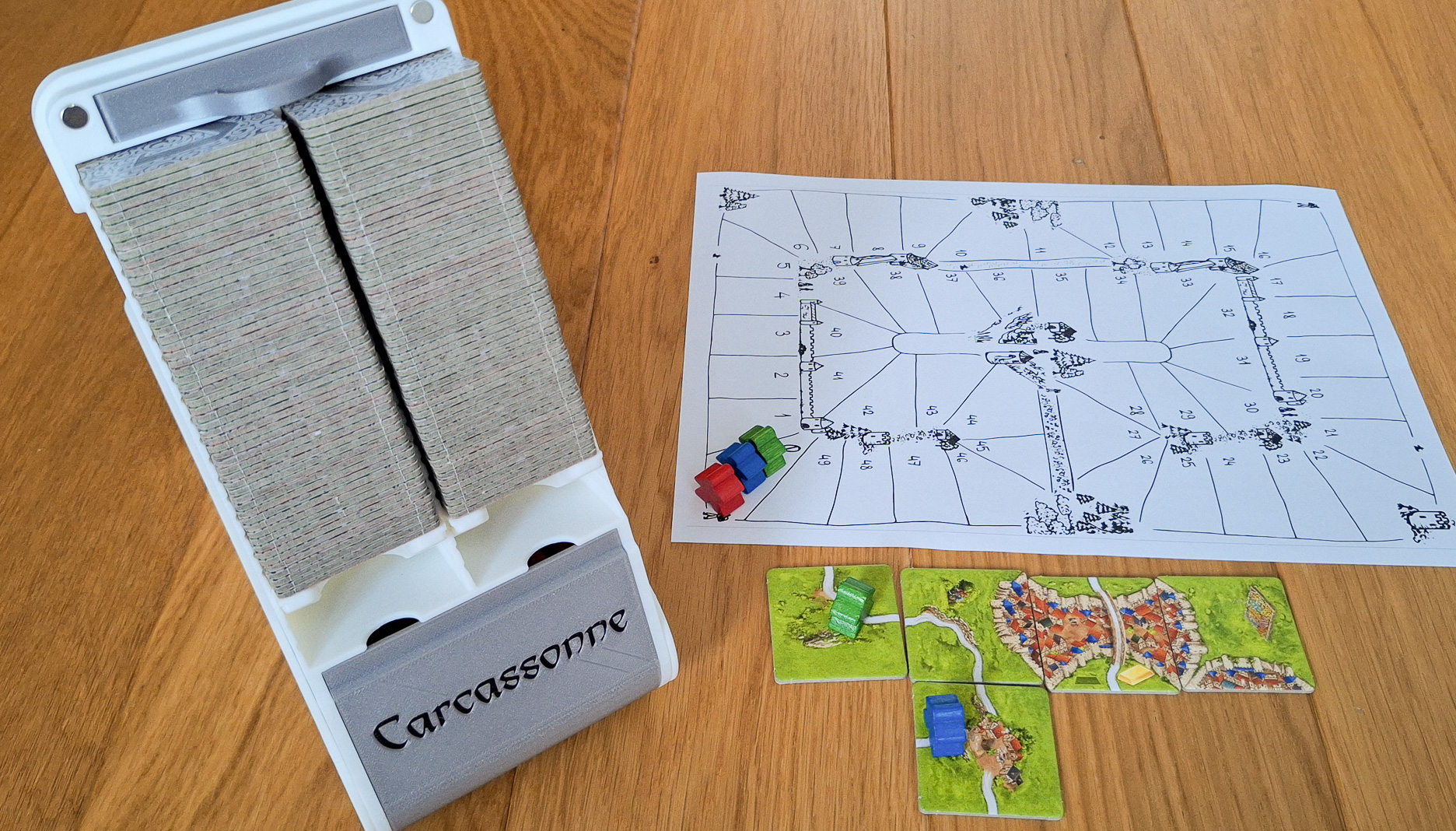
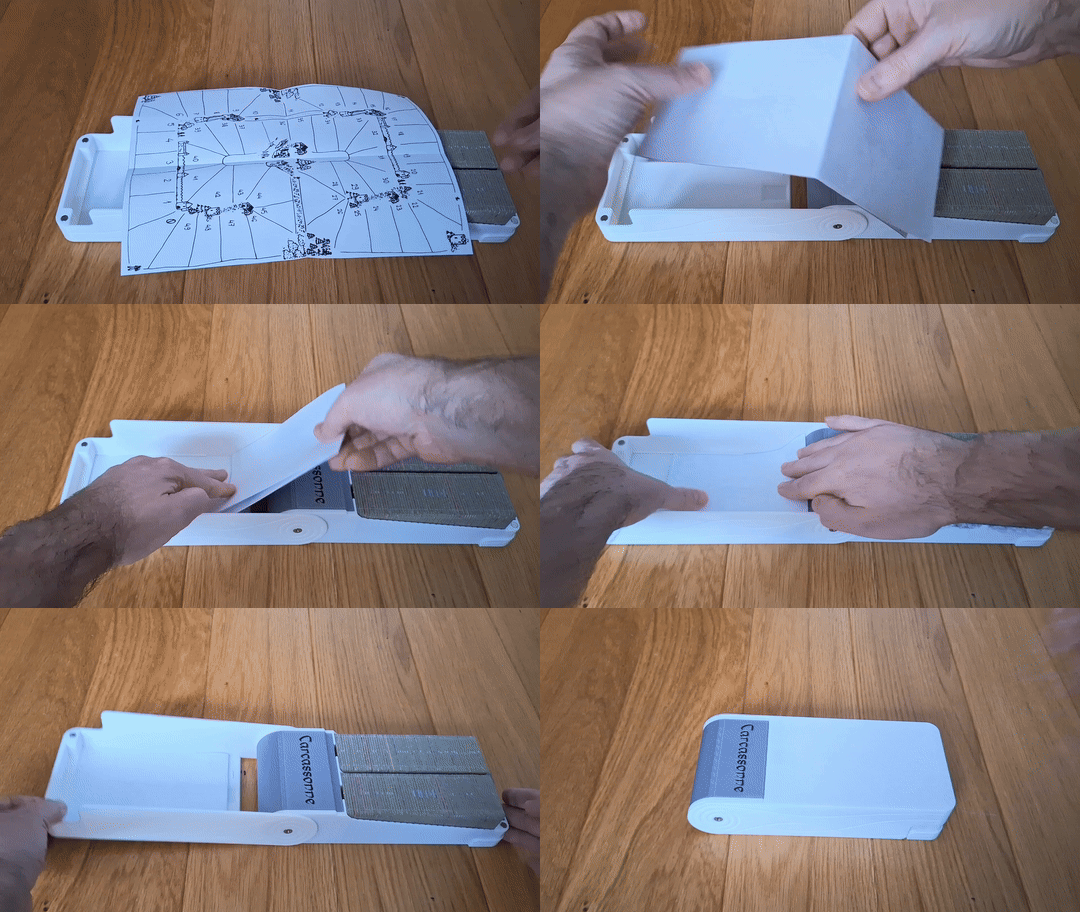
The model also includes a pdf scoreboard (Vierka, thanks for the drawing), which can be printed at 100% scale. Then cut out along the edges and fold. After folding, it can be inserted into the box lid. The scoreboard is designed for the 122 version, but if it folds in thirds instead of just half, it can also be inserted into the 72 and 102 models.
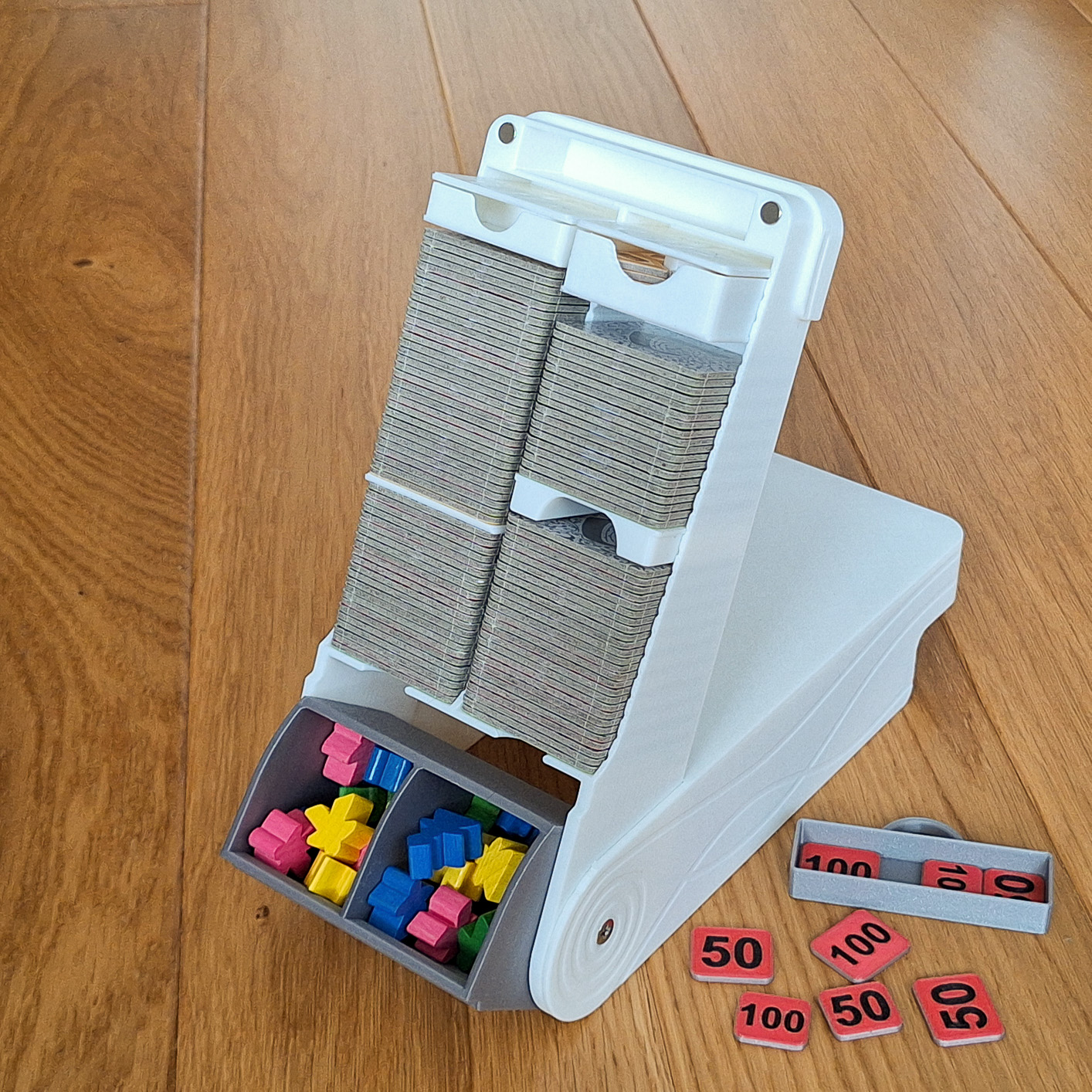
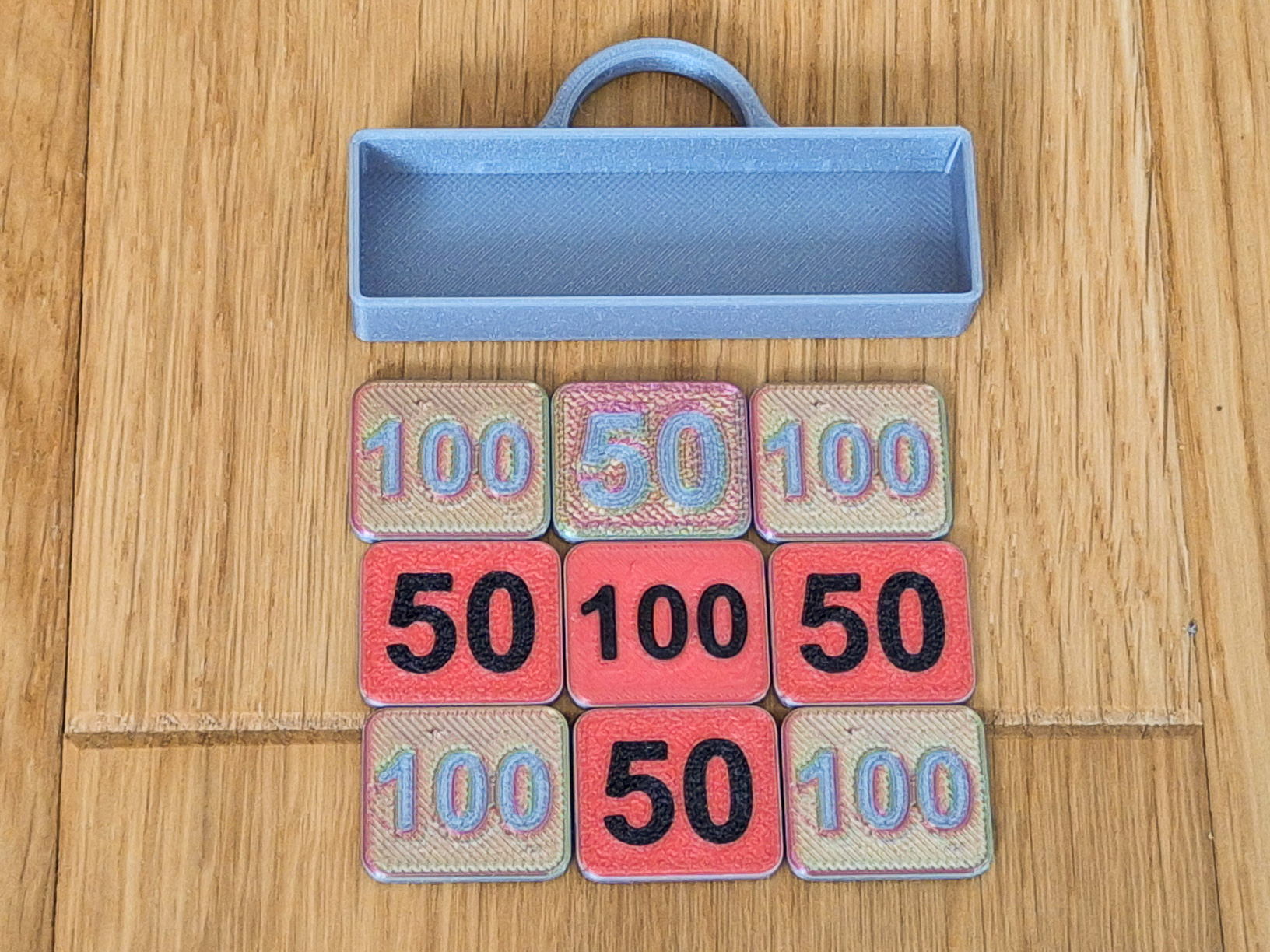
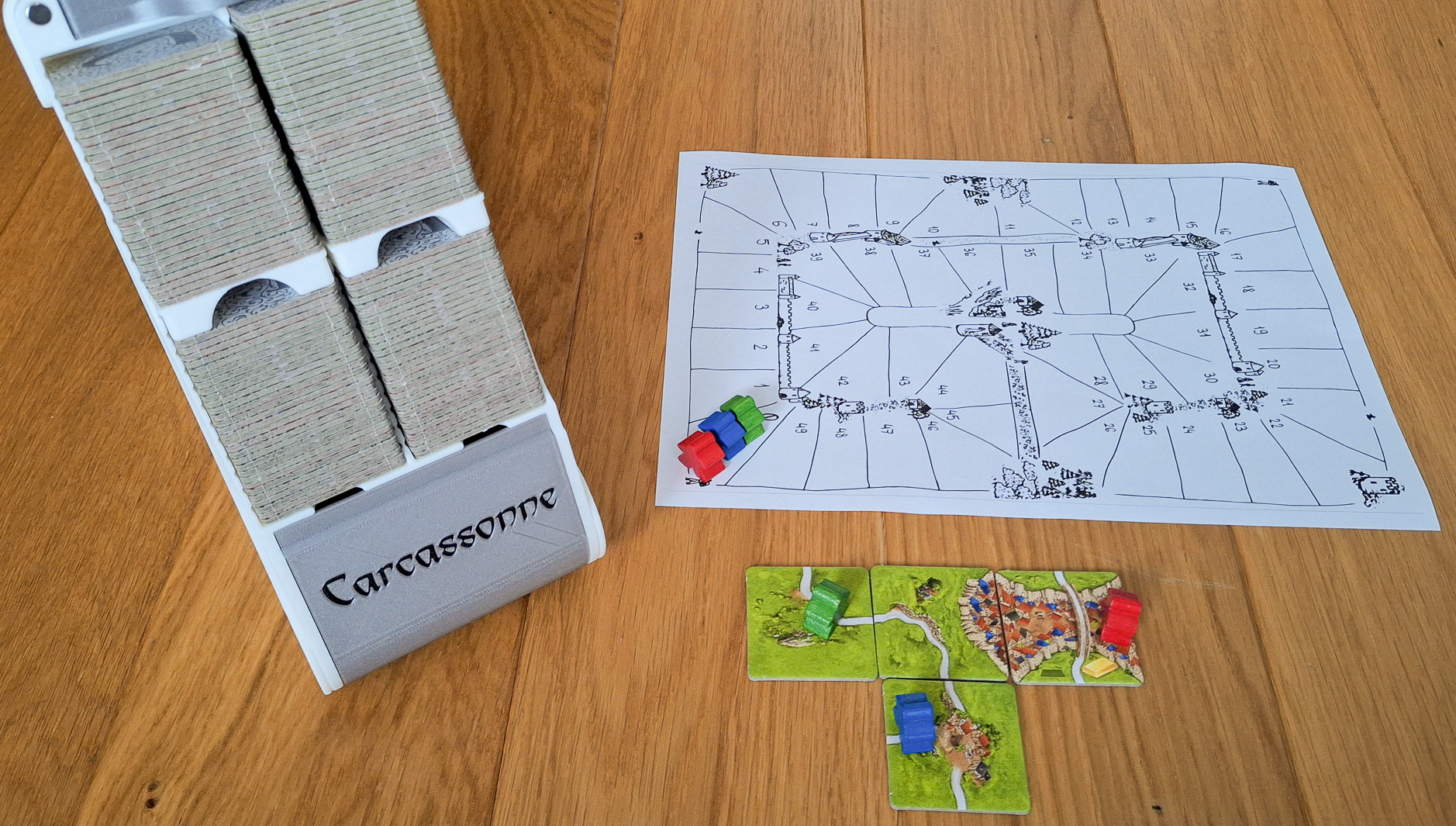
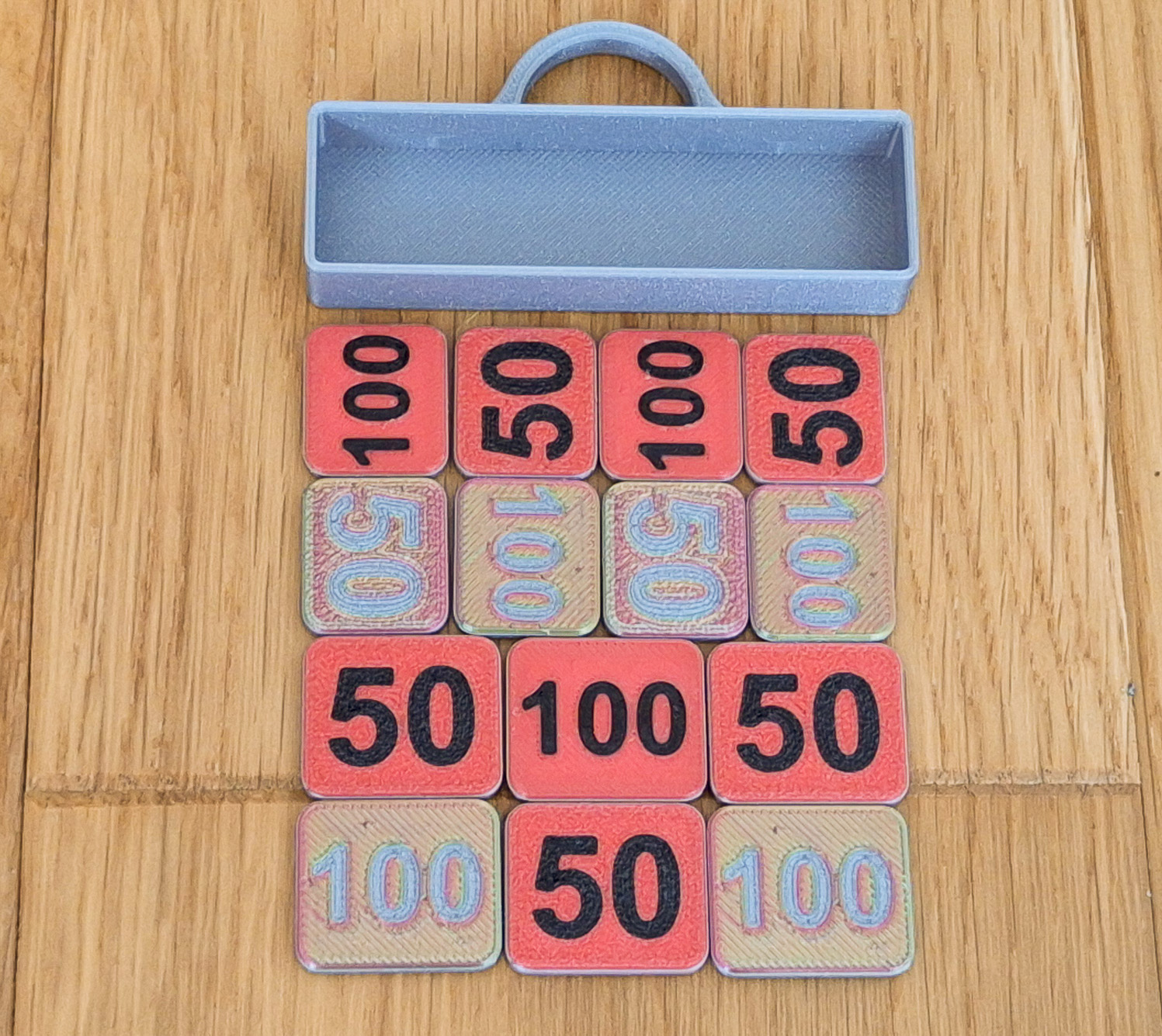
The small upper shelf can accommodate 12 pcs of (normal) or 16 pcs of (small) Scoring Tiles. This saved 12 slots for other cards and expansions. The photo is illustrative, I did not produce all variants in full.
Functions:
-
Storage function
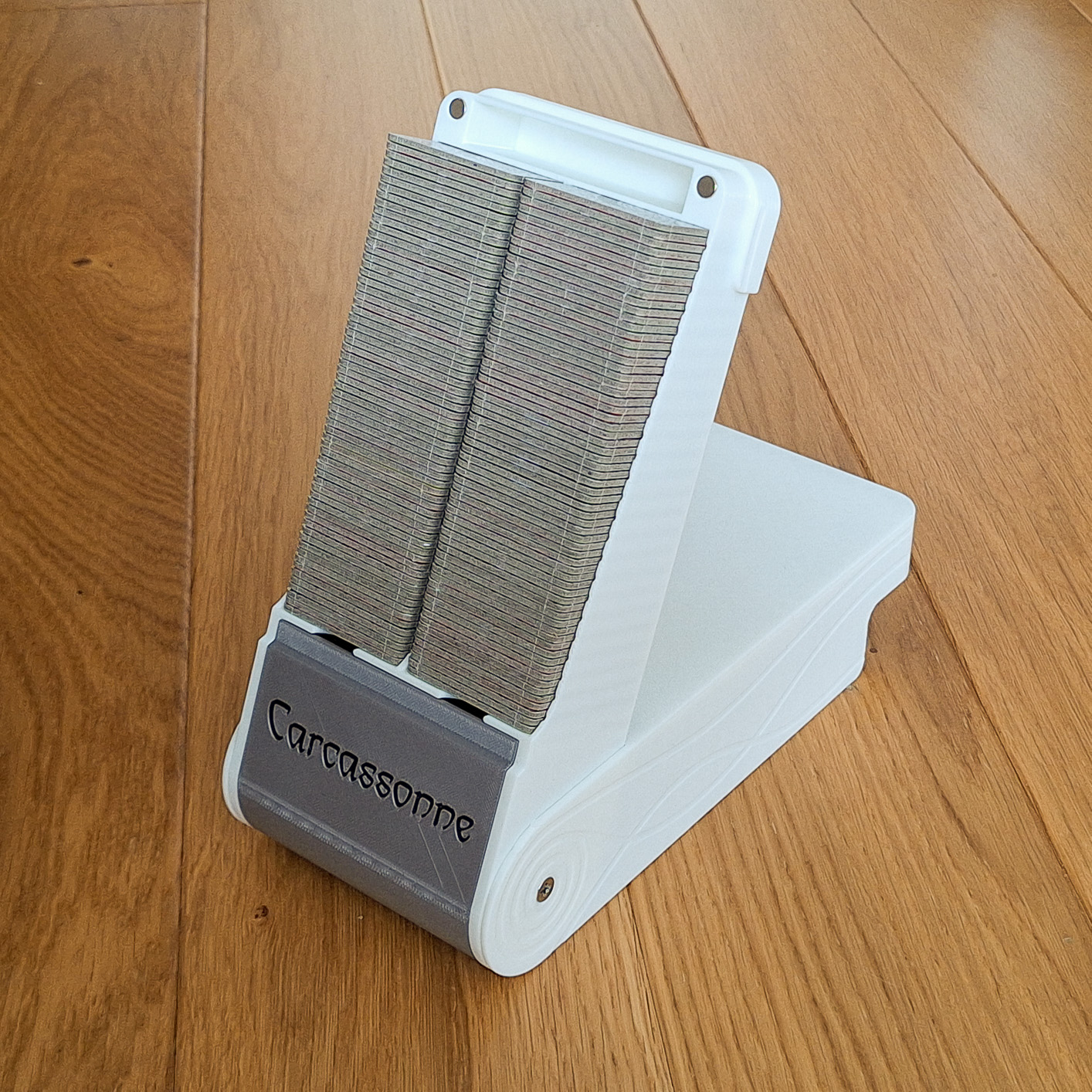
- The model is called 122 - which means it can hold 122 playing cards. The height of the storage space is 138mm. The capacity of 122 cards is calculated so that one card is 2.25mm high. However, when I looked up the details about the card sizes, they vary in thickness from 1.95mm to 2.15mm. My cards are exactly 2.15mm and the holder will hold a total of 128 cards (2 columns of 64 cards). So if your cards are 1.95mm thick, it will hold approximately 140 cards
- Models are available in sizes 72, 102, 122 and 142. The 72 model is only for the base game without expansions. On the other hand, the 142 model takes up the entire buildplate on the X1C, so I recommend printing it only on closed printers.
-
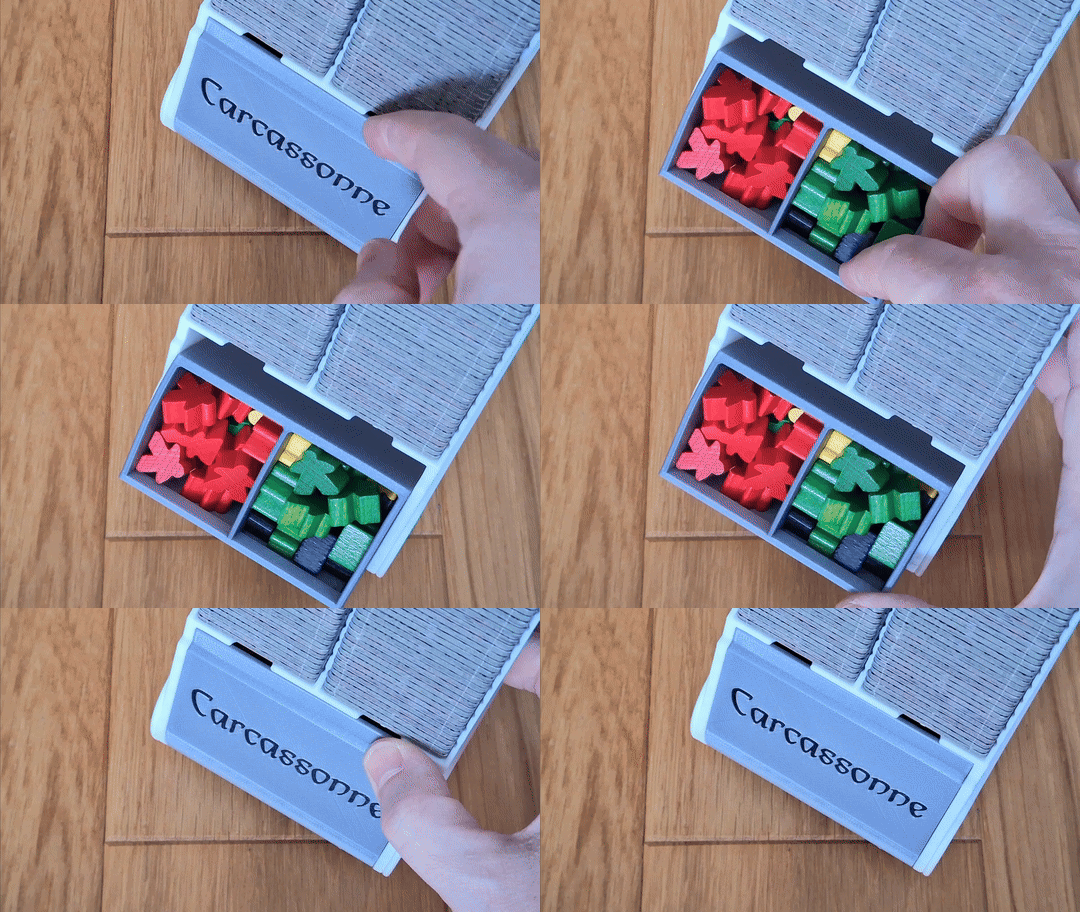
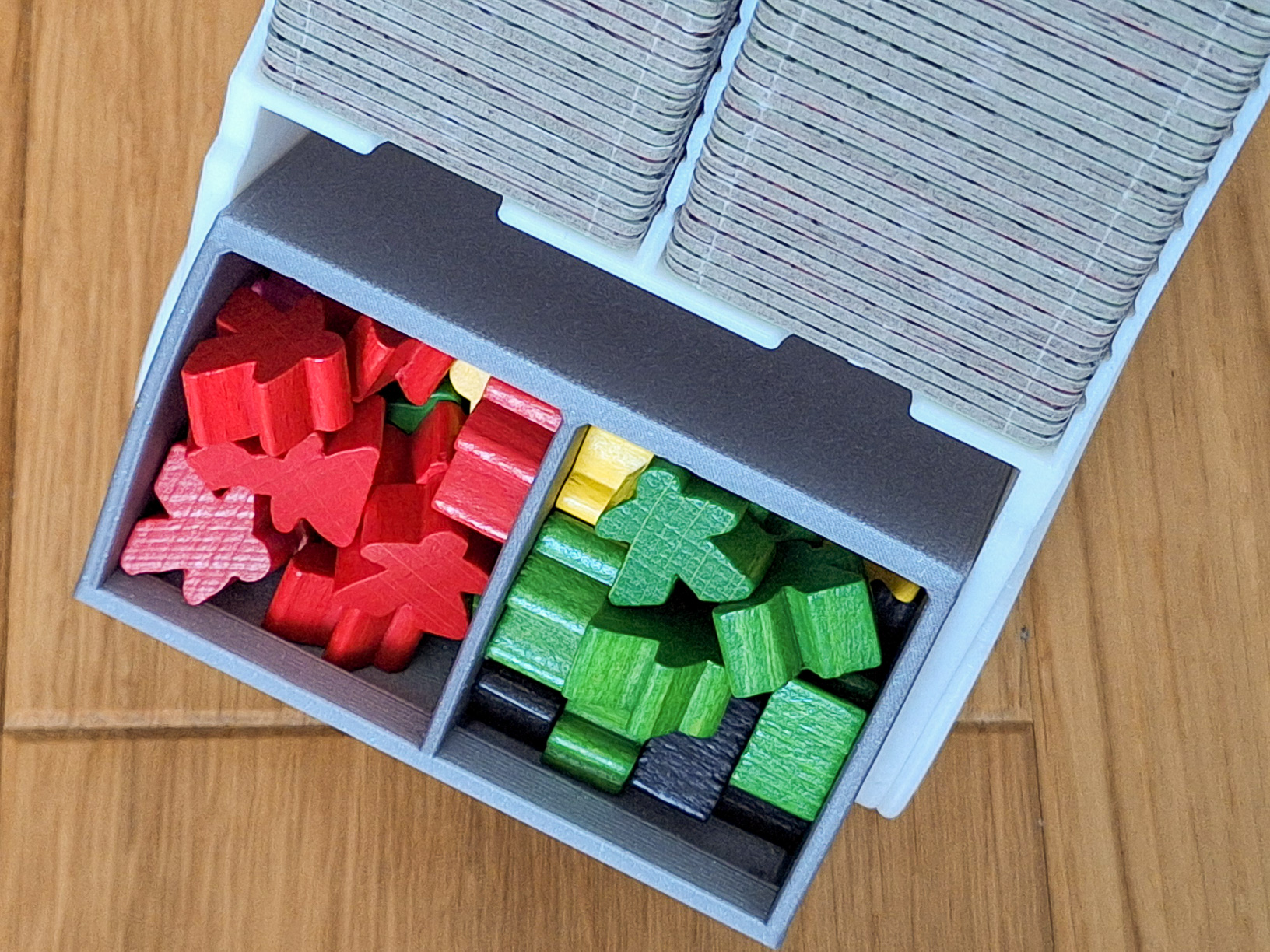
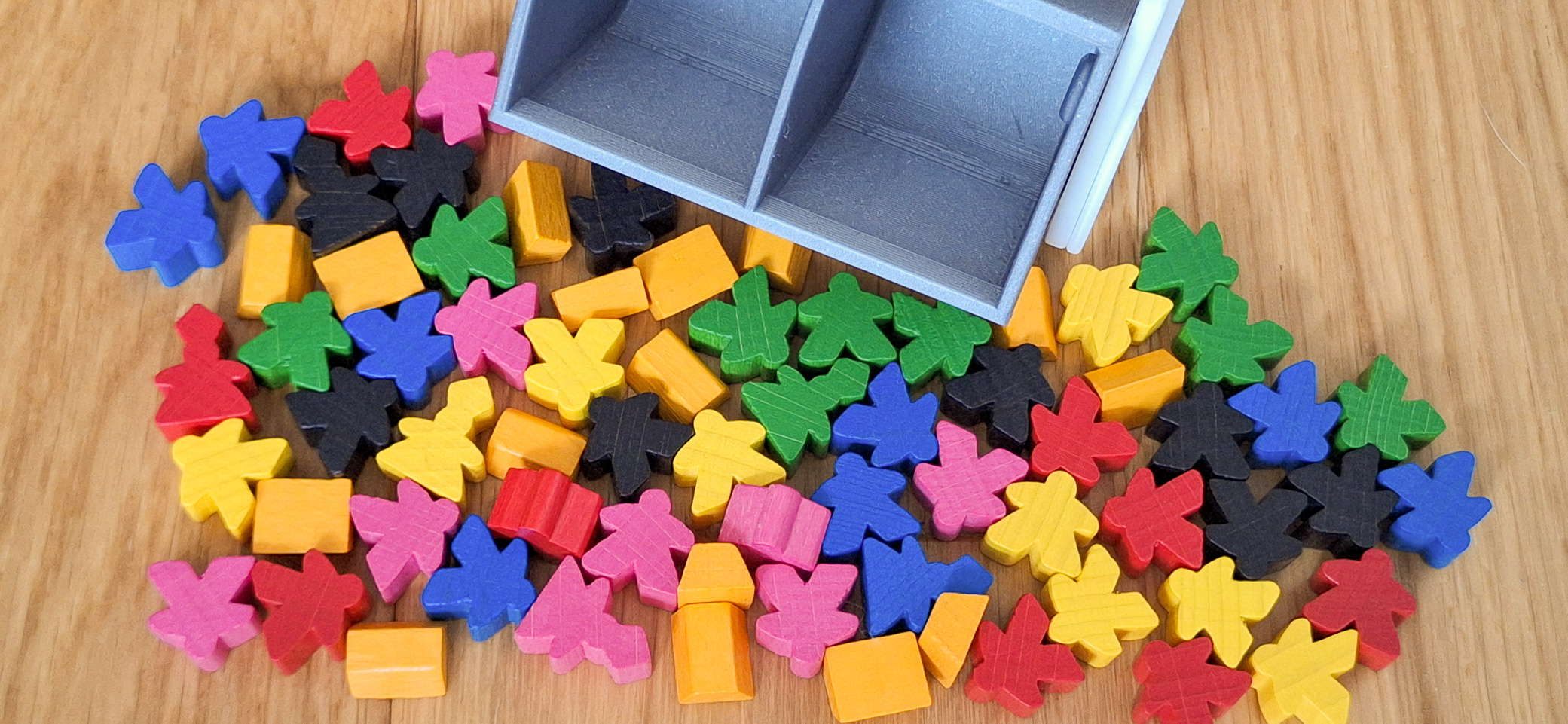
The built-in pocket allows for storage of more than 50 figures along with gold bars.
-
Transport function
- The box is held closed by 4 magnets 6x3mm. They are strong enough to prevent the box from opening spontaneously during transport and at the same time to allow the box to be opened comfortably. The cover also fits a scoreboard, so there is no need to carry the large original version with you.
- If the box is full or almost full, there will be no mixing of cards or accessories during transport. Everything is tightly closed and held in place. The pocket also will not open by itself and the figures will not spill out. The pocket can be opened to a maximum of 45°, so it will not accidentally tip over and spill out even during play.
-
You can add shelves and drawers to the box. Thanks to this, it is possible to have the extensions sorted, or have the figures by color.
-
Game function - tile tower dispenser
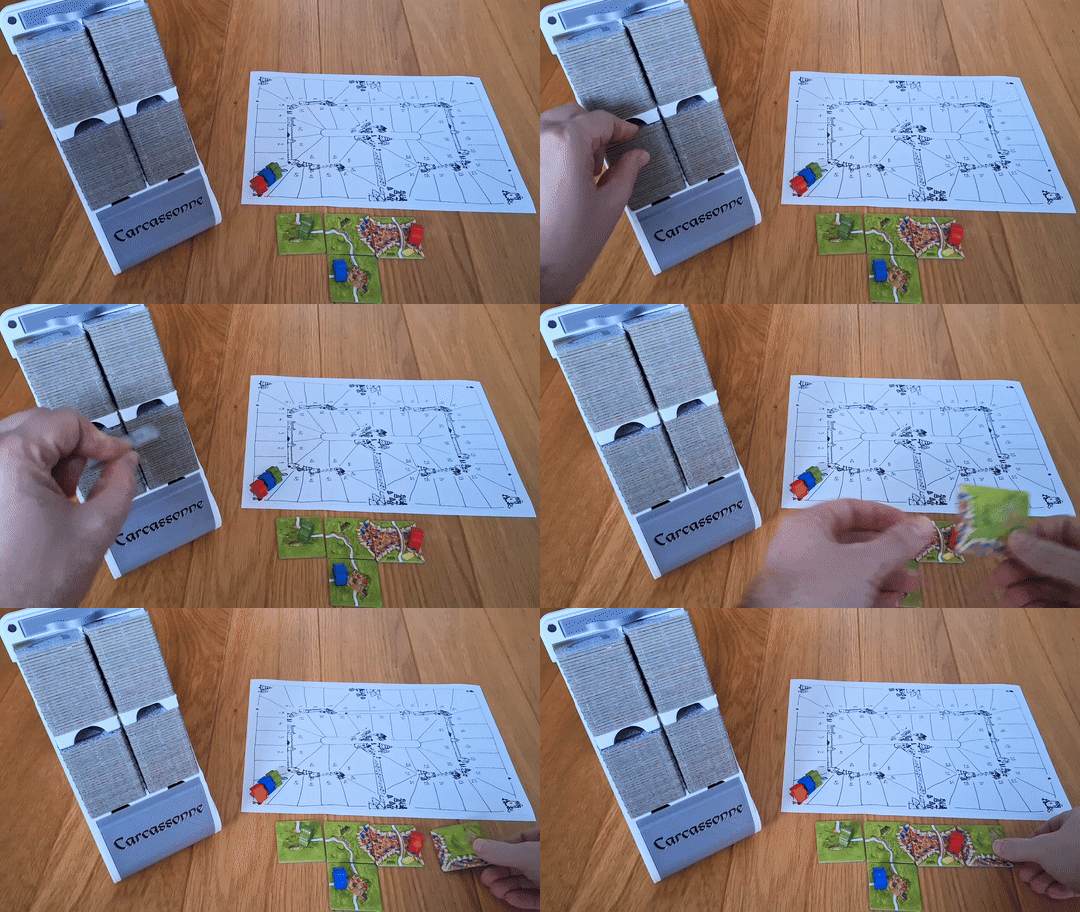
- By inserting the separator Carcassonne_10_Separator_PickAndPlay_Down in the lowest position, you get the function of a classic dispenser. Cards are conveniently taken from below. The tray can hold at least 102 playing cards (122 Version)
- By inserting the separator Carcassonne_5_Separator_Pick and play_UP in the center position. This will divide the stack into 4 separate columns, which some players may prefer over 2 columns. The tray can hold at least 112 (122 Version) playing cards. Cards are conveniently taken from the top.
Assembly
Please remove the supports from the pocket very carefully so as not to damage the model with the pliers. The separation is easy, you just need to break the tree structure in the middle.
Insert the printed box parts into each other - the pocket will need to be lightly pushed into place.
Use screws:
2 pieces of M4x8 or M4x10
Magnets
4 pieces of round magnets from BambuLAB 6x3mm
Accessories
What do the accessory names mean?
Each part name has a number that represents how many card slots the accessory takes up. For example, a simple shelf is 2mm high, which means it takes up as much space as one playing card. A small shelf has the number 5, but it needs to be closed from the top with shelf 1. So it takes up 6 positions in total. Thanks to this, it is easy to calculate how much space the accessory takes up.
1_Shelf
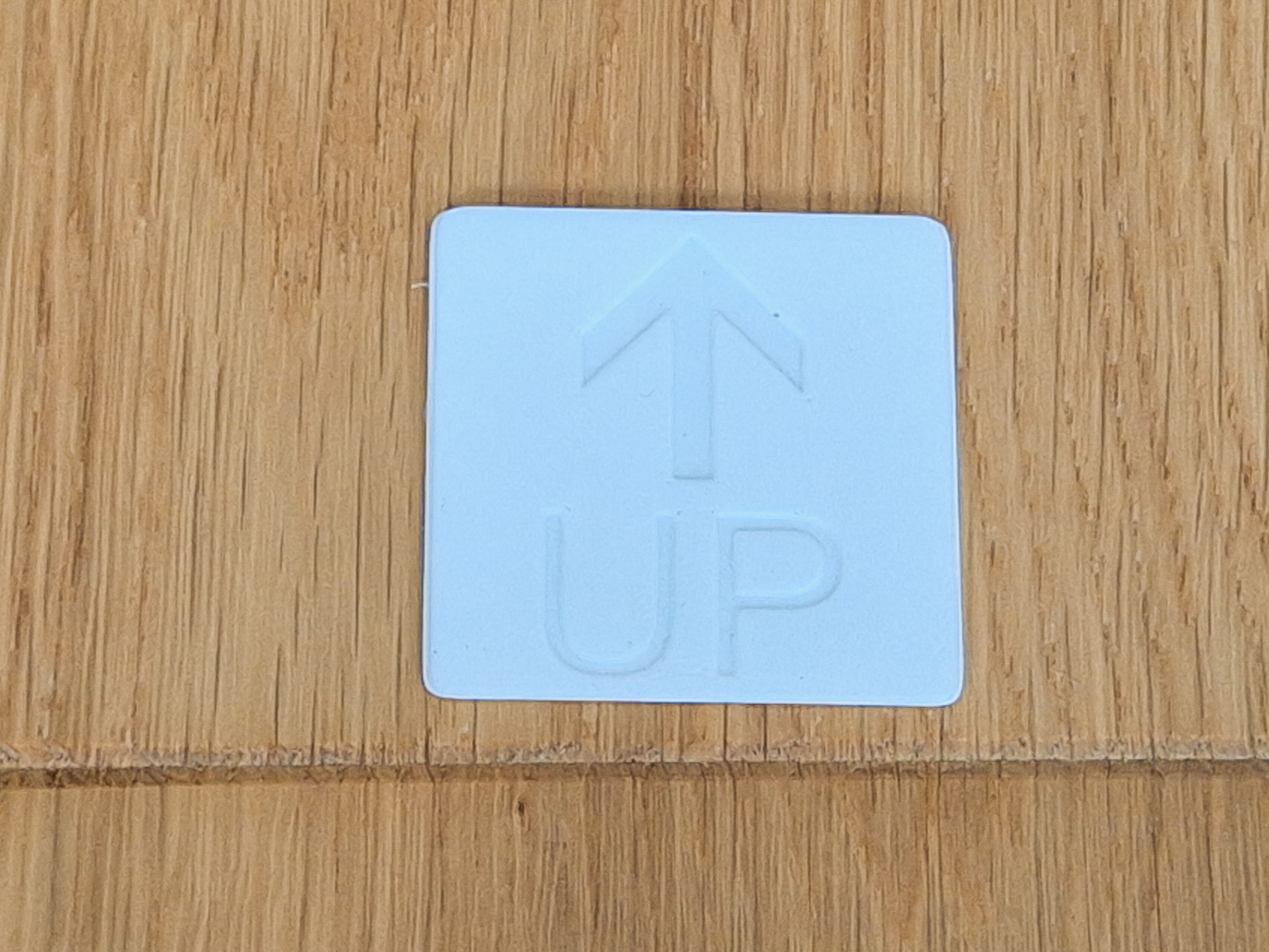
- It occupies one position. Inserted with the top side in the direction of the arrow
5_Drawer
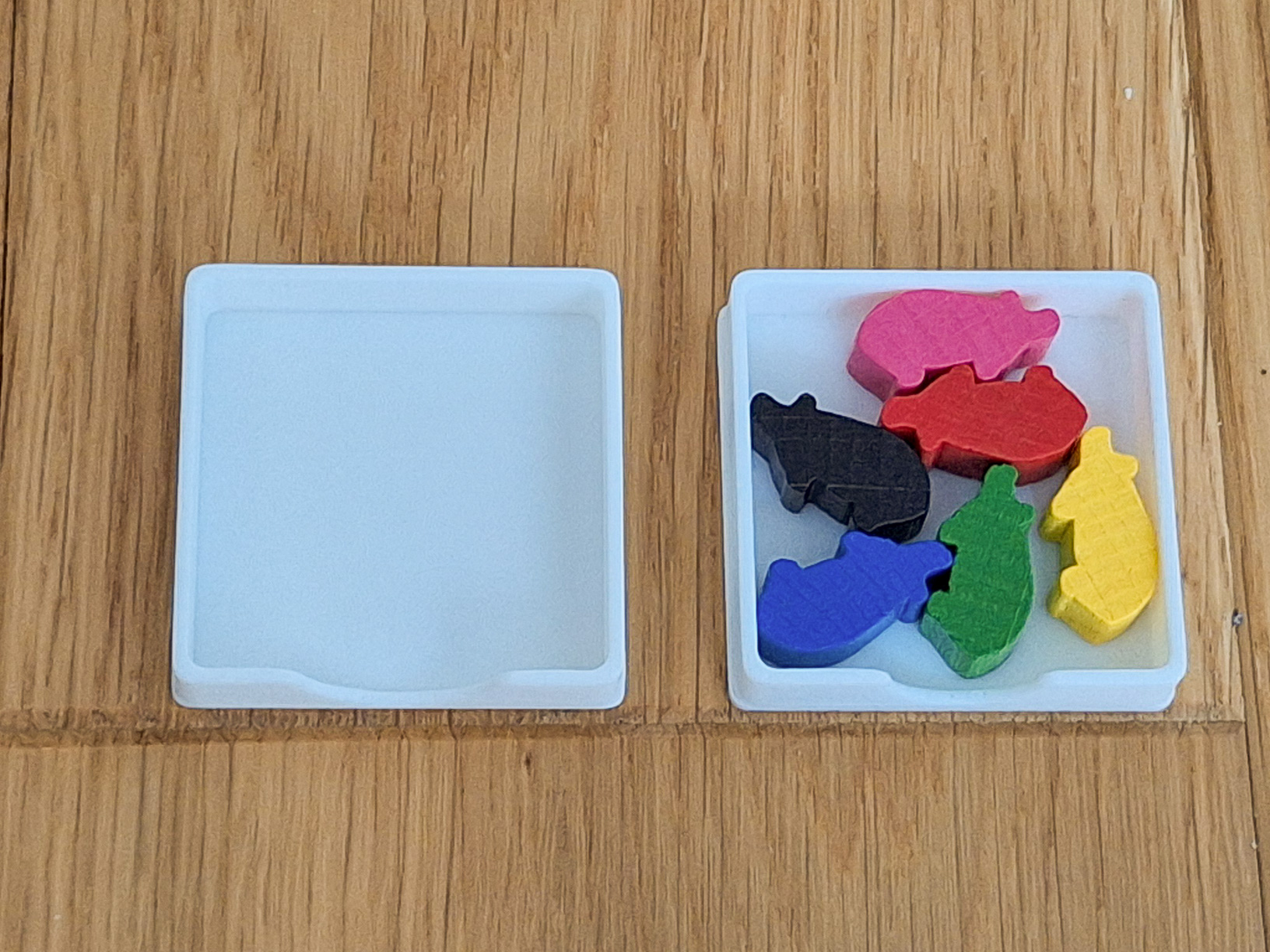
- It occupies 5 positions. It can accomodate, for example, 6 Pig figures. Use a shelf or another shelf to close from the top.
5_Drawer_Divided
- It occupies 5 positions. It can store, for example, 8 Wooden ferries and still leave some space. Use a shelf or another shelf to close from the top.
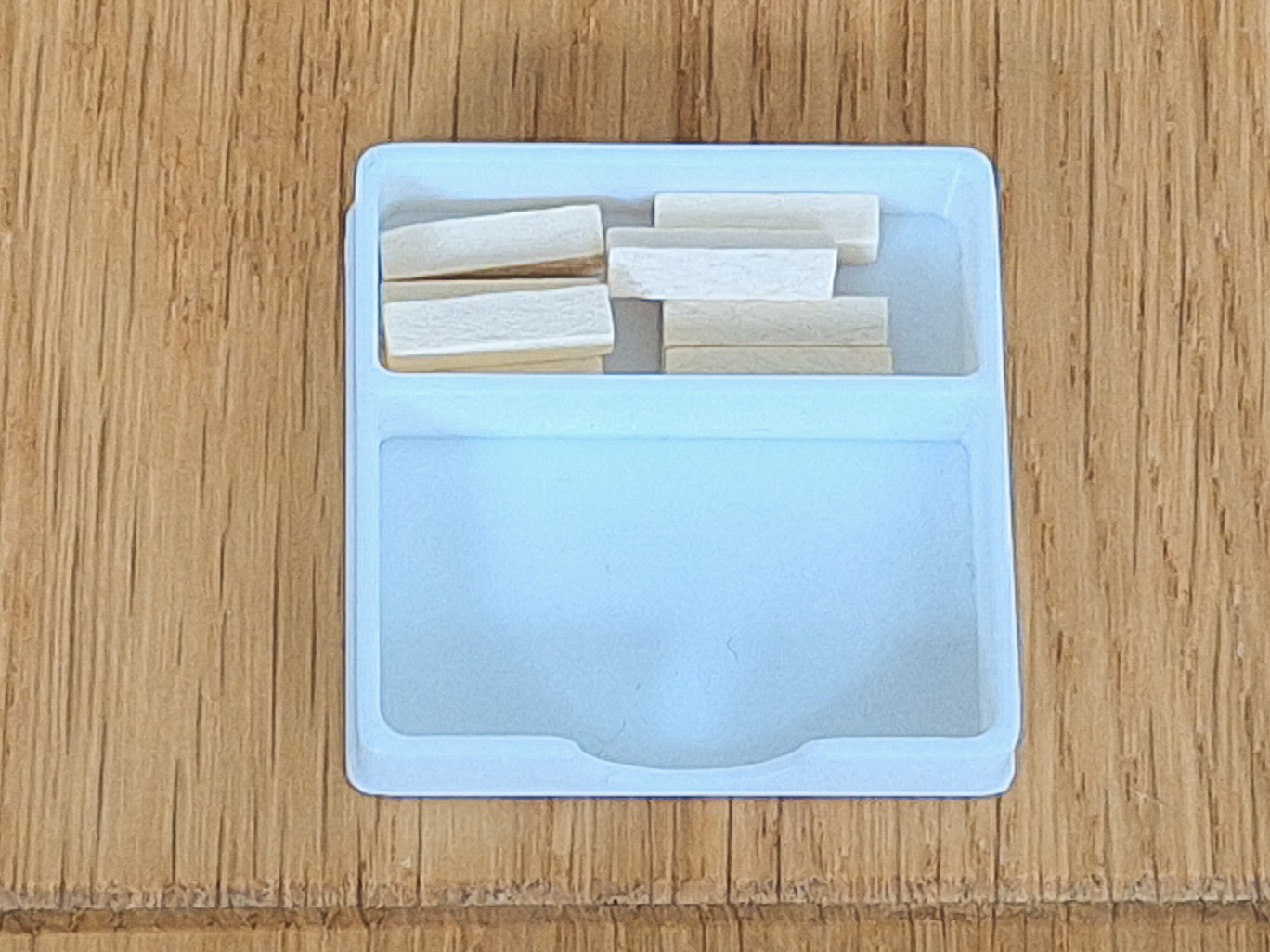
7_Drawer
- It occupies 7 positions. It can store, for example, all 16 Gold ingots. Use a shelf or another shelf to close from the top.
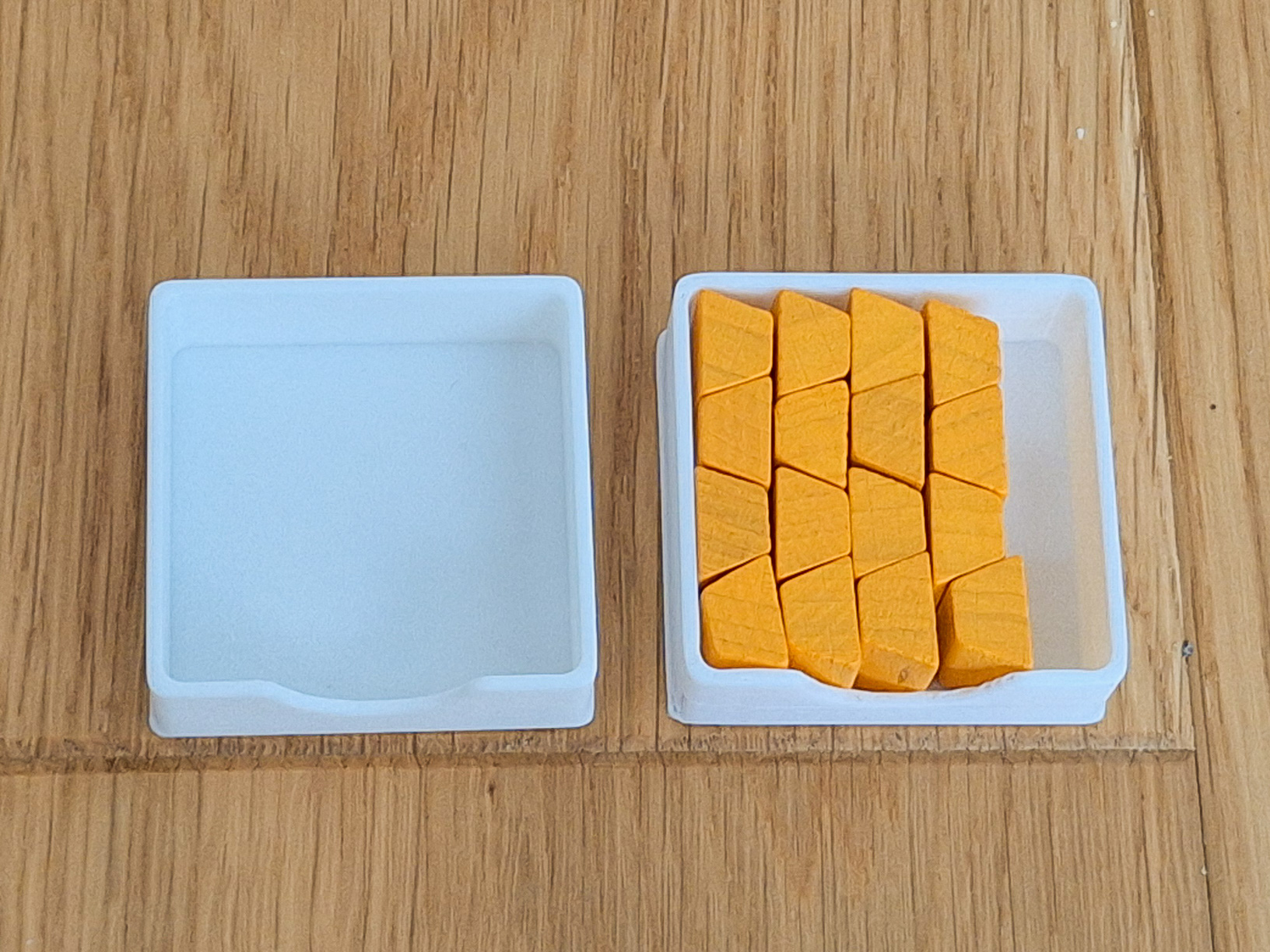
7_Drawer_GoodsTokens
- It occupies 7 positions. It can store, for example, up to 24 Goods Tokens. Use a shelf or another shelf to close from the top.
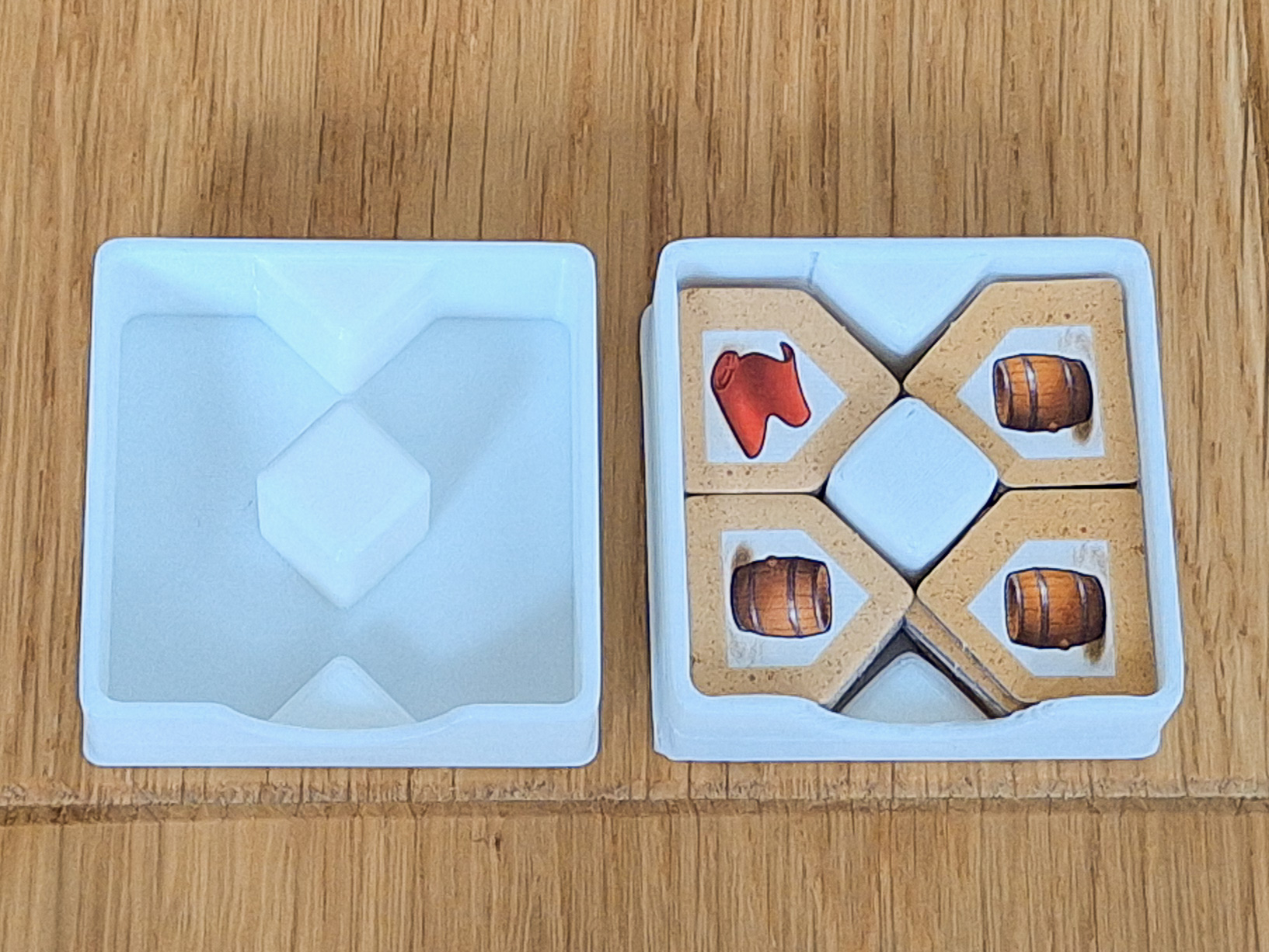
10_Drawer
-
It occupies 7 positions. It can store, for example, 12 Figures. Use a shelf or another shelf to close from the top.
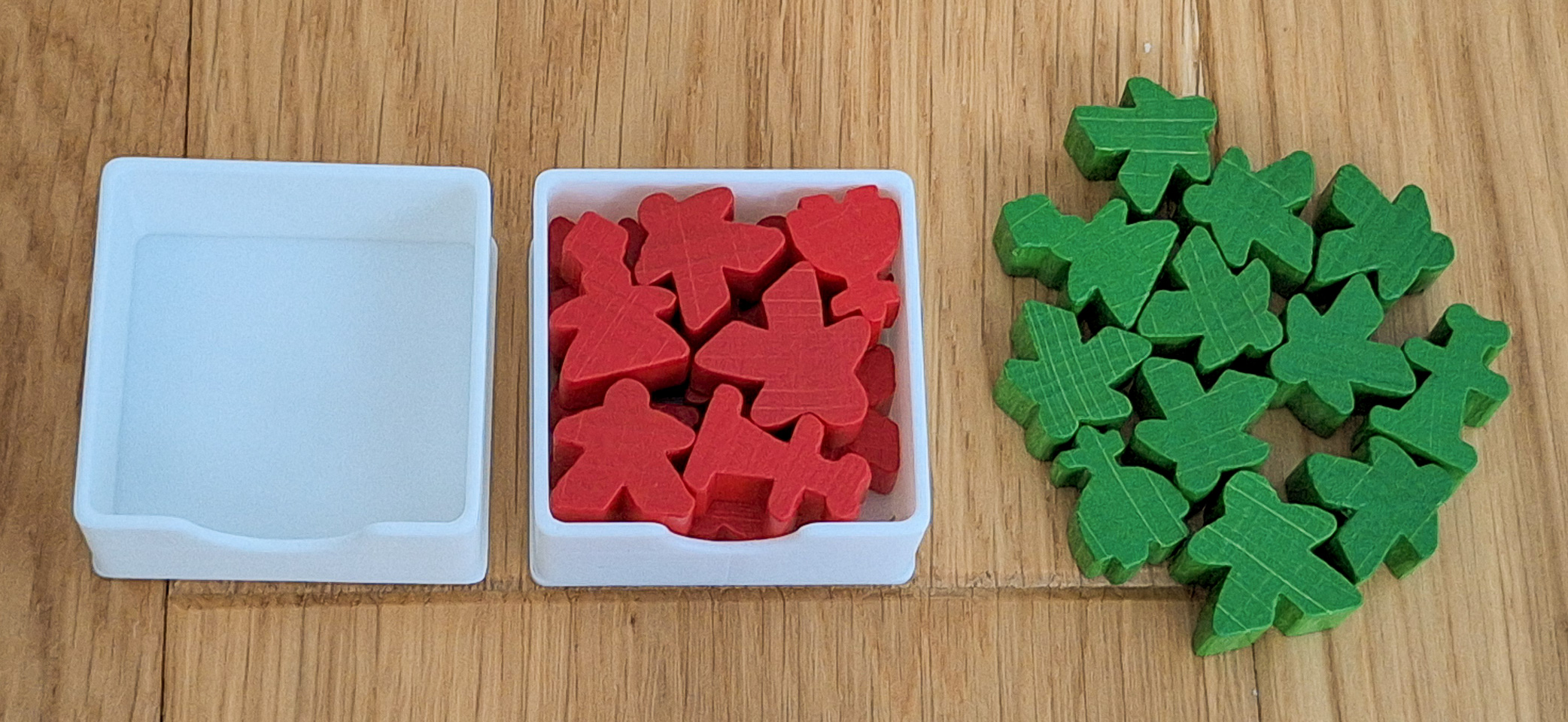
5_Separator_Pick and play_UP
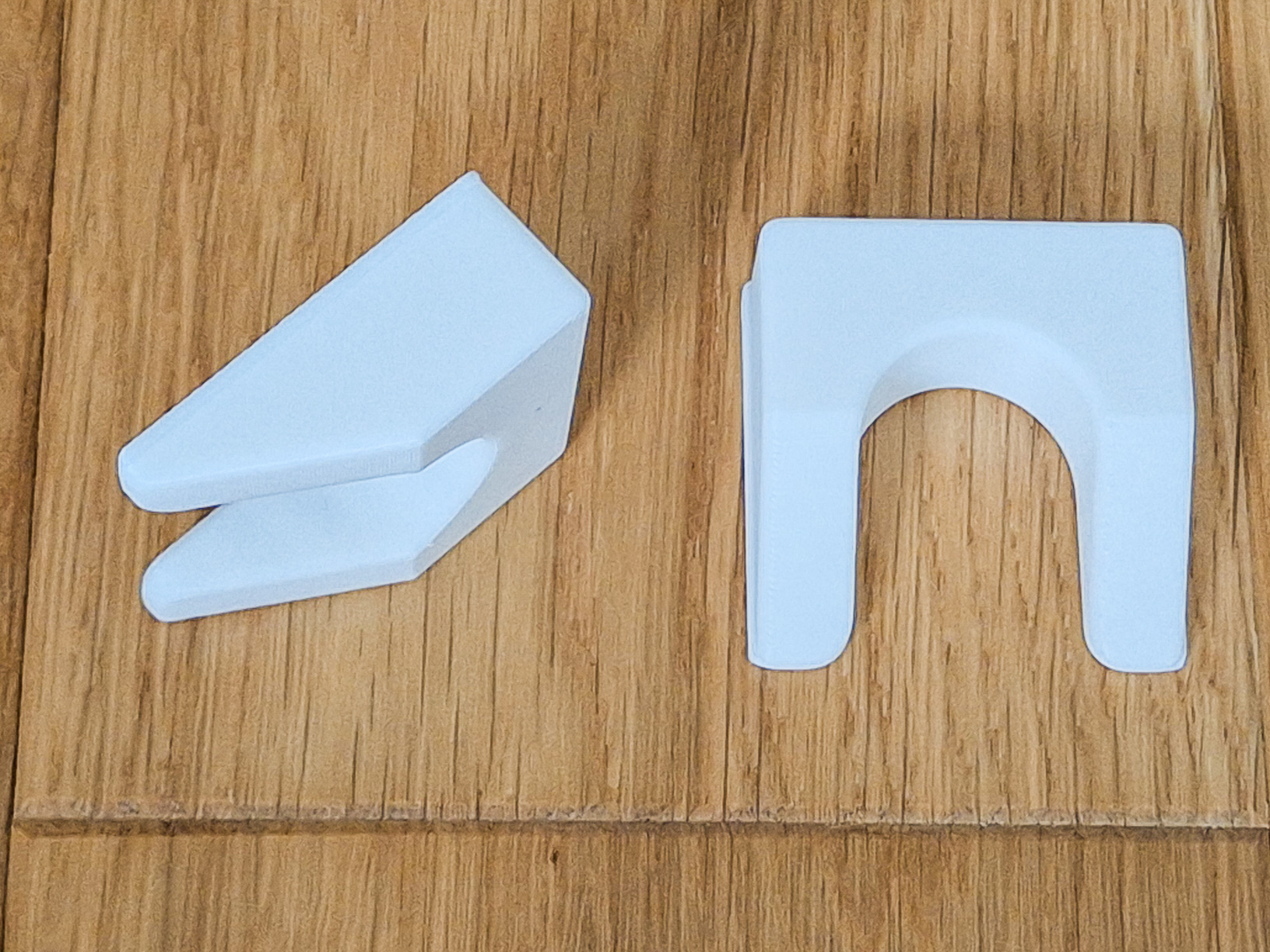
- It occupies 5 positions. Insert the separator 5_Separator_Pick and play_UP in the center position. This will divide the stack into separate columns. Cards are conveniently taken from the top. Print 2 separators to divide holder to 4 separate columns.
10_Separator_PickAndPlay_Down
- By inserting the separator 10_Separator_PickAndPlay_Down in the lowest position, you get the function of a classic dispenser. Cards are conveniently taken from below. The tray can hold at least 102 playing cards.
- The only place where this part can be placed is the bottom position. If you place the part elsewhere, the box will not be able to close.
PointsTiles_Normal and Small
- Point tiles have the number 50 on one side and the number 100 on the other side.
- The small upper shelf can accommodate 12 pcs of normal or 16 pcs of small 3D printed Scoring Tiles. This saved 12 slots for other cards and expansions.
- The model is in 3 colors by default. The photo is illustrative, I did not produce all variants in full.
Scoreboard
Please download Scoreboard (Vierka, thanks for the drawing). Print it in 100% scale. Then cut out along the edges and fold. After folding, it can be inserted into the box lid.
How to print
Layer 0.2, 2 perimeters
Use Brim for big Body parts.
I am using supports fpor overhangs.
Pocket - use supports, build plate only
The 142 model takes up the entire buildplate on the X1C, so I recommend printing it only on closed printers.
Design by Frantisek23 on MakerWorld (license: BY-SA).