

Hextraction Game - Tools of the trade


Hextraction Game - Tools of the trade
- Made to order — 3D printed after you buy
- Free shipping on orders over $25
- Quality checked before it ships
- Questions? Contact us · Returns
TLDR:
Hextraction is a FAN-TA-STIC game
where beads fly through tiles that create a series of paths and booby traps
that you and your opponents strategically place to get your ball in the end zone,
while blocking your opponents' balls.
If you are a happy Hextraction fan: Look for the "Tools of the trade" section further down to find a collection of tools that I use when I play Hextraction!
If you are new to Hextraction: please start with the “What is Hextraction?” section below.
What is Hextraction?
Hextraction is a FAN-TA-STIC game with so much action, traps, physics, effects and randomness that no two games are the same. Each turn you get to carefully place on your 3D printed board one of your 3D printed tiles from your hand of randomly picked tiles. You also get to launch a steel ball down a start ramp and frantically watch it fly through a series of tunnels and paths created by all of the hexagonal tiles laid out by all players. These paths can include traps, levers, jumps and even special effects that are all strategically placed to get your ball in the end zone (to win), while blocking your opponents' balls with devious tiles.
What's best part? This game is free to play, free to print and will forever keep improving as designers keep coming with AWESOME ideas to make CRAZY tiles (also free to print) that often flip the game on its head. This is all thanks to Zack Freedman, who chose to offer his game to the crowds of 3D printing enthusiasts, and let players and designers contribute to this wonderful game.
- "Hextraction is an open-source game - you can download the files to print yourself, or find a pre-printed set to buy.”
- “Hextraction is a 3D-printable, modder-friendly board game designed by Zack Freedman of Voidstar Lab.”
To get an idea of its potential and learn some rules watch the Hextraction video.
To print the game, start with this page: the Hextraction Super Board Game: Grid for A1 mini & +. instructions and links to additional pages will get you going.
Tools of the trade
This is a collection of items that I have found useful when playing Hextraction.
I did not make modifications to the models (except minor ones to the trophy), but all models have been printed on a A1 mini and tested.
Hextraction Tournament Trophy
Kids were happy to win tournaments but left with nothing, so I looked into making a cheap (0.35$) trophy. I swapped the base from the minimalistic hex trophy (vase mode) by DrJones to a hexagonal one. Though the name suggests to print it in Vase Mode, you don't. The settings used (0 top walls, 0 infill, no supports) will produce an empty cup.
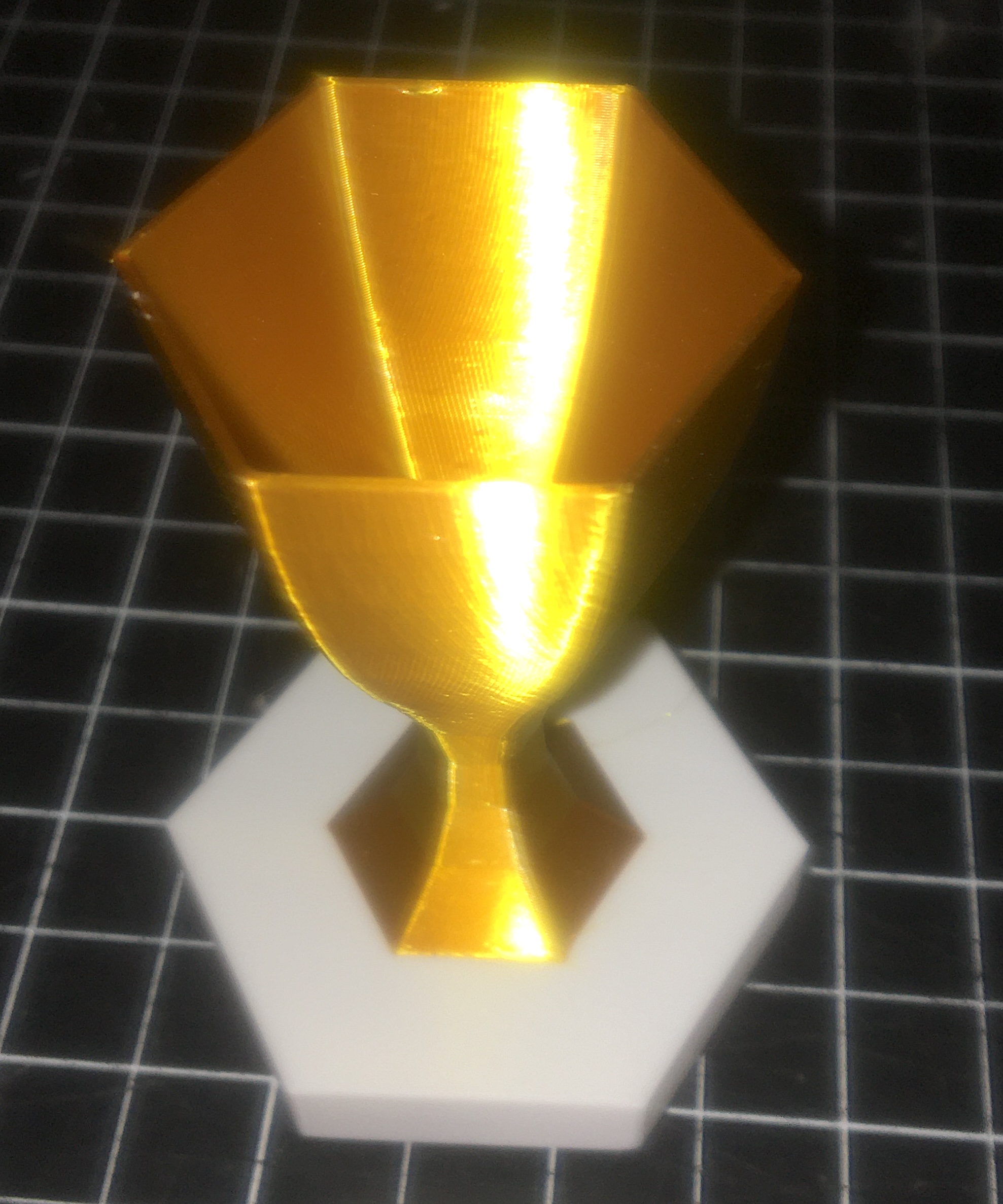
Filaments used: BBL white PLA and Giantarm Silk PLA gold
There are 3 versions on the plate:
- one without text (use a sharpie)
- one in english
- one in french.
If you would like to add text in another language but have a hard time, let me know and I will do my best to add it.
Hextraction Tile Caddy by DomPerignon
Unable to contain our Hextraction addiction, our pillow case quickly was not big enough for all our tiles. A blankie (turned into a bag with a ribbon) was fine for most tiles, but not for tiles with fragile features or mechanisms. And definitely not good for transportation.
The solution: a 3D printed caddy with 3 heights and 2 configuration to maximize stacking multiple caddies vertically and horizontally. The attachable lid is the safety-cherry on top. All files and details are on the this page. Prints on A1 mini.
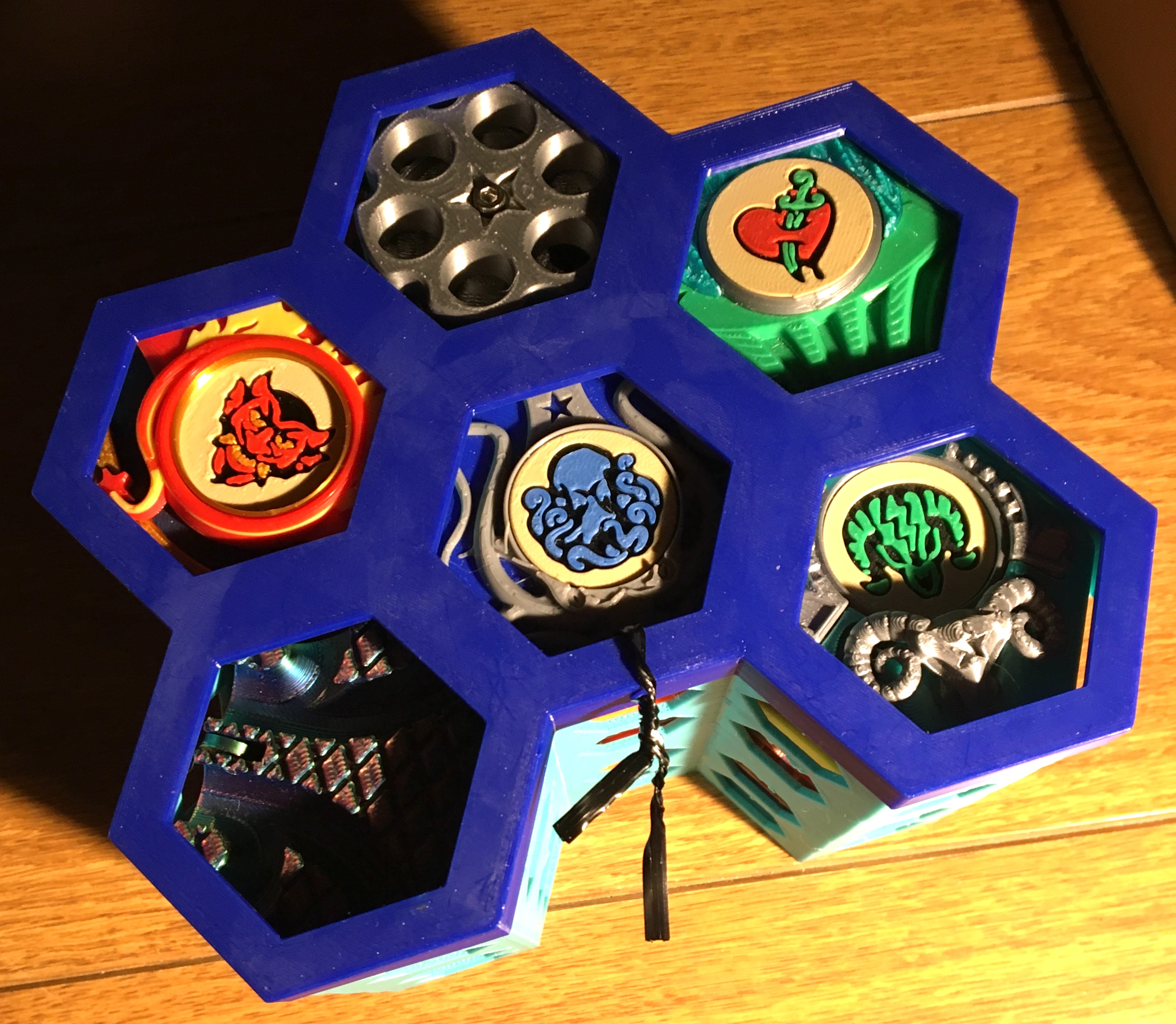
Hextraction Bubble Level Tile by NoStepOnDeez
This designer is definitely one to check out, follow and encourage. NoStepOnDeez has made a huge contribution to the Hextraction community, with many great designs, but also a lot of behind the scenes work, such as helping tile designers fine tune their tiles, and fixing many tiles that did not work so well.
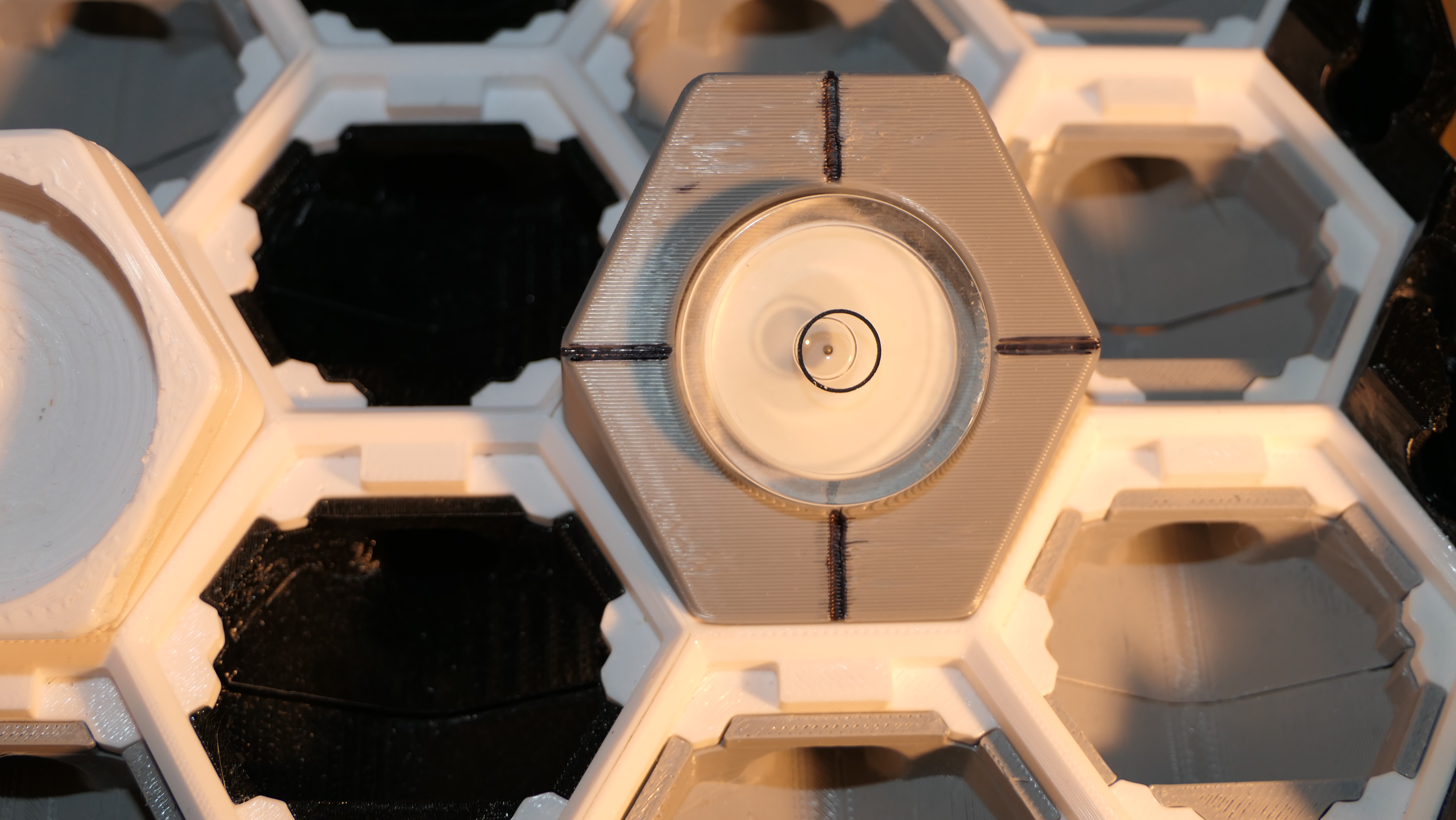
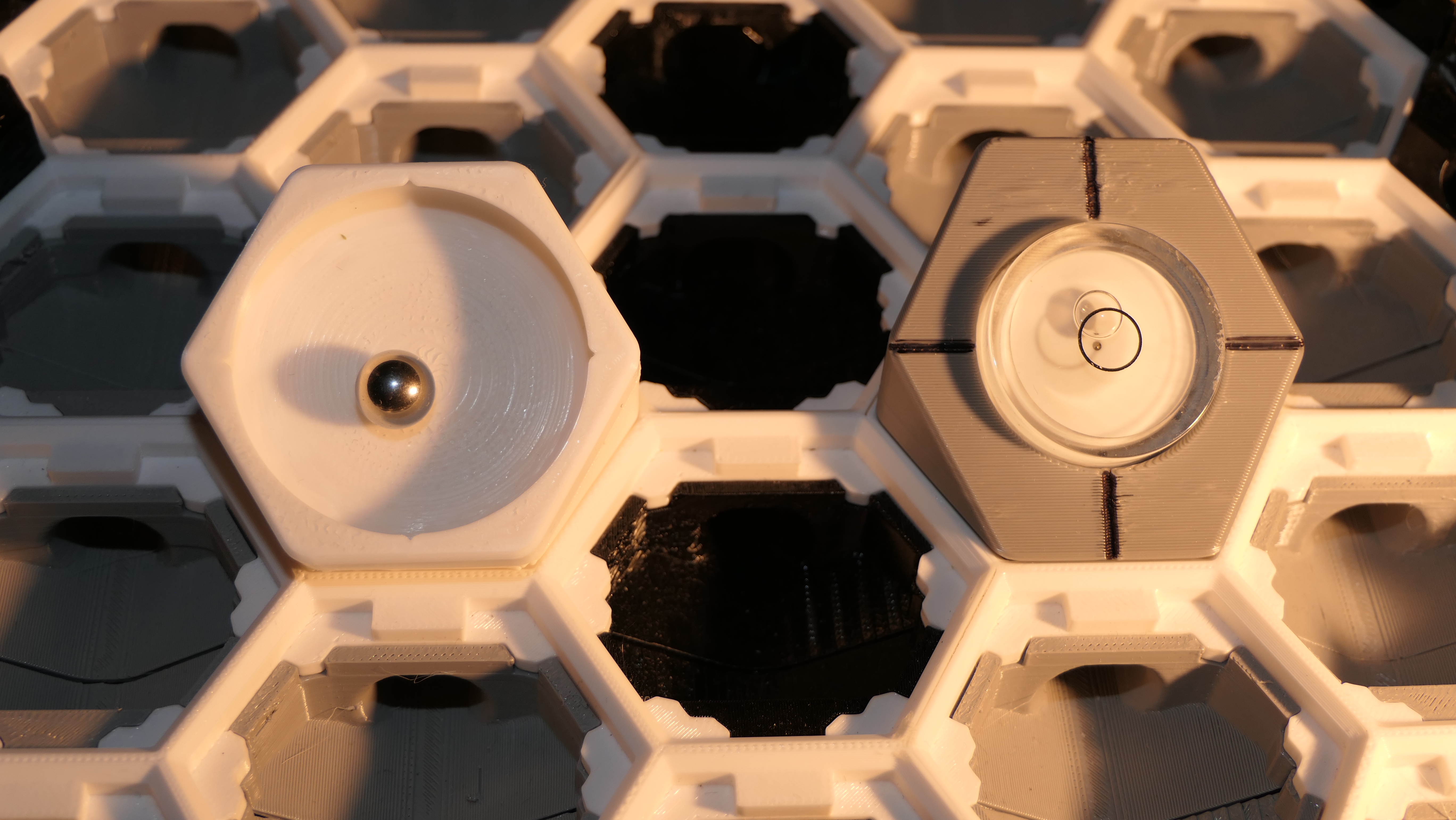
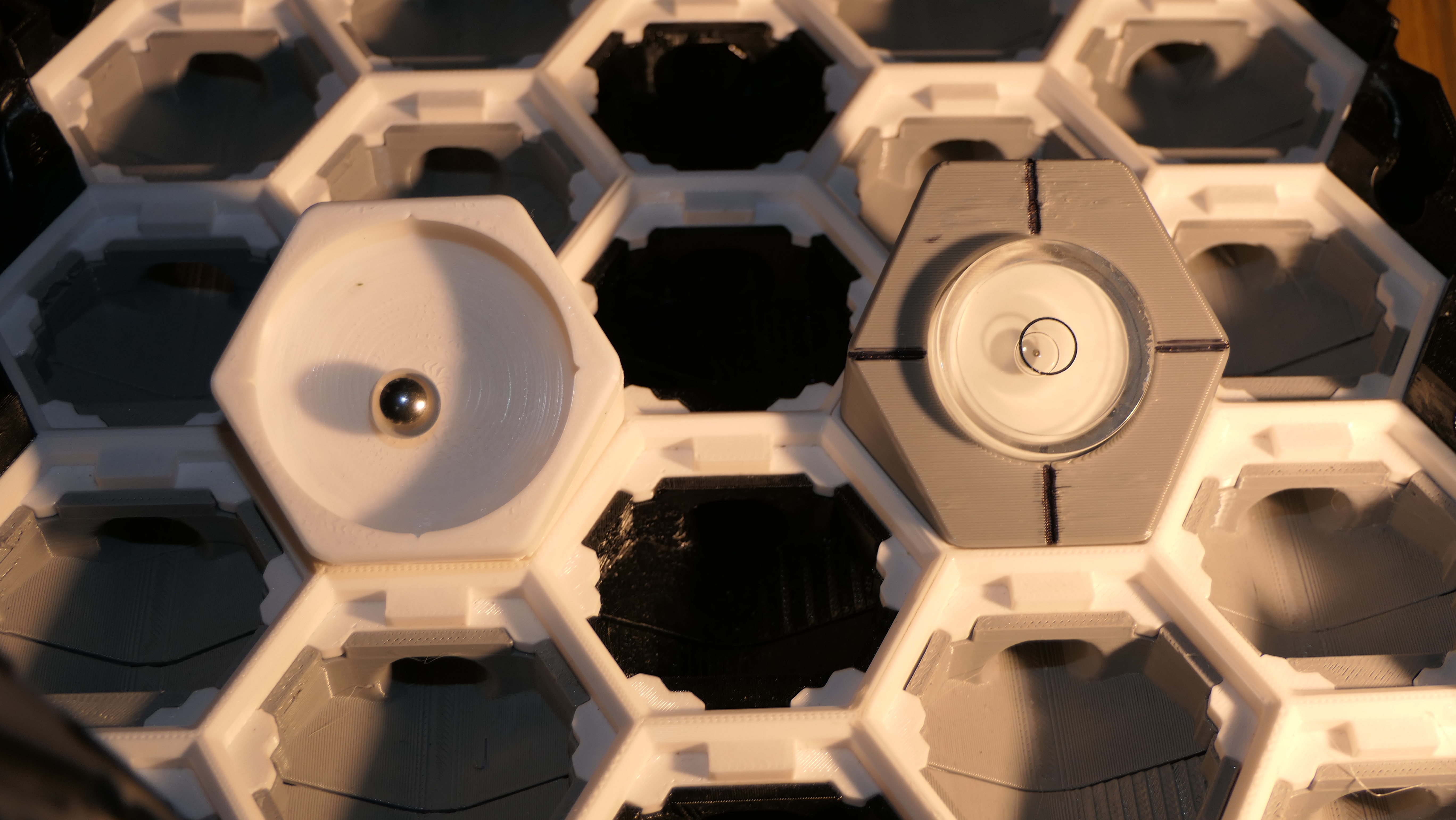
When playing Hextraction, it's important that your board is somewhat level. This tile needs a 32 x 7 mm circular bubble level (cheap on Aliexpress) that you glue on. If you don't have access to a bubble level, the next model on this page provides a less than optimal but good enough option.
You place this tile on the board to help you level the board by un/screwing the bolts at the bottom of the legs.
Hextraction Board Leveling Tool by Endlink
This was the first leveling tool I used (before NoStepOnDeez released the bubble version above). It comes in two parts, a cup like tile that you click on a base.
This tile will help you level your board, but since the ball often gets caught between layer lines, you should do multiple tests to see if the ball stops at the same place.
I adjusted the slicer settings to get a smoother version, but even with the ironing on the surface isn't super smooth (image below).
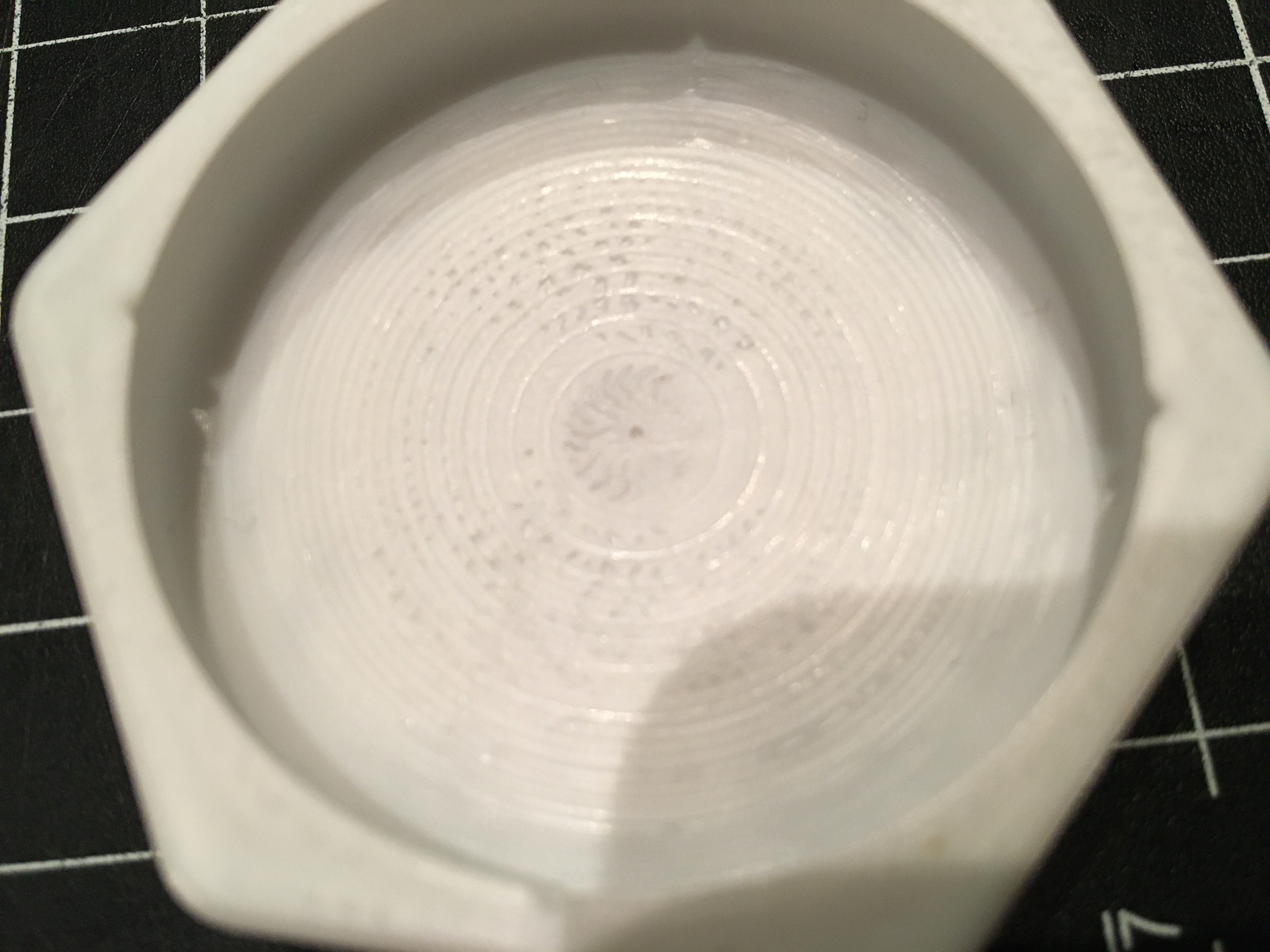
Below: comparison of Board Leveling Tool with the Bubble Level Tile.
Magnet Wand by NoStepOnDeez
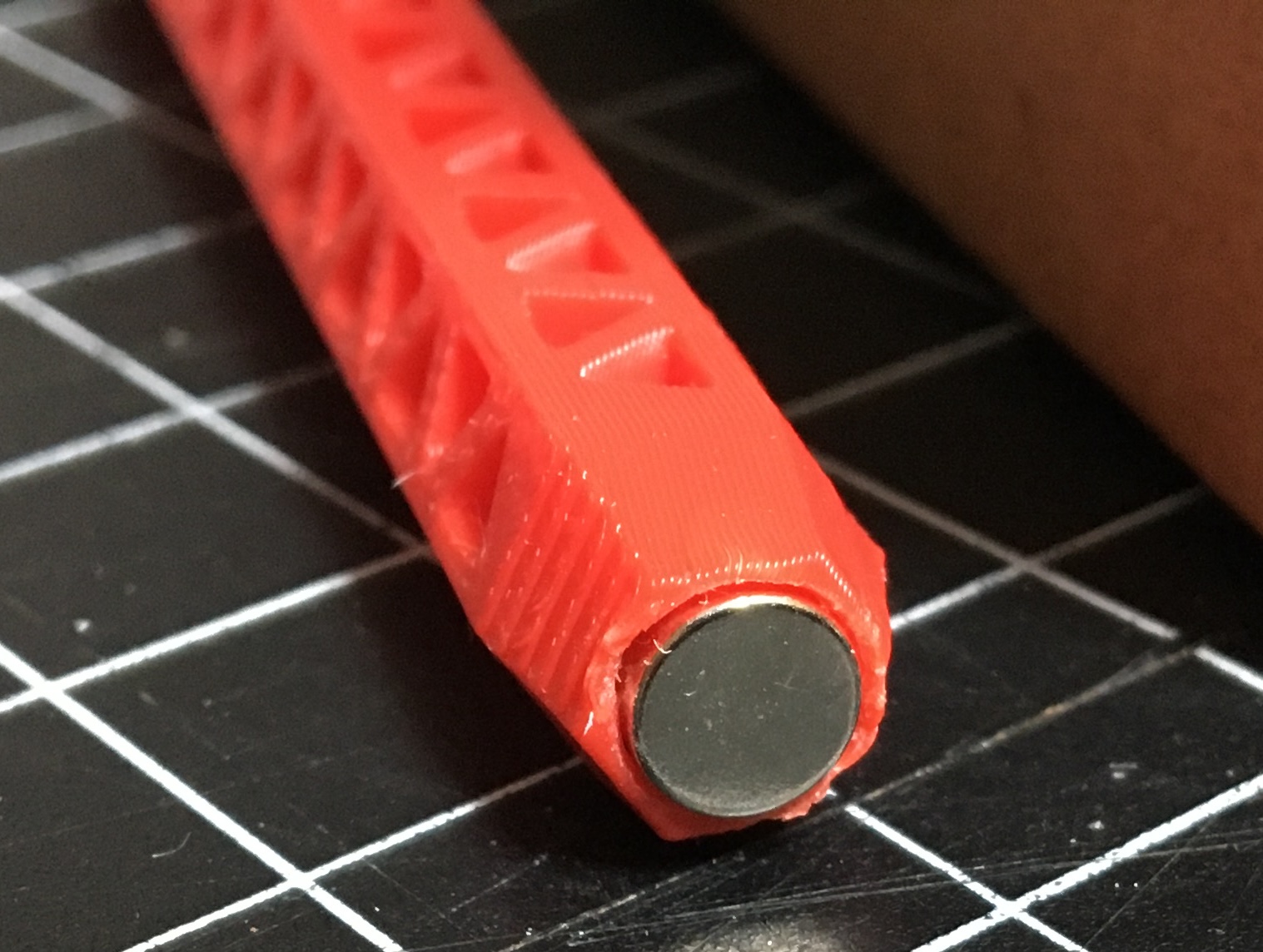
You will be surprised at the number of times when you have to carefully remove beads from the board, during a game, or when a ball gets stuck in a gutter or elsewhere. NoStepOnDeez once again came up with a solution: a magnetic wand!
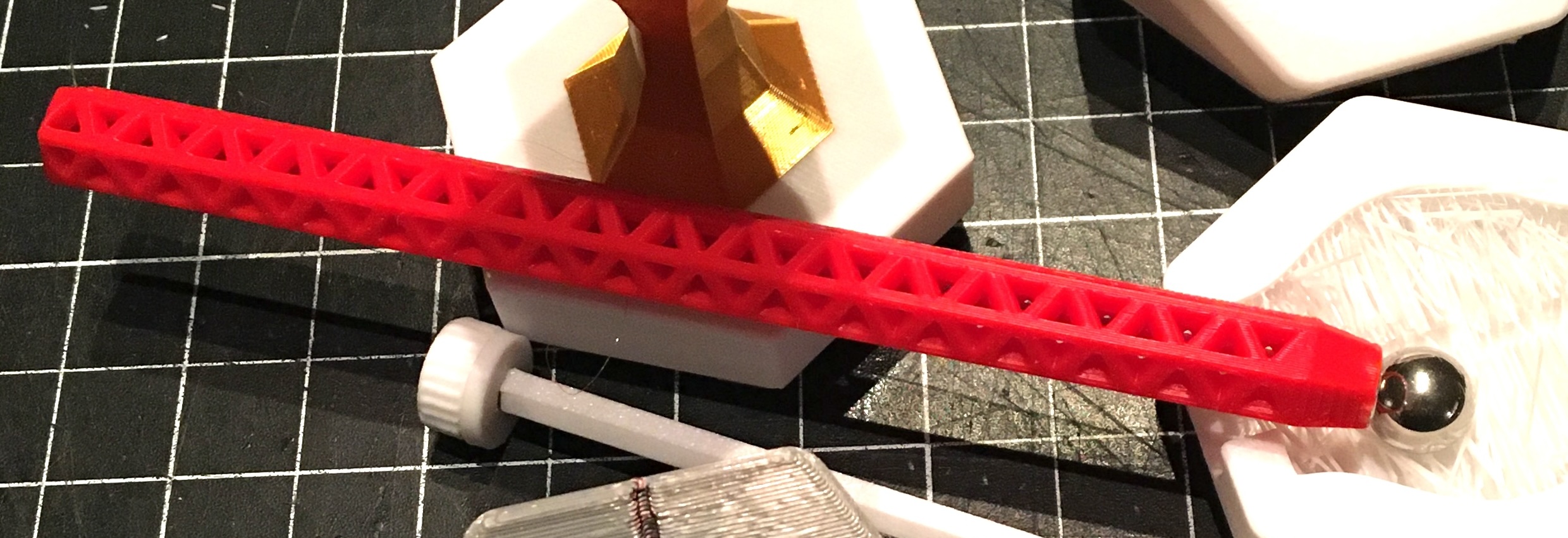
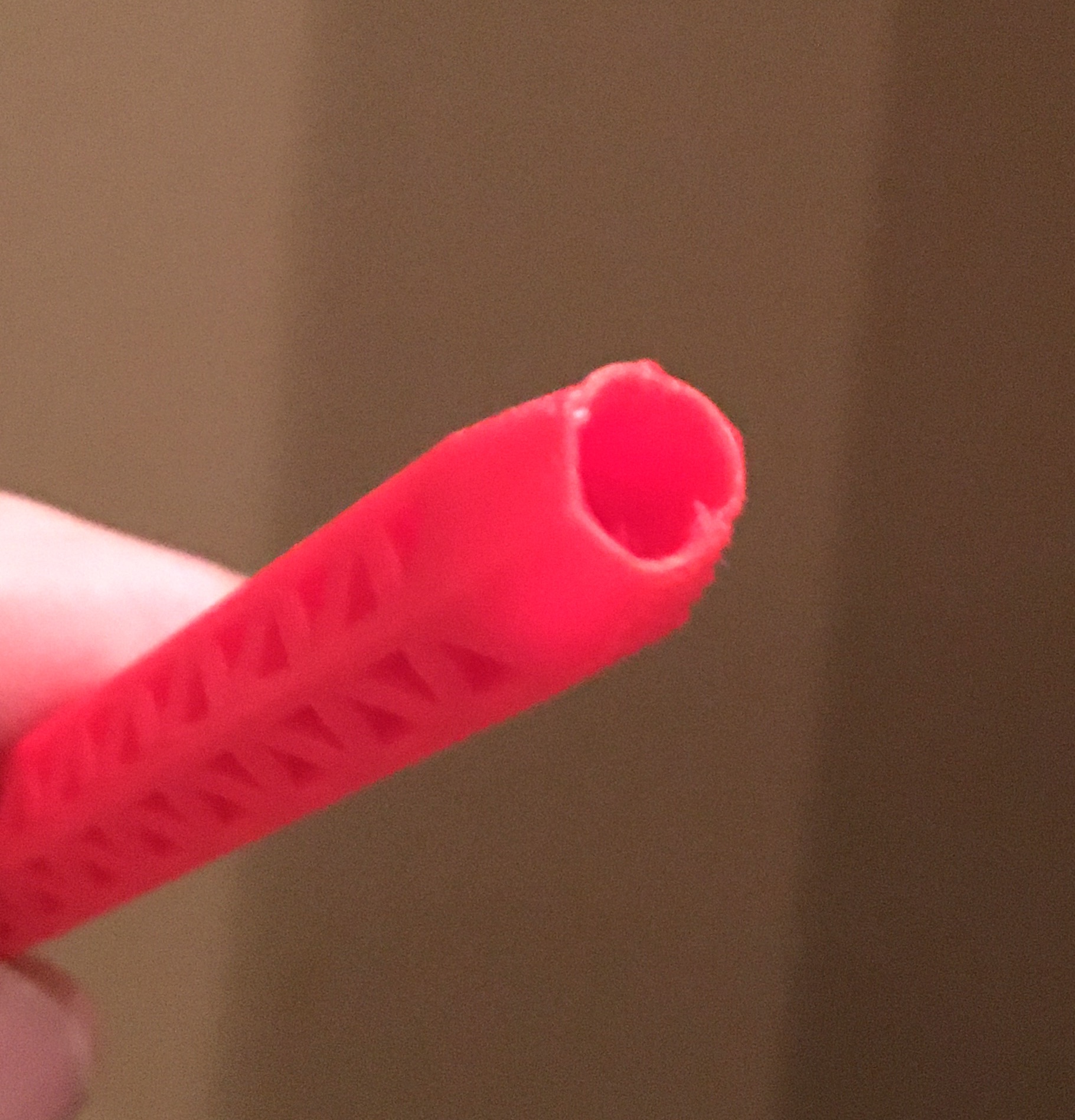
Insert two 6 x 2 mm magnets into its tip and secure them with some glue. I only had 6 x 3 mm magnets and my tip was not circular so I used the closed end of cutting pliers (any V shape tool should work) to gradually make it wider and round, after which I wedged the two magnets using a gentle force.
The stronger the magnets the better!
Hextraction Card Bar Organizer by NoStepOnDeez
Many players like to print the rule cards that go with most cards that have an effect. There are not a lot of practical solutions to carry them around that allows you to shuffle through them easily.
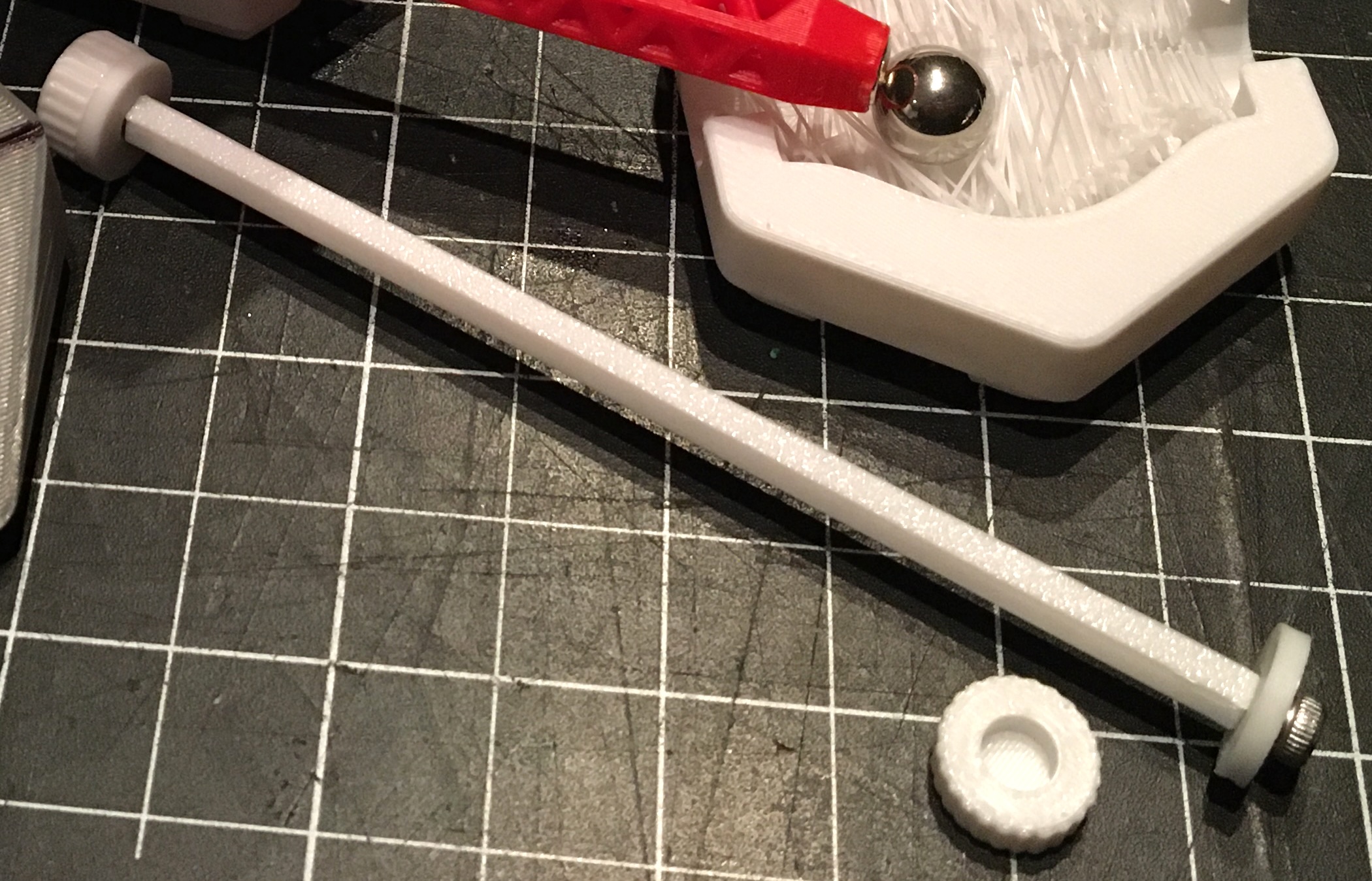
NoStepOnDeez came up with a great solution, with several options to suit your rule card needs. The plate in the 3mf only contains the 10 cm “knob” bar version so you can try it out. NoStepOnDeez also made a “knobless" version and along with bars ranging from to 2.5 to 30 cm on the original page from NoStepOnDeez.
After printing, you need to remove the "brim ears", this can usually be done by hand.
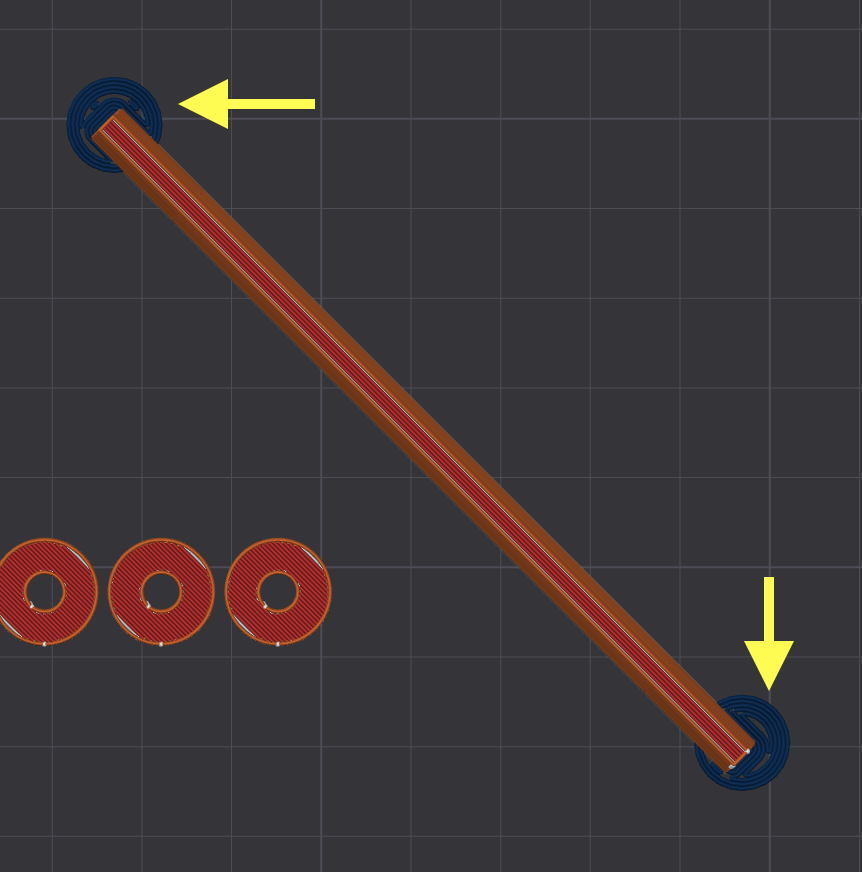
Assembly: the knobs have M3 threads. To make the mating threads, you need to first run a M3x12 bolt into each end of the bar, then screw the knobs on. If this version does not satisfy you, there is a version that uses actual M3x12 bolts and washer on the original page.
Ball Cleaner Cursed Tile by Eagle390
This is not really a tool for Hextraction, but it is very popular with kids (and some adults): the idea of passing your balls through a cleaning bristle station. You can use this tile before the game to ask kids to clean their balls, or during the game like a regular tile, in which case you might want to trim it so some balls can go through.
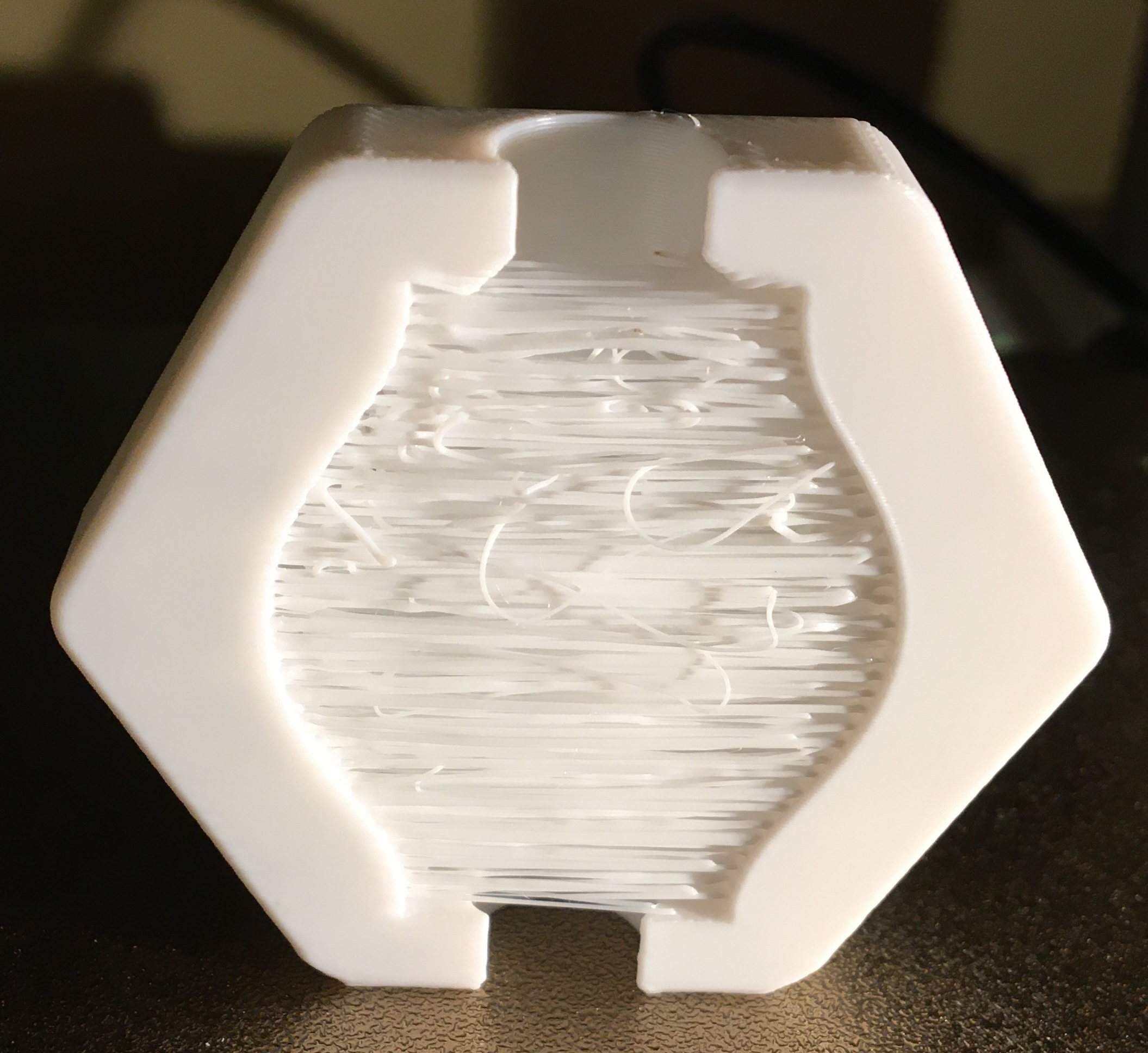
This tile should be printed on its edge (see image above), NOT on its BOTTOM, like in the 3mf file (bristles will print horizontally). I used 0.2mm layer height and Arachne wall generator, settings that worked well on the Grass is always greener on the other side tile by John & Finn Paterson
(Hextraction Tiles Set N Fun).
Once printed, cut the bristles. I prefer flush cutters/snippers, but a box cutter with a sharp blade will work for the first cut, then use regular cutters. Test to make sure that the bristles are short enough to let (some) balls through.
Build plate scraper (links below)
This is a 3D printing tool, not specifically for Hextraction.
TLDR: When we started 3D printing, the metal blade plate scraper seemed too aggressive for our build plates. The plastic replaceable blades was the logical option for us noobs.
Opinions vary a lot about using a metal blade as a scraper, like the one provided by BBL. Plenty of people love metal blade scrapers and have good reasons to use it. So far we never needed to use a metal blade, scraper or spatula to remove models from our build plates (over 2500 hours of print time). We also never scratched their surface.
We bought an inexpensive kit from Aliexpress, but we later found out that there are many 3d models that follow the same concept, so you could print your own. Here is a quick list models I found on MW. I have not tested them, so I can not recommend any specific one (check the comments).
Hextraction Tile Community Catalog
NoStepOnDeez and cadeluca have been working like monks to gather key information about ALL Hextraction tiles that they are aware of. Last I checked, the last tile entered was at the end of January 2025!
It comes with the following instructions to read before clicking the link:
- Please don't resort columns, it affects everyones view!
-
You can filter by categories: click on the box, select your parameters and click “OK”.

- For more search options, go to Data > Change View.
- To add images, go to the Scripts Page.
Hextraction Tile Community Catalog
Another great resource is Lykrast's Hextraction Tile website. Although it does not aim be complete, a lot of useful details and comments can help you decide if a tile might be of interest to you.
If you have suggestions, please let us know in the Comment section.
Design by DomPerignon on MakerWorld (license: BY-SA).