

Sturdy moss pole (parametric)


Sturdy moss pole (parametric)
- Made to order — 3D printed after you buy
- Free shipping on orders over $25
- Quality checked before it ships
- Questions? Contact us · Returns
Made for climbing plants like monstera, photos, or ivy.
Note: you will need a rod, wooden dowel or similar for this print.
My monstera was falling over because of its size. I decided to kill two stones with one bird and made this design. The printed part is essentially a cage to keep sphagnum moss in, which the plant can set air roots in and climb on. By sliding the print onto a pole (shoved into the soil as deep as your pot allows), you get a sturdy support that looks pretty, will keep your plant happy (probably), and is expandable.
The model I printed is made for a 26.5mm rod, because that is what I had at home. I will add print profiles for common diameters from like Home Depot or Amazon, but let me know if you have need for a specific diameter and I'll try and upload a for you c:
The pillars can be attached to each other by aligning the top tabs of one with the bottom slots of the other. You will need one printed cap as well, otherwise the support will be weak.
Parametric design for 3D printing
Open the .step file in your preferred CAD program and look for "parameters".
The cad file is pretty forgiving when changing dimensions, it should be fine for most reasonable values. Note that the tolerances are tight by default (.15mm). If it's too tight, just change tolerance_offset to like .20mm or similar.
The only editing you should have to do is if you increase the height of the pillar, because that will add hexagons to the pattern.
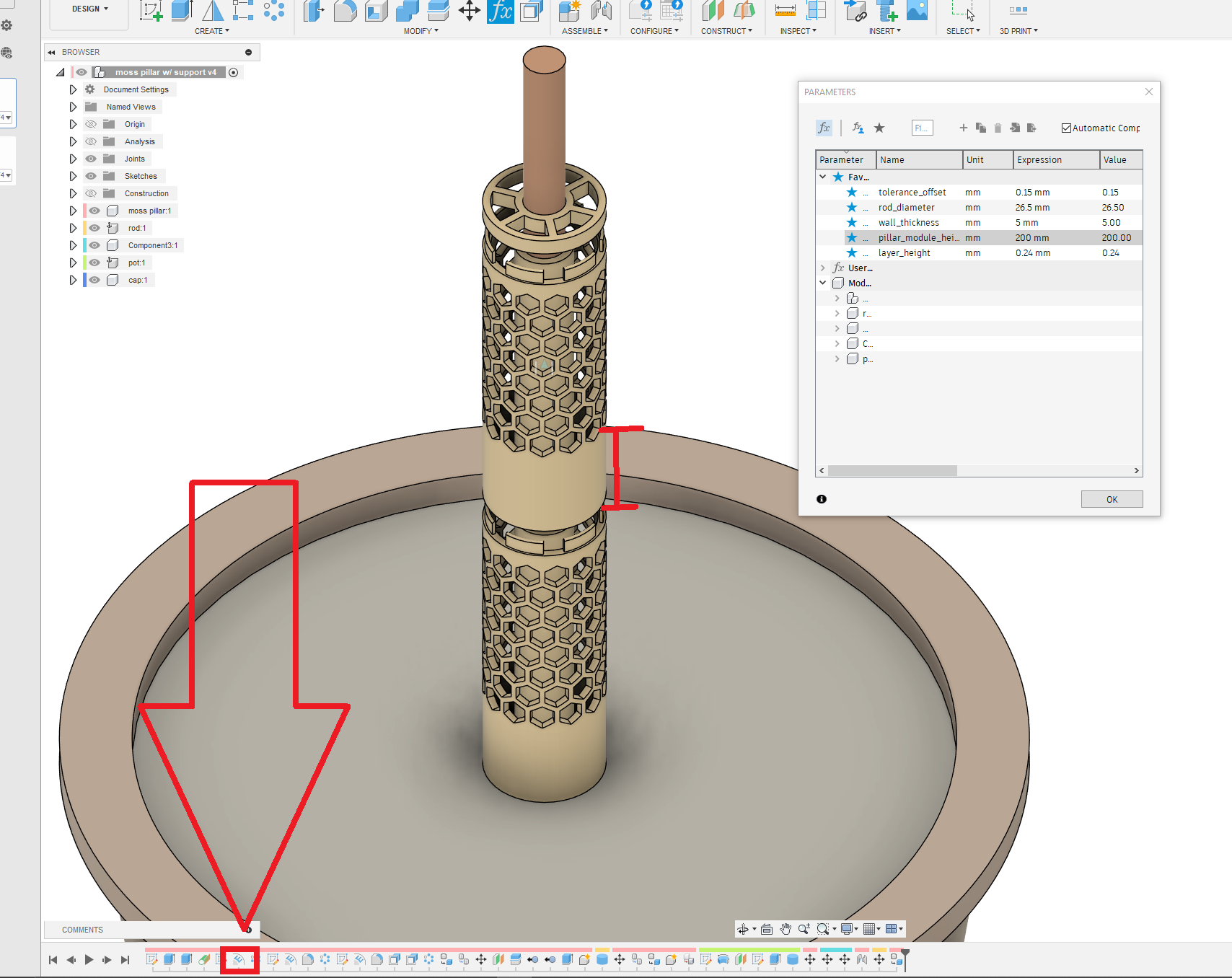 Step 1 Edit the first emboss on the timeline |
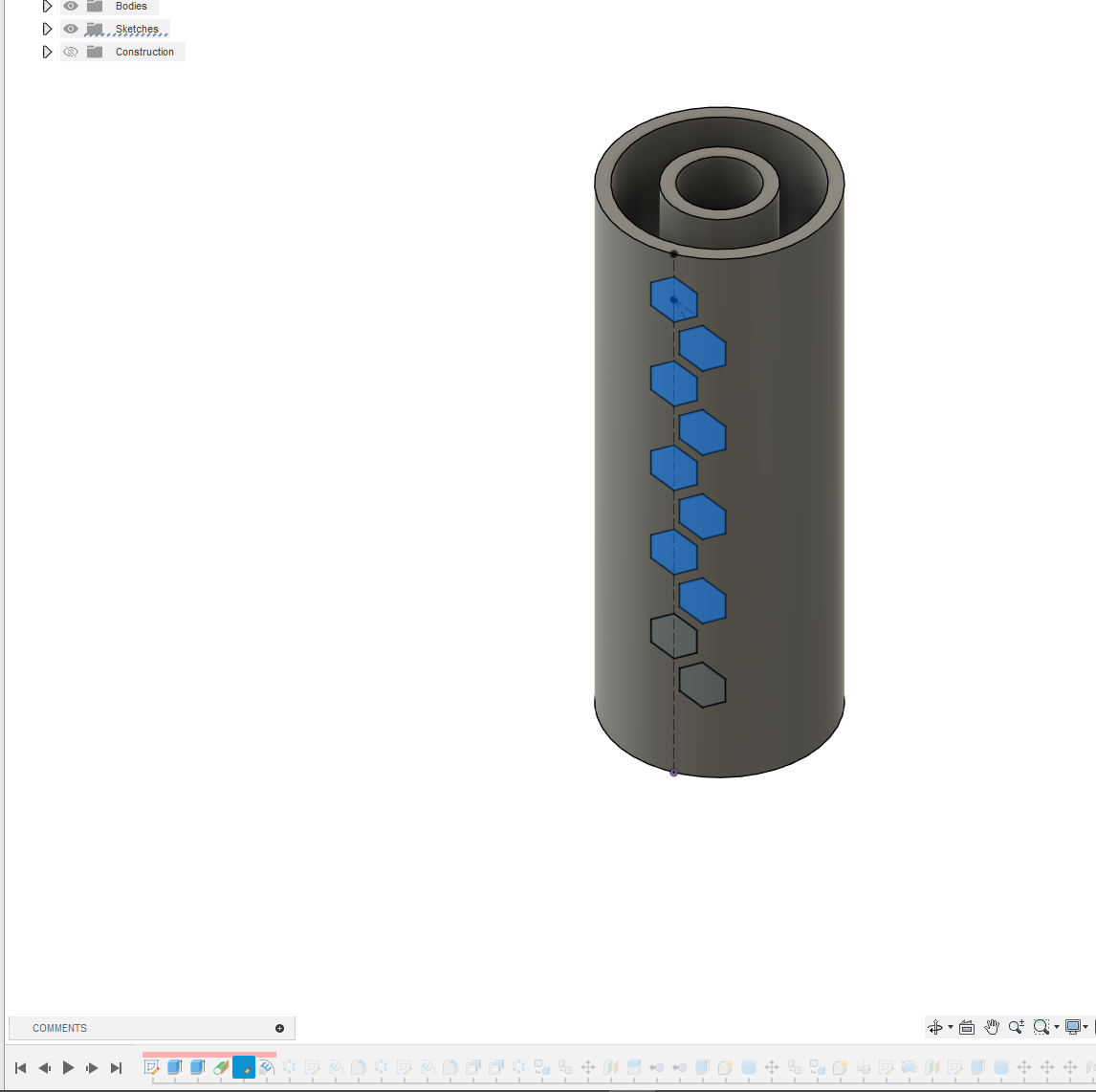 Step 2 Select the sketch profiles that are not selected. |
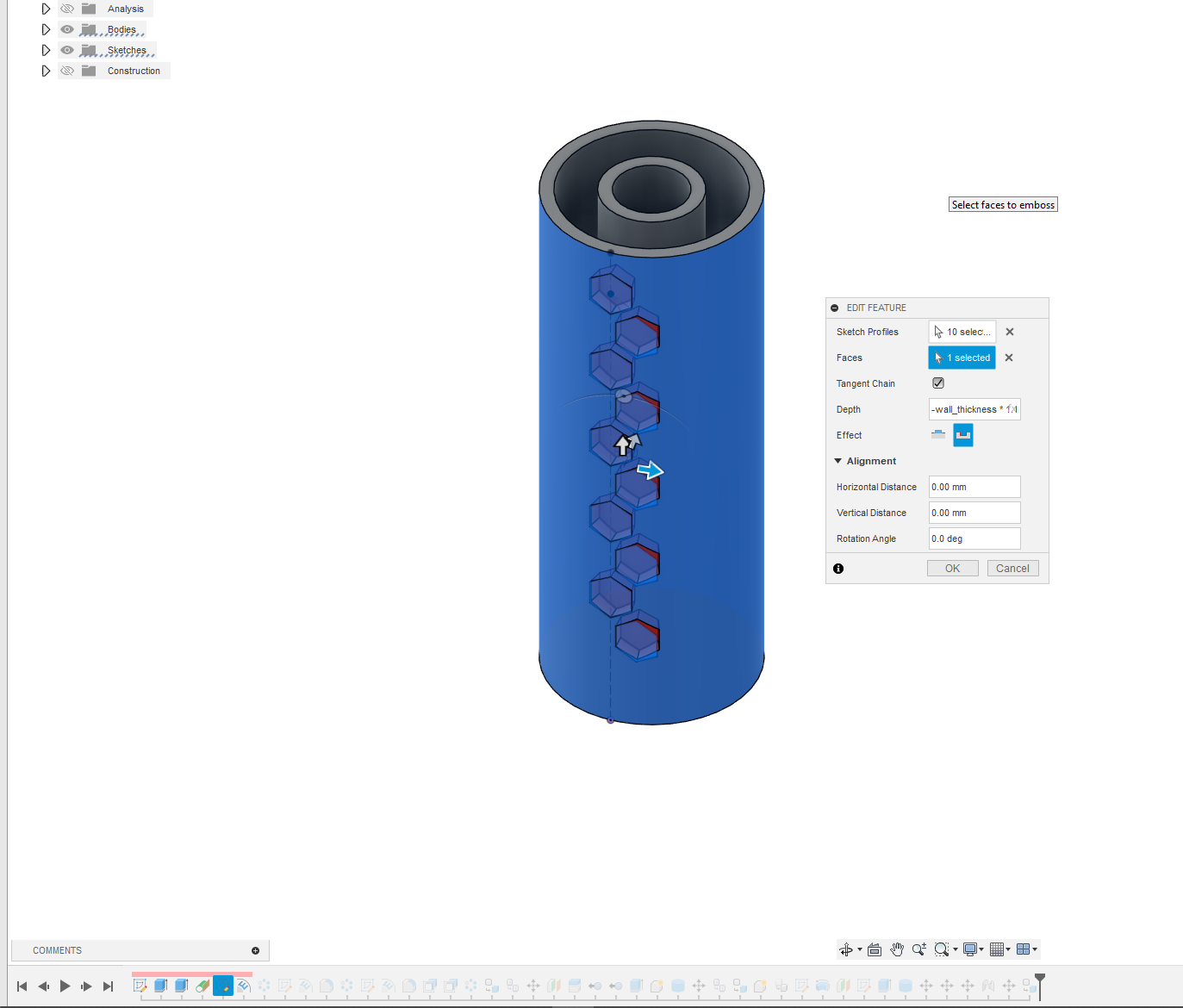 Step 4 Click ok. |
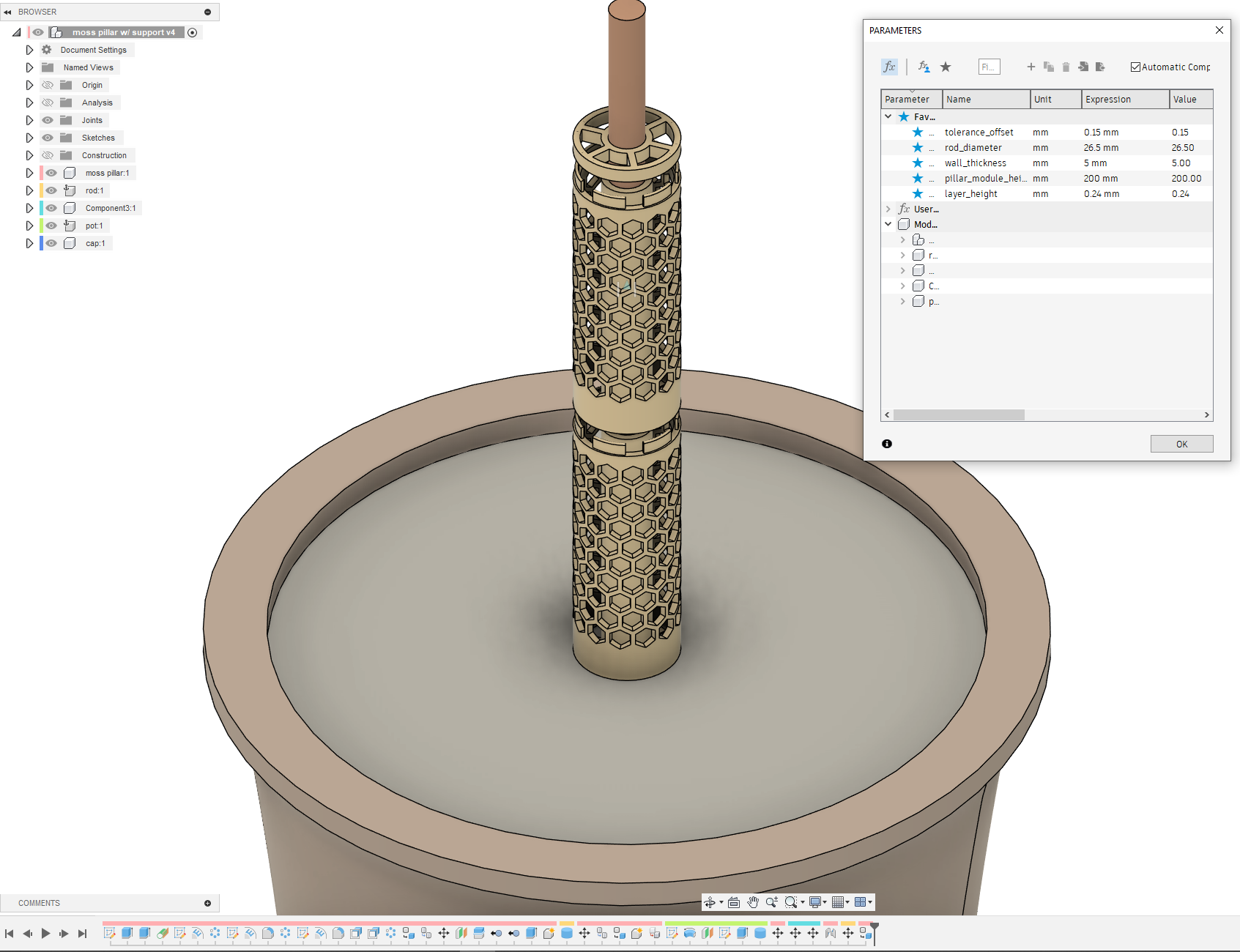 Done! The hex pattern has adjusted istelf c: |
Design by enbyvalent on MakerWorld (license: BY).