

XYZ Calibration + Belt adjust

XYZ Calibration + Belt adjust
- Made to order — 3D printed after you buy
- Free shipping on orders over $25
- Quality checked before it ships
- Questions? Contact us · Returns
The original model's design, and the size was changed.
This procedure makes use of two calibration objects. Calibration Octagon and a Z calibration figure.
This is my way of calibrating my Bambu P1S but this is a process can be used for calibartion on every Bambu printer.
A caliper is required to perform this calibration.
Before starting please check if the parameters such as filament flow, temperatures, print speeds, retract are OK.
Only after the calibration/correction makes sense.
There are eight steps to complete the calibration:
- Print Octagon and a Z calibration figure.
- Waiting for the cooling plate to reach room temperature - is a really critical point. Only after you can remove the model from the plate.
-
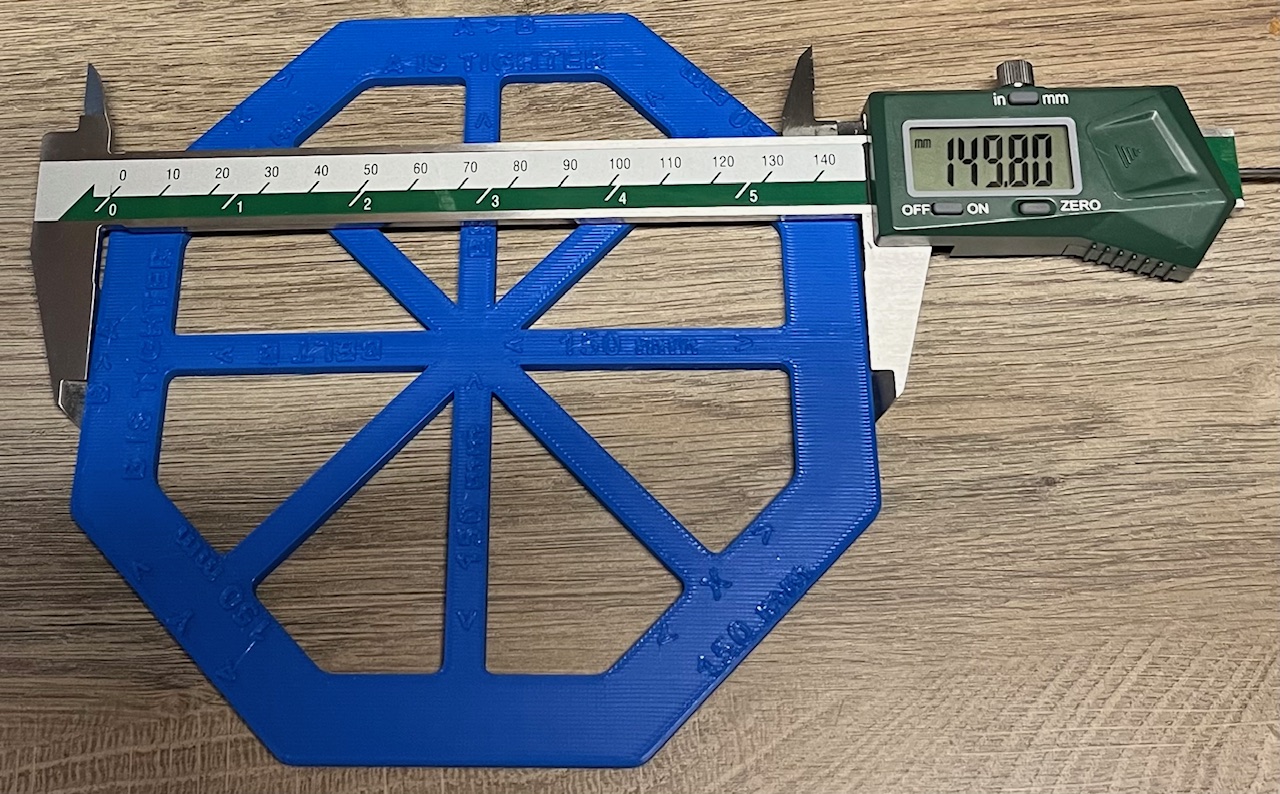
Check your dimension on octagon X and Y axis (150mm on All axis)
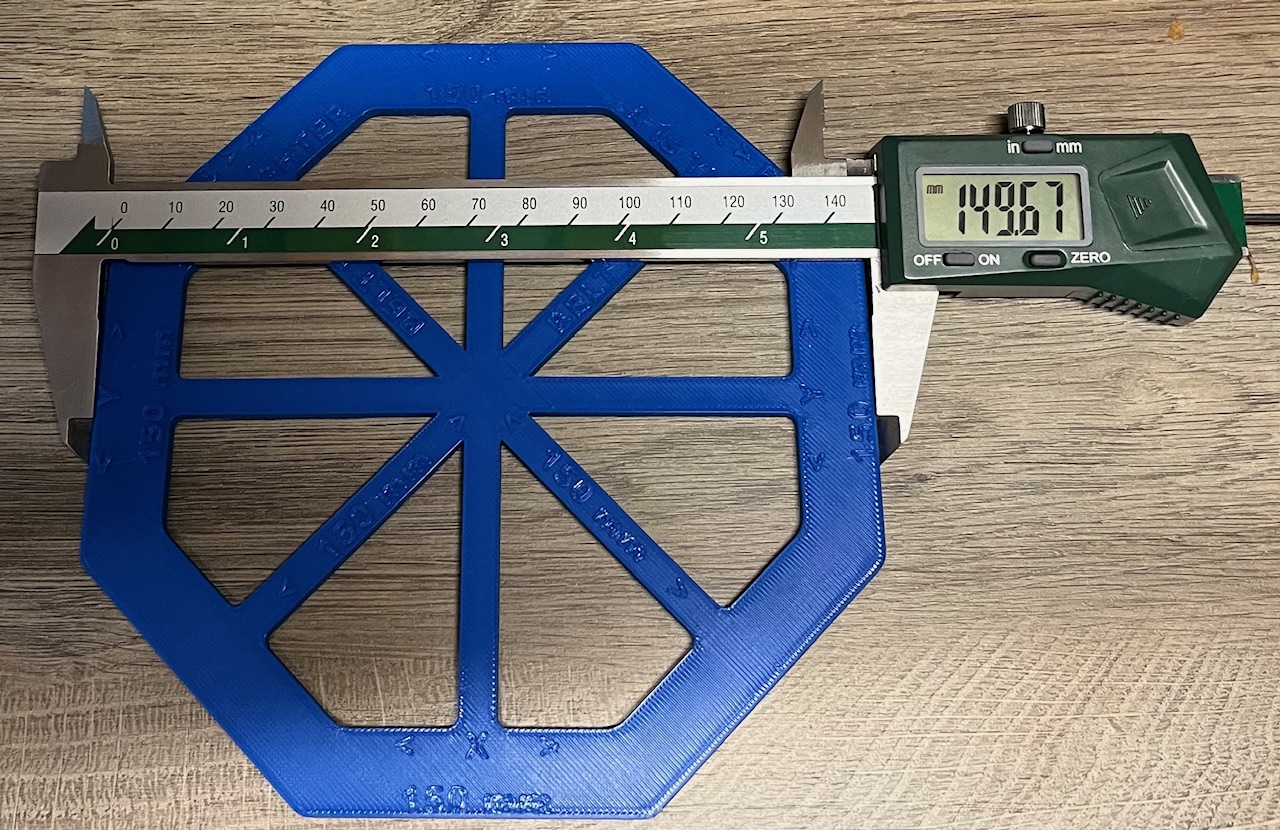
-
On Octagon check your belt tension A, B (150mm)
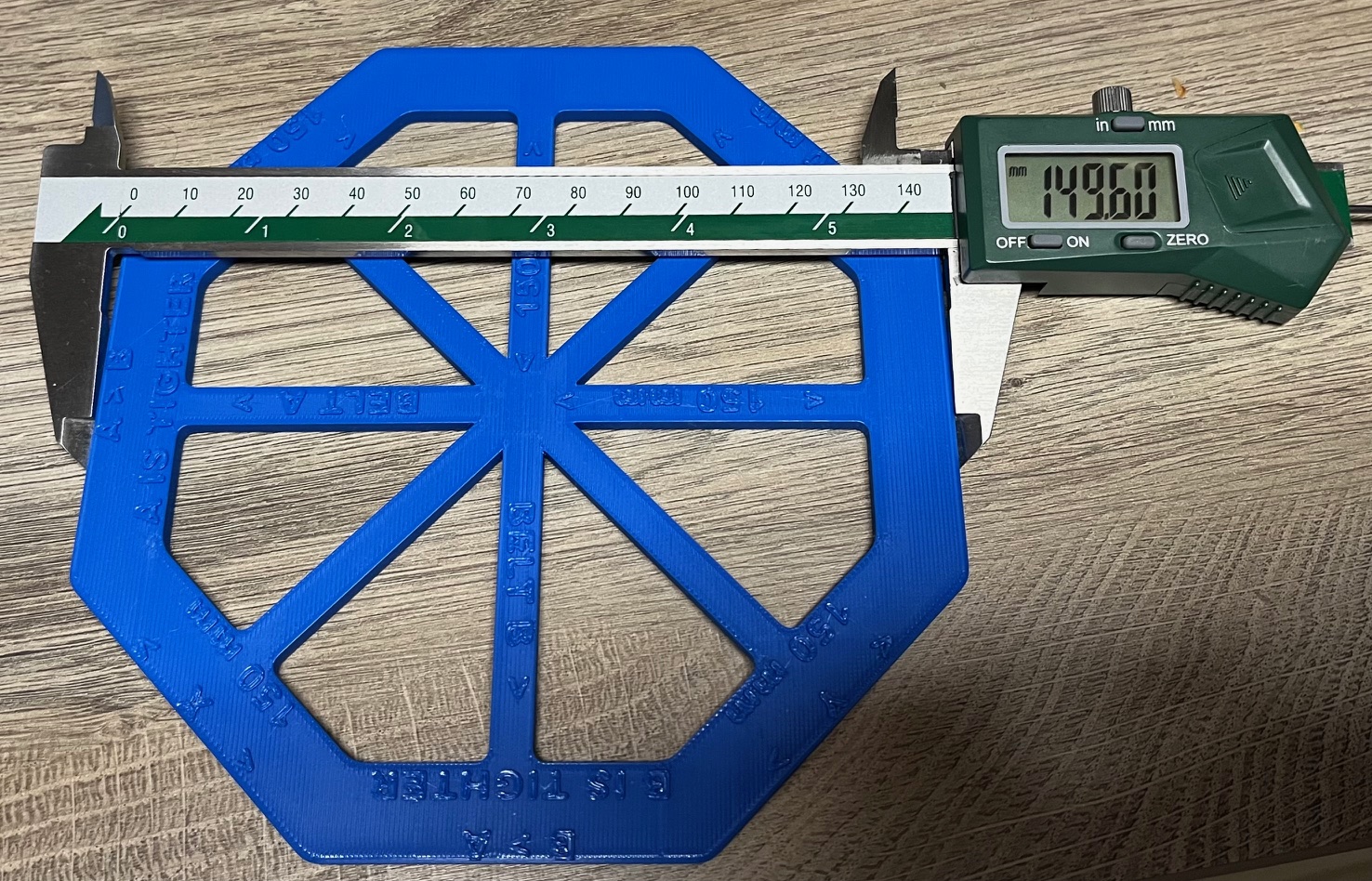
- If you have a differnt amount then 0.15mm)A - B dimension, I recommend to adjust one of your belts.
- Please use this video for adjusting your belts on P and X series Bambu printers.
- If you adjust your belts, you must start calibration from point 1
- If you have a differnt amount then 0.15mm)A - B dimension, I recommend to adjust one of your belts.
-
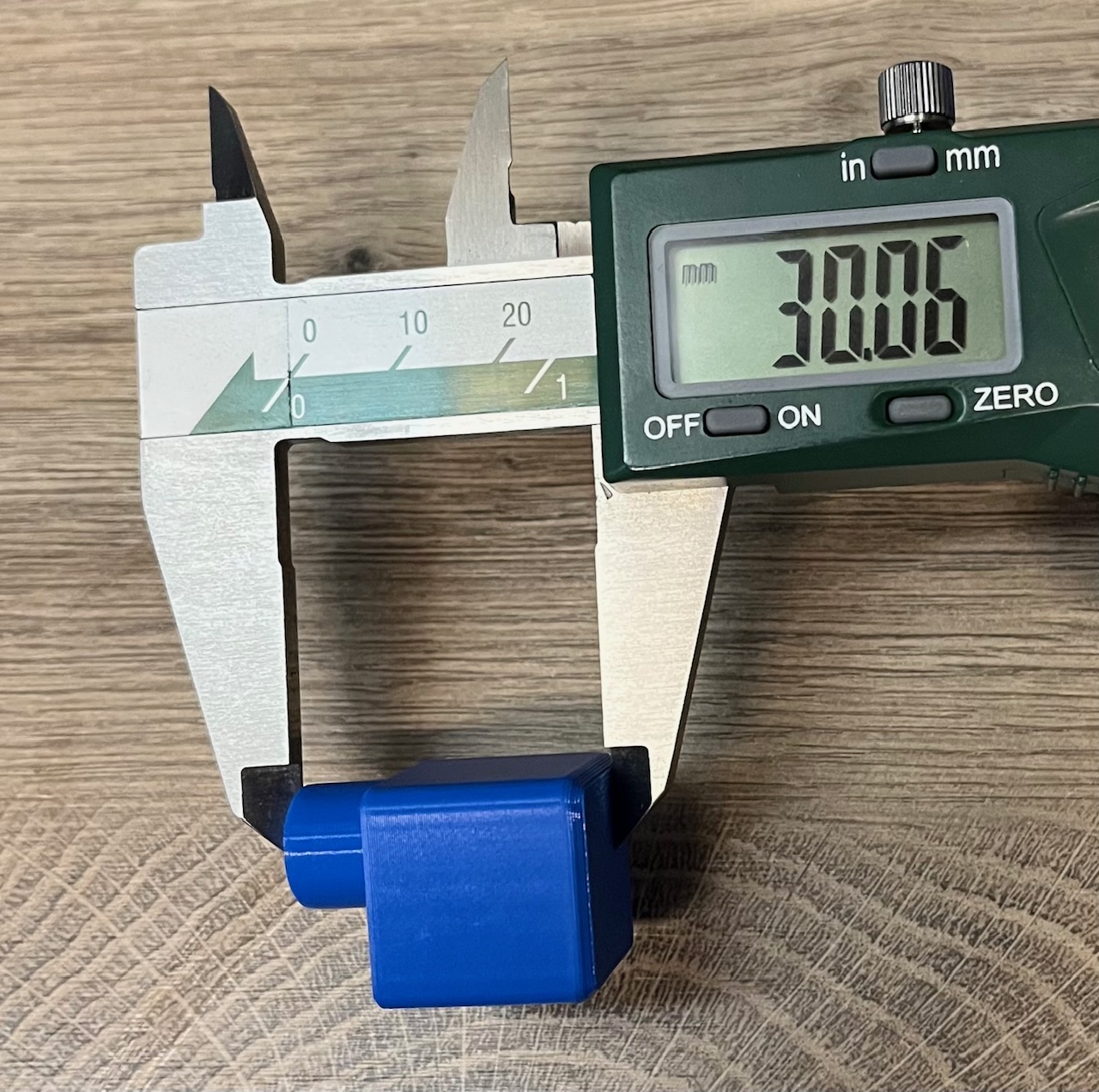
Check your dimension on Z calibration figure (Z=30mm)
- If your belts tension is OK, you can do calibration like on this video
-
If you don't like changing your machine axis calibration, but you needed to print precision parts. You can add correction into slicer, using Scale. My Dimension after adjusting belts X=149.67mm, Y=149.80mm, Z=30.06mm(its correct I didn't need to change anything). So now we can calculated your coefficent.
- X = 150/149.67= 1.0022
- Y= 150/149.8= 1.0013
- Z= 30/30.06=0.9980 because differences of dimensions are really small I didnt do any corrections on my Z axis.
After that, you must add a correction on your X and Y axis (in my case i didnt need to add a correction on Z axis):
X=150x1.0022=150.33
Y=150x1.0013=150.195
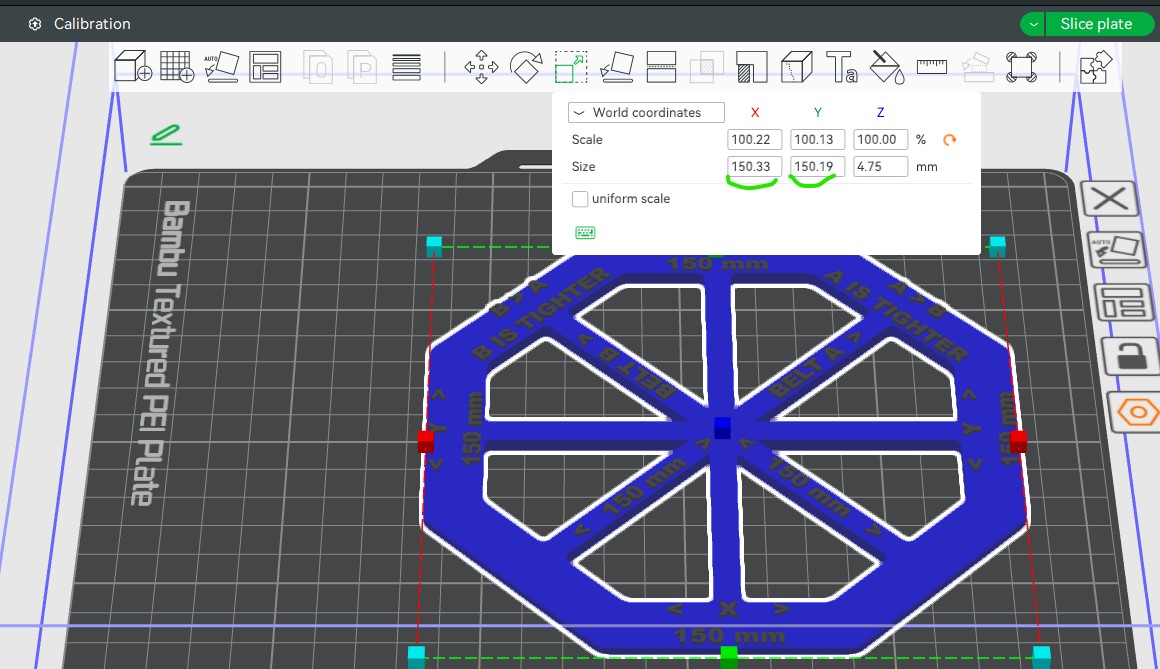
- Now you can save your coefficient and use it if you need to print precise parts.
Design by UnderscoreTime on MakerWorld (license: BY).