

CUTE CAT Keychain


CUTE CAT Keychain
- Made to order — 3D printed after you buy
- Free shipping on orders over $25
- Quality checked before it ships
- Questions? Contact us · Returns

CUTE CAT Keychain
Less than four weeks ago I purchased my first 3D printer (Bambulab A1 Mini) and I fell in love with this world. After printing a few projects, I decided to learn how to create and print my third 3D object.
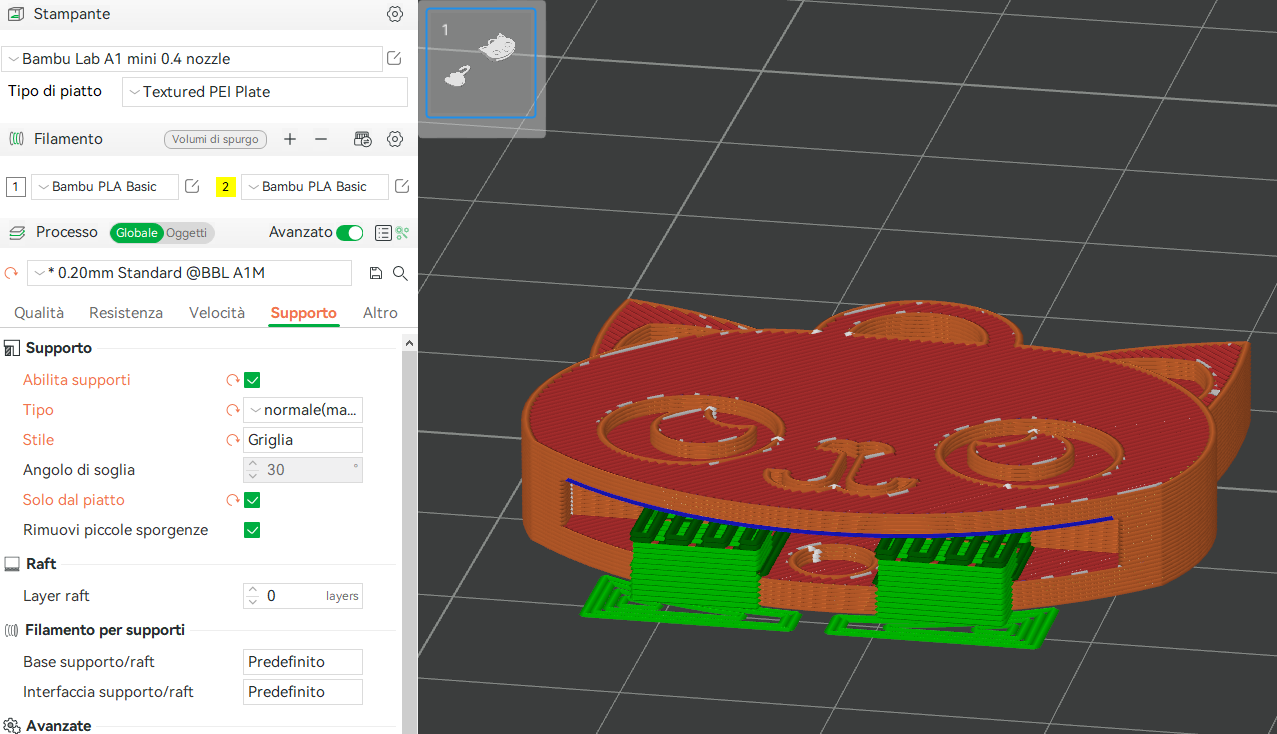
IMPORTANT: the project REQUIRES SUPPORTS on the face, for this reason I recommend printing it with my print profile because I tried to make them as less annoying as possible to remove them.
The Cat keychain is a simple cute cat shape keychain, where its body is free from the head, this way the body can move left and right freely.
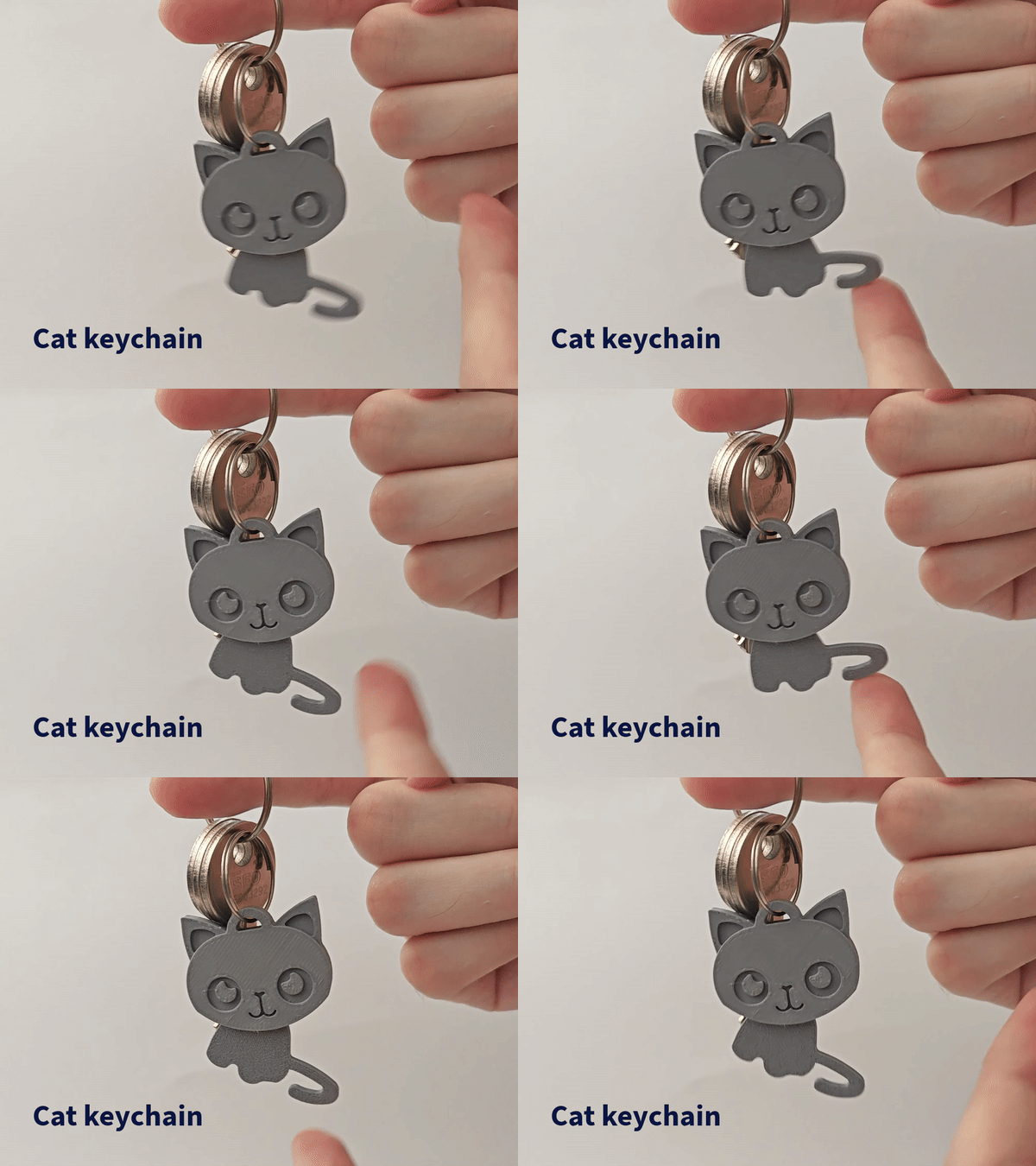
Please leave me a like and feedback to support me :)
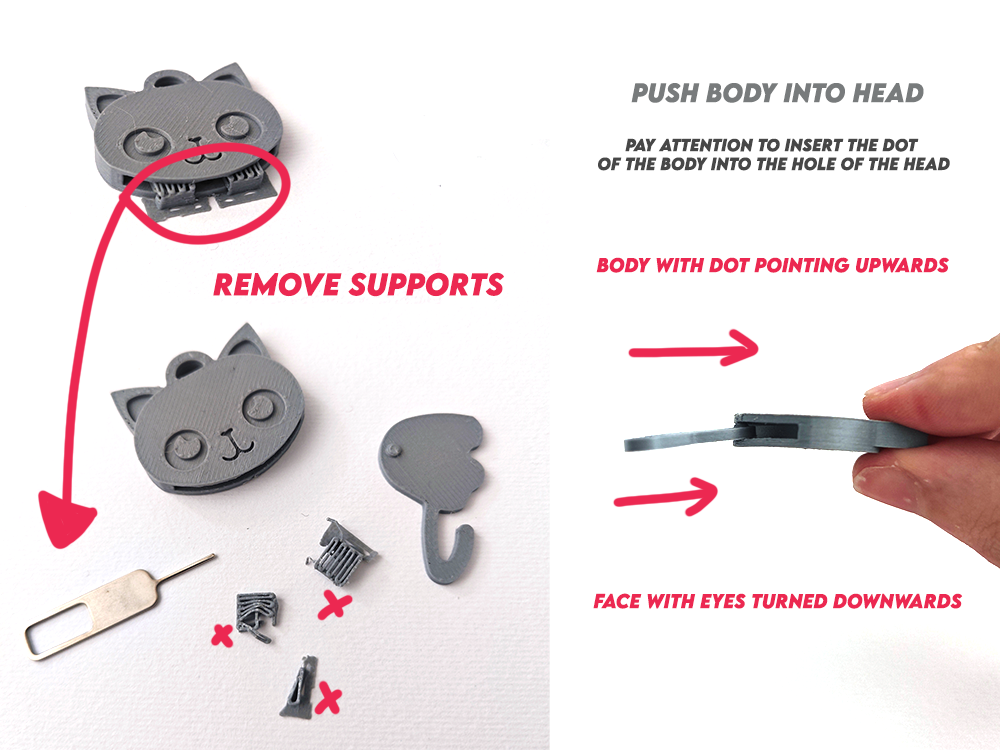
1. Remove the cat face supports
I recommend using my printing profile, to help you remove the supports use something thin but resistant such as a phone SIM remover, or a small knife, if you are a minor get help from an adult!
2. Fit the dot in the body with the hole in the head with a little force.
locate the small hole in the cat's head, and insert the body pellet by pushing it into the center. make sure you have cleaned the cat's head insert well
My Print Settings (Recommended for you):
Printer used: Bambulab A1 Mini
Filament used: Bambu PLA Basic
Nozzle: 0.4 nozzle
BambuStudio pre-setting used: 0.20 mm Standard @BBL
Supports: YES
Design by lucafeer on MakerWorld (license: BY-SA).