

Sleepy Cat Bookmark

Sleepy Cat Bookmark
- Made to order — 3D printed after you buy
- Free shipping on orders over $25
- Quality checked before it ships
- Questions? Contact us · Returns
You are welcome to print this model to sell and share joy to people around you.
Recently I gifted some 3D printed bookmark to my friends and they loved it! I want to share the same joy to you too.
If you were able to sell them please consider come back and give this model a boost for free!
This design is double sided!
A lot of multi-color bookmark on Maker World is singled sided, I think it is such a missed opportunity. After my own testing and printing, multi-color bottom layer takes quite a lot of tuning to get right.
If you find problem with the current profile, please report your issue with a picture of the problem.
Learning From Failure:
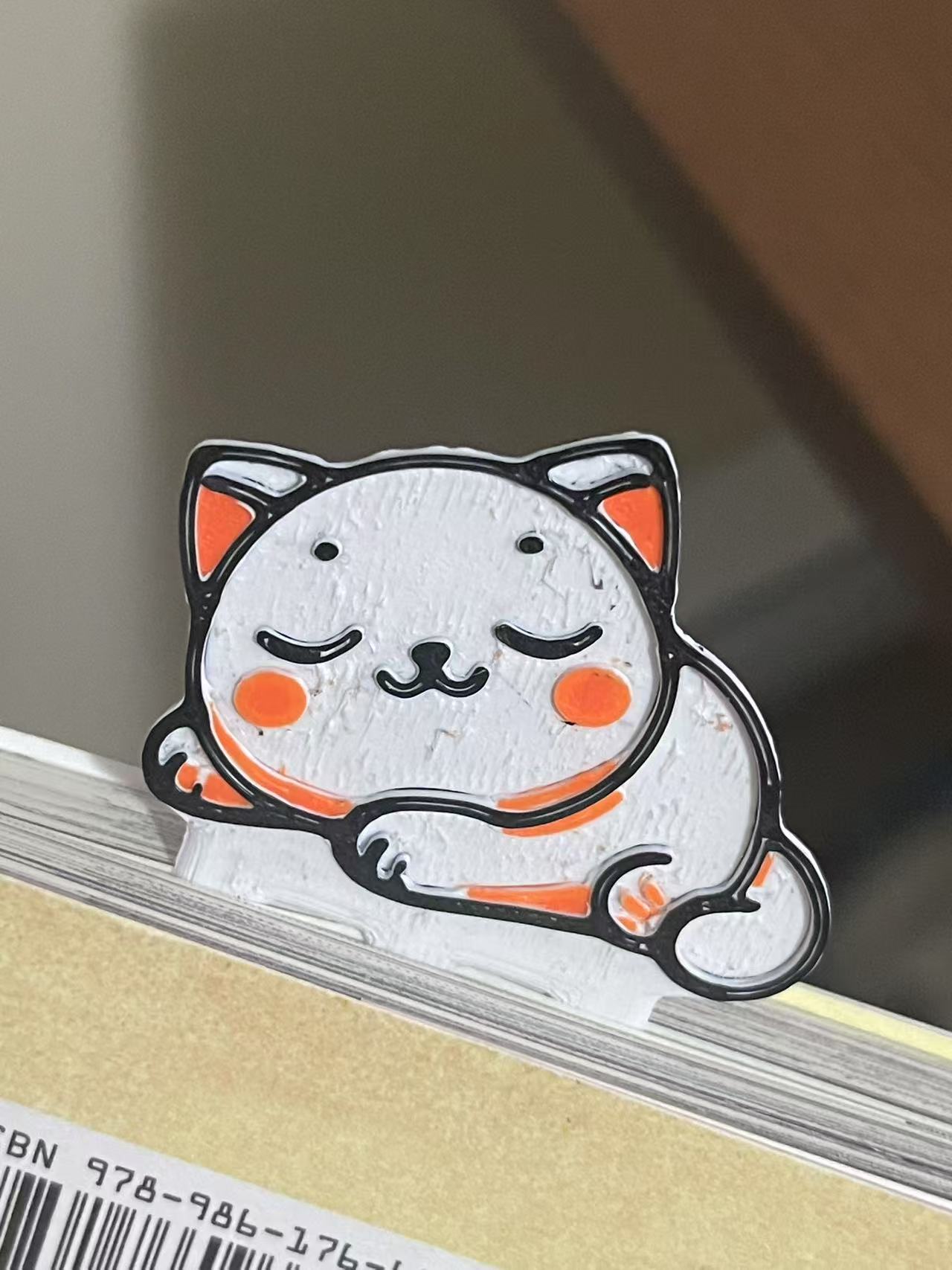
Over extrusion:
When you see marks like this, too much material is coming out of the hot end.
How to fix? Tune down both the Flow ratio and Printing Temperature.
For PETG, it is recommended to stay within the range of 0.95 to 0.93. Here because I have a Revo hot end, its heat core is a bit more powerful than the stock hot end, that is why the temperature and flow ratio is lower.
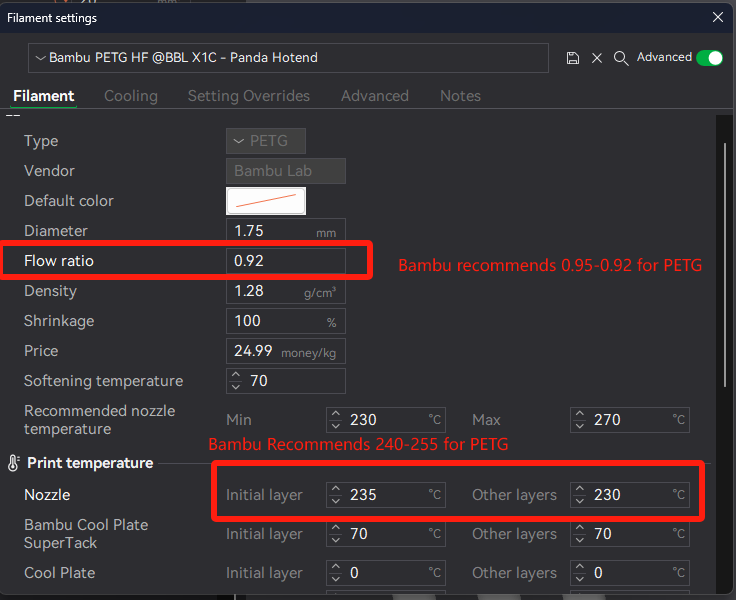
Print setting & Design Learning:
This design was done with the help of AI and I fine tuned the PNG with Microsoft Paint.
The PNG was later imported into Bambu's Image to Keychain Tool to generate a 3mf file

Color Change nightmare After Downloading from Keychain Generator
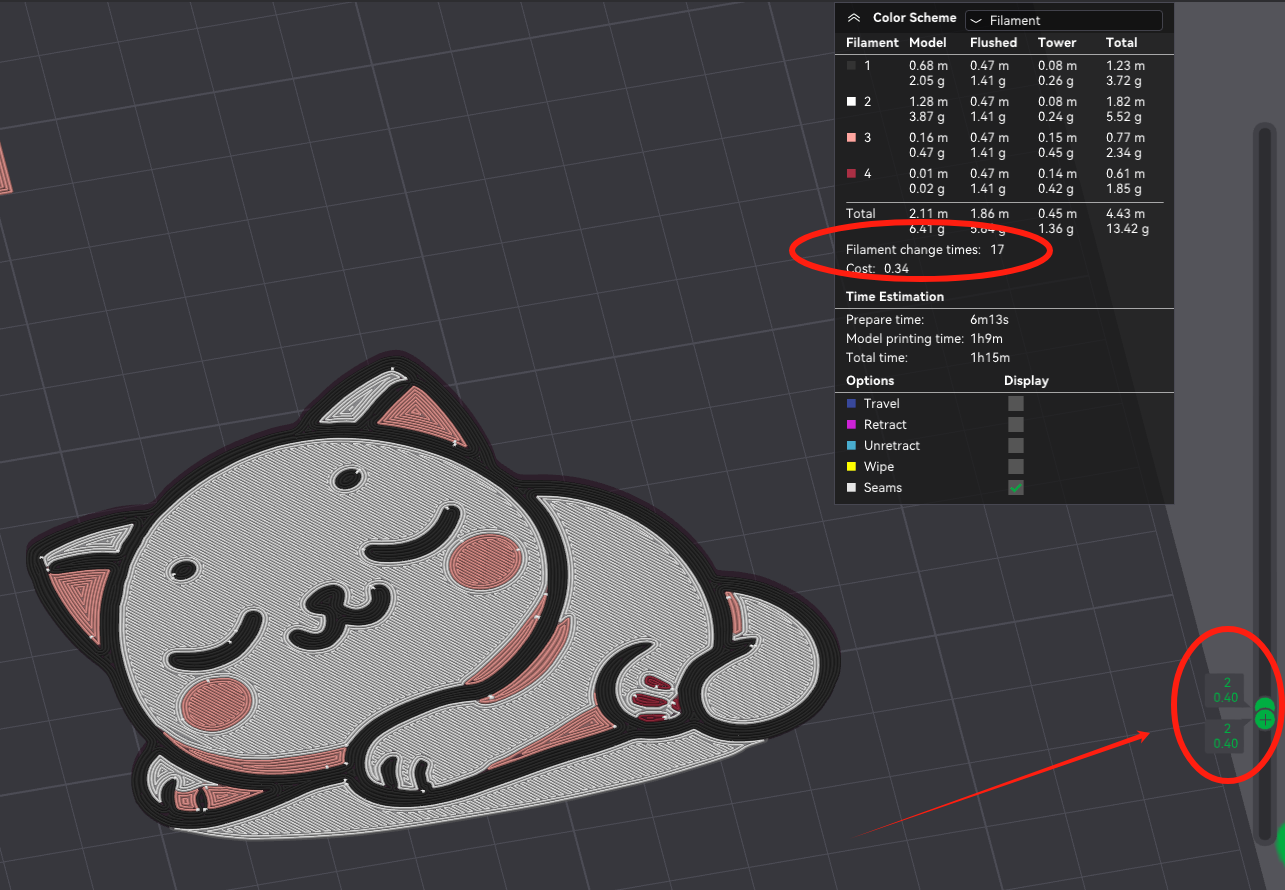
For some unknown reason, the slicer kept having multiple layer with colors, which drives up the number of filament change to over 20.
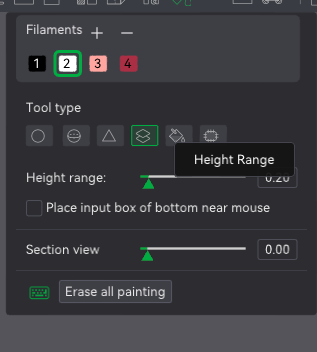
I have tried to use the paint bucket height range tool to color only between the first layer height and last layer height. However, it didn't solve the entire problem it still had more than 1 color on the second layer.
Ultimate solution: Completely change the filament for this entire part
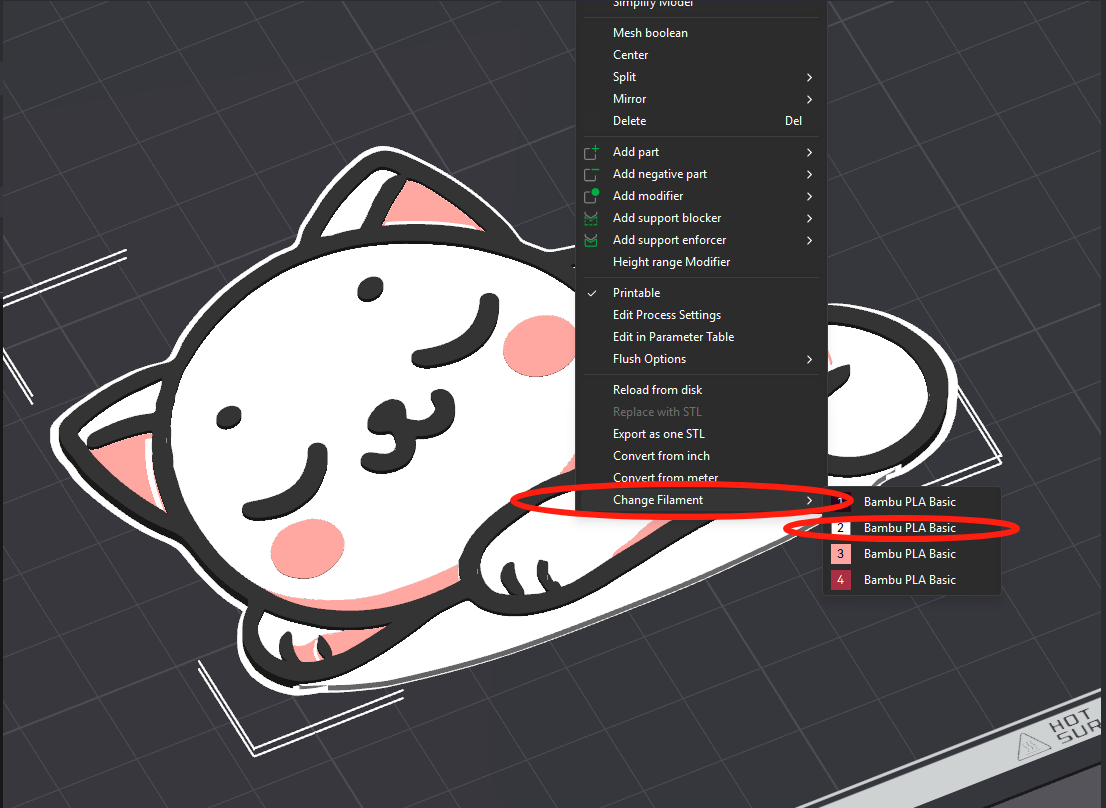
Book Mark Pattern in “Image to Keychain” tool is OK, but we can do better.
I like my books a lot. Other bookmarks I printed has really thick bookmark tabs and it creates a big gap in my book if closed. It also has square edges.
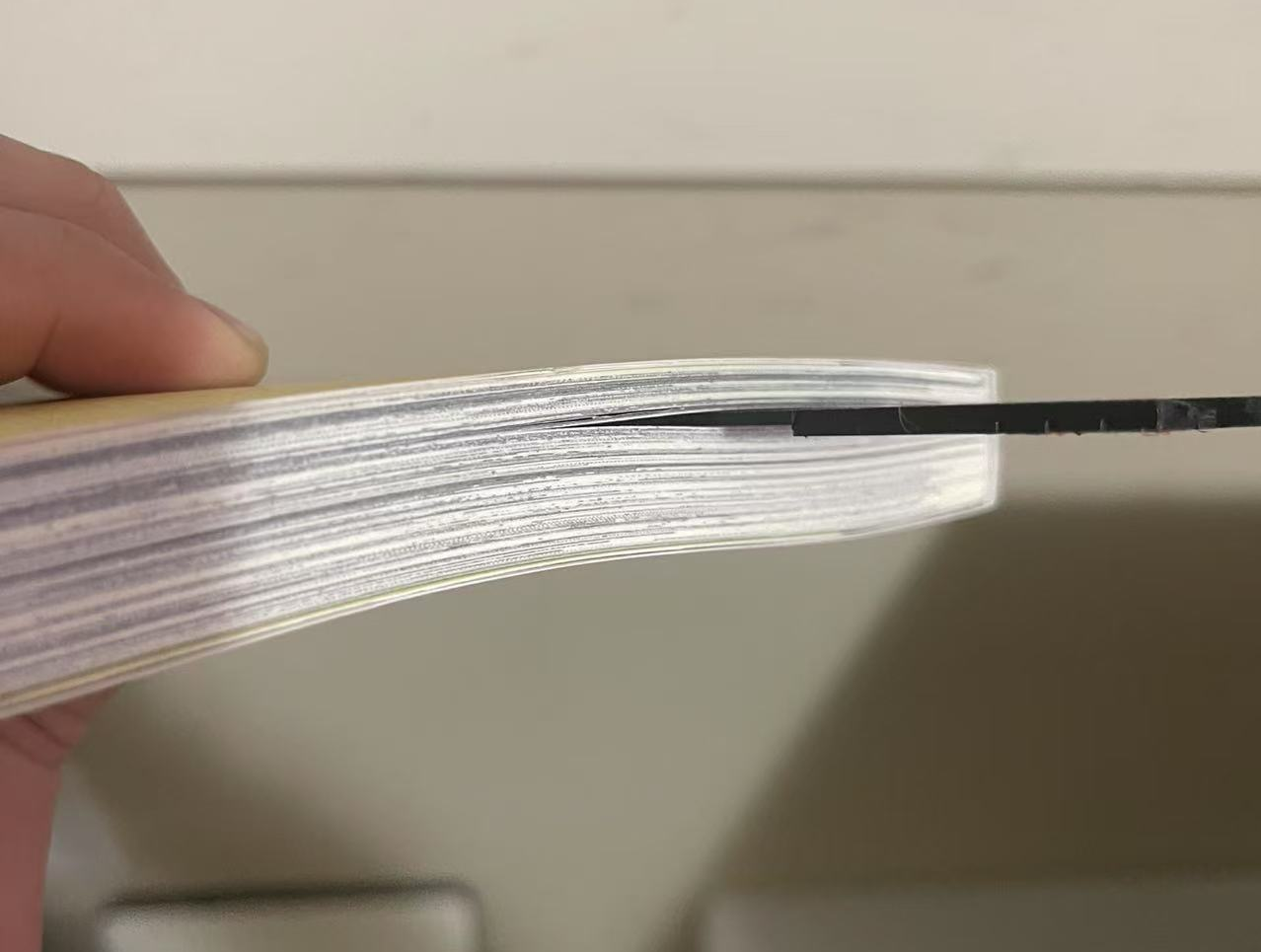
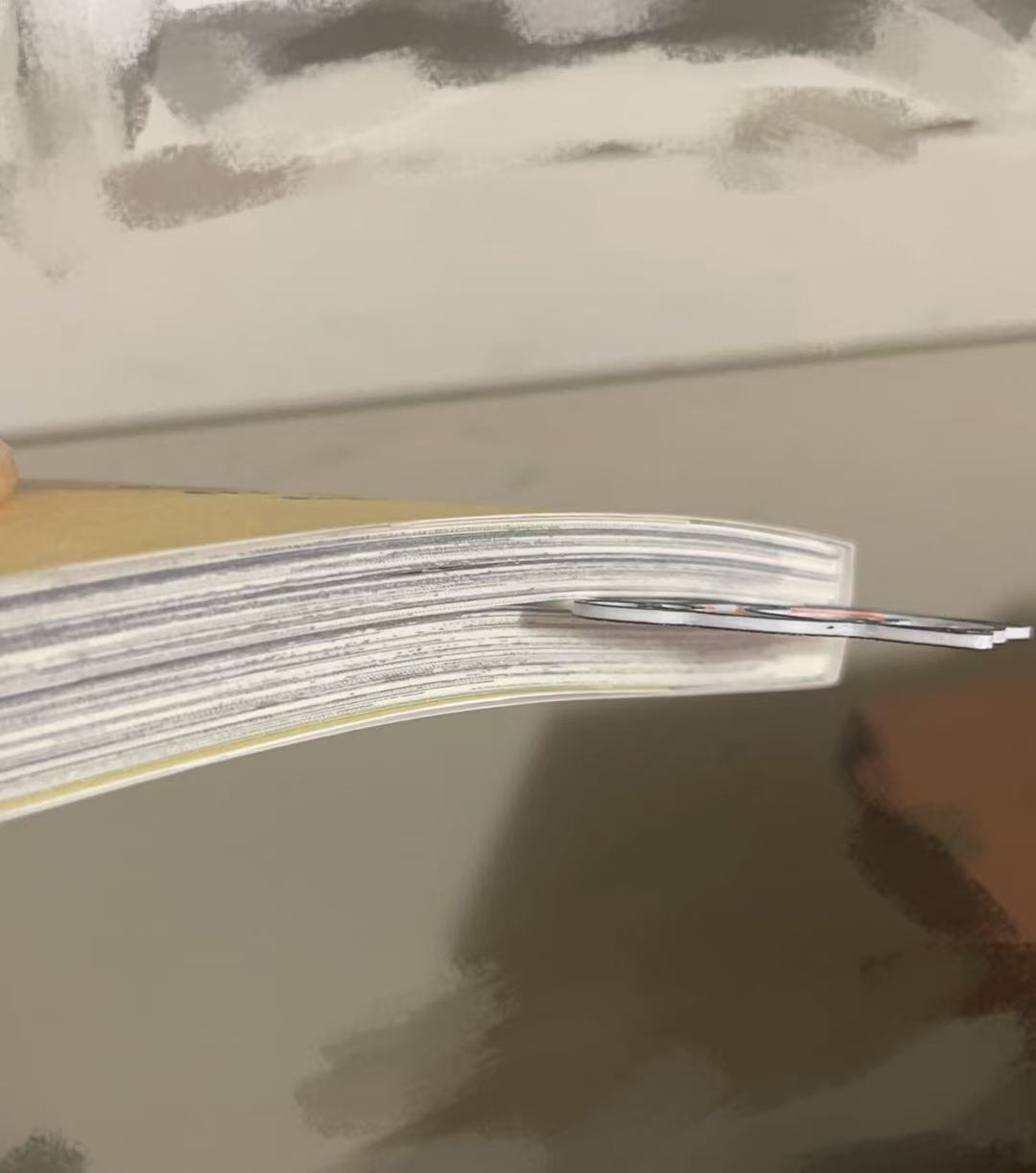
I personally find this gap distasteful also atheistically unpleasing.
Smooth edges just feels so much nicer. (≧◡≦)
This Book Marking Tab will also be released Free of charge or License, Feel Free to use it to create your design. That design will be under Public Domain License.
Design by z3ro on MakerWorld (license: BY).